
Minecraft datapacks — page 18
2,540 itemsData packs: list


FokusAPI
> Fokus / Focus API - Library for CoffeeG's datapack/mod/plugin.InstallOn a server

Legacy Nether: Extended
Blends the nostalgic console-era Nether with modern features for the ultimate hybrid experience!InstallOn a server

Overgrown's Origins: Improved Inchling
Discover the Inchling Origin: blend agility, stealth, and aerial skills. Explore with a fresh perspective, balancing swift advantages and challenges.InstallOn a server

Create: Renewable Notch Apples
Adds a new recipe to make enchanted golden apples renewable in the Create mod, using the Create: Enchantment Industry mod.InstallOn a server

Custom Biome Saplings
Allows Terralith and Blooming Biosphere trees to be regrown using vanilla saplingsInstallOn a server

Rubius Horizons - Data Pack
Datapack for modpack Horizons, that balances items and add custom drops for different bosses and enemies.InstallOn a server

Nether Weather
"Nether Weather" is an addition to Minecraft that aims to make the Nether feel more like a real place by introducing 3 new weather types to it. You will now encounter lavafalls, storms and heatblasts (which replace storms in the Nether Wastes).InstallOn a server

Recipe Tweaks
This is a data pack all about improving crafting. Everything you never even knew you wanted, but needed, AND everything you always knew you wanted and needed. Basically, everything you've ever wanted and/or needed.InstallOn a server

Roguelike tower
A tall tower with random monster-slacking cages and loot boxesInstallOn a server

Eggs - Cobblemon Addon
In these eggs you can find some common, rare or shiny cobblemonInstallOn a server
MC Paint
Datapack that lets you create and place custom paintings in-gameInstallOn a server

Vanilla Structure Update
A mod that reworks most of the vanilla structures while staying true to the vanilla feel.InstallOn a server
Farmer's Cutting: BetterNether
Adds Farmer's Delight cutting recipes for BetterNetherInstallOn a server
Farmer's Cutting: Regions Unexplored
Adds Farmer's Delight cutting recipes for Regions UnexploredInstallOn a server

Eugene's Whistle & Spur
Whistle to call your horse, spur it to speed up, just like that in RDR2!InstallOn a server

Dungeons and Taverns Mineshaft Overhaul
A Structure Datapack Overhauling and Replacing the Vanilla Mineshaft, Mesa Mineshaft and adding 4 New rare Mineshafts to your worldInstallOn a server

Graves
A fully customizable grave to save your loot upon death!InstallOn a server

Crop & Kettle
A cozy cooking datapack that adds new food, crops and more! Over 100 recipes!InstallOn a server

Zombie Horsemen
Zombie Horsemen is a Minecraft datapack that introduces a new surprise event similar to the Skeleton Trap. When triggered, a zombie riding a zombie horse, equipped with an iron helmet, iron axe, and shield, will spawn to challenge players.InstallOn a server

Aetherial Islands
Datapack that creates a whimsical floating islands world, with mountains, rivers, and floating ocean bowls!InstallOn a server

CTOV - Iron's Spells 'n Spellbooks compat
Compatibility datapack between CTOV and Iron's Spells 'n Spellbooks modInstallOn a server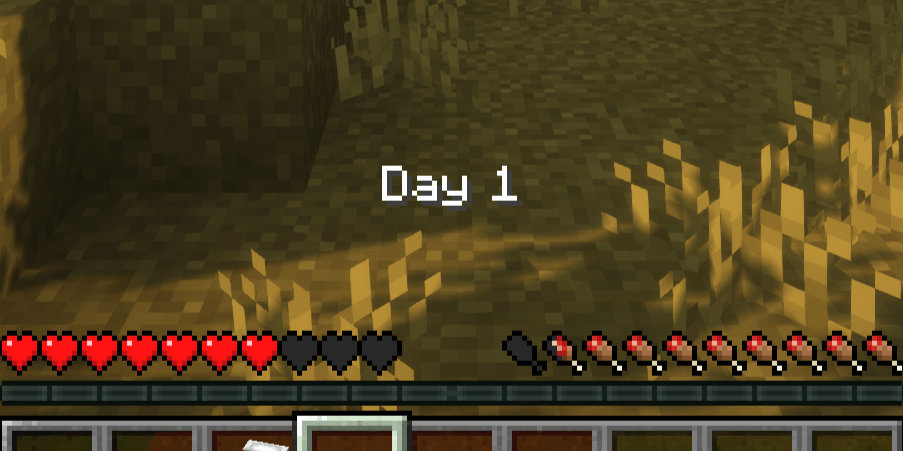
Day Counter
A simple Day Counter DatapackInstallOn a server

Loot Randomizer
Random block drops. Fabric version is compatible with other mods.InstallOn a serverFAQ
How is a datapack different from a mod?
A datapack uses the game's own tools: it changes recipes, loot, structures and advancements. A mod changes the game's code and can add something genuinely new — a block, a mob, an interface. A datapack doesn't need a loader to work.
How do I install a datapack?
Click “Install” and Millida Launcher will add the datapack to the world you choose. To do it manually, put the archive in the datapacks folder inside the world folder and rejoin the world.
Does a datapack work on a server?
Yes, on a regular server without mods: the datapacks folder sits inside the server's world folder. Players don't need to install anything on their clients.
What is a data pack?
A set of files that changes the game with its own tools: recipes, loot, world generation, advancements and command functions. It works from version 1.13 without mods or loaders and is installed into a specific world.
Are there data packs for world generation?
Yes, it is one of their most common jobs: new biomes, terrain, caves and structures. Generation only changes in chunks that have not been created yet, so such a data pack is best added when creating a new world.
Minecraft datapacks
A datapack changes the game's rules without touching its code: crafting recipes, loot tables, world structures, advancements, command functions. The game supports all of this natively since 1.13, so a datapack needs neither Forge nor Fabric — it's installed into a specific world and works on the vanilla client and a regular server.
Data packs do different jobs: some change world generation — biomes, terrain and structures, others add mechanics, challenges and horror events, and others are made for servers — economy, ranks, command-based minigames. Generation applies only to new chunks, so such packs are added when a world is created. On Millida Hosting a data pack goes onto the server with the On a server button on its page.
That's the main difference from mods: a datapack doesn't show up in the mod list, and it can't add anything the game doesn't have at all — you can't make a new block with its own model this way. On the other hand, it doesn't clash with other packs, doesn't need updating when you switch loaders and doesn't stop you from playing with friends on a regular server. Installing a datapack is simple: put the archive in the datapacks folder inside the world folder, then reload the world or run the reload command. The card lists the game version, author and license, and all releases are gathered in one place.