
Minecraft datapacks — page 14
2,540 itemsData packs: list


Create: No Silverfish XP Farm
Datapack to remove the Create Infested Stone Bulk Haunting RecipesInstallOn a server

Gun Core
A library that allows players to make fully functional guns with next to no setup and coding knowledge.InstallOn a server

Sunnier Skies for Archon
Reduces the amount of Clouds spawned by Archon RenewedInstallOn a server
Ability Crafting
A datapack for Cobblemon that makes the Ability Patch and Ability Capsule craftable itemsInstallOn a server

Bards RPG Spell Tweaks
Balancing datapack for Bards RPG, designed for Prominence 2.InstallOn a server

Charm - BetterNether Compat Datapack
Adds woodcutter recipes for BetterNetherInstallOn a server

Spellblades Spell Tweaks
Tweaks some spells from the Spellblades and Such mod.InstallOn a server

Crossbows Reloaded - Prominence 2 Balancing Datapack
Small datapack that makes some crossbows from MCDW have an 8 enchant limit in Prominence II - Hasturian Era.InstallOn a server

Upgraded Mobs
Adds new attacks and abilities to a variety of mobs.InstallOn a server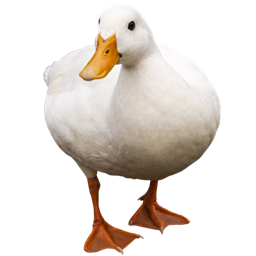
Duck Origin
Datapack add-on for Origins Mod. Become a Duck, conquer the sky and roam through waters of your world, as the best bird in existence.InstallOn a server

MSW Guns' Upswing
This datapack configures Soulslike Weaponry guns to have custom Better Combat melee swing animations with a fast 0.1-second (2-tick) upswing time.InstallOn a server

Aether Compat
Adds compat between The Aether and many mods!InstallOn a server

Alex's Mobs Compat
Adds compat between Alexs Mobs and many mods!InstallOn a server

Lucky Blocks
Lucky Blocks in Vanilla Minecraft! (no resourcepack!)InstallOn a server

Quark Compat
Adds compat between Quark and many mods!InstallOn a server

Abnormals Compat
Adds compat between the Abnormals mods and various other mods!InstallOn a server
[SBW] Zombie Survival Kit armor compatibility
Allows Zombie Survival Kit armor to benefit from the armor system of the Superb Warfare mod.InstallOn a server

Epic Structures: Witch Huts
Replaces Witch Huts and makes them beautifulInstallOn a server

Arboria: Biome Enhancement
World generation data pack that overhauls vanilla overworld biomes, with a big emphasis on improving trees.InstallOn a server

Create: Storage Drawers compat
Storage Drawers "smart" items recipes with Create materials.InstallOn a server

Stellarity ~ Lite
Complete rehaul of The End with 23 new gorgeous biomes, world-gen only!InstallOn a server

Enchantments Encore
Supercharges your Minecraft experience with a vast array of new, creative enchantments to enhance weapons, tools, and armor like never beforeInstallOn a server

Create: Renewable Brass
This datapack adds recipes to make brass renewable.InstallOn a serverFAQ
How is a datapack different from a mod?
A datapack uses the game's own tools: it changes recipes, loot, structures and advancements. A mod changes the game's code and can add something genuinely new — a block, a mob, an interface. A datapack doesn't need a loader to work.
How do I install a datapack?
Click “Install” and Millida Launcher will add the datapack to the world you choose. To do it manually, put the archive in the datapacks folder inside the world folder and rejoin the world.
Does a datapack work on a server?
Yes, on a regular server without mods: the datapacks folder sits inside the server's world folder. Players don't need to install anything on their clients.
What is a data pack?
A set of files that changes the game with its own tools: recipes, loot, world generation, advancements and command functions. It works from version 1.13 without mods or loaders and is installed into a specific world.
Are there data packs for world generation?
Yes, it is one of their most common jobs: new biomes, terrain, caves and structures. Generation only changes in chunks that have not been created yet, so such a data pack is best added when creating a new world.
Minecraft datapacks
A datapack changes the game's rules without touching its code: crafting recipes, loot tables, world structures, advancements, command functions. The game supports all of this natively since 1.13, so a datapack needs neither Forge nor Fabric — it's installed into a specific world and works on the vanilla client and a regular server.
Data packs do different jobs: some change world generation — biomes, terrain and structures, others add mechanics, challenges and horror events, and others are made for servers — economy, ranks, command-based minigames. Generation applies only to new chunks, so such packs are added when a world is created. On Millida Hosting a data pack goes onto the server with the On a server button on its page.
That's the main difference from mods: a datapack doesn't show up in the mod list, and it can't add anything the game doesn't have at all — you can't make a new block with its own model this way. On the other hand, it doesn't clash with other packs, doesn't need updating when you switch loaders and doesn't stop you from playing with friends on a regular server. Installing a datapack is simple: put the archive in the datapacks folder inside the world folder, then reload the world or run the reload command. The card lists the game version, author and license, and all releases are gathered in one place.