
Minecraft datapacks — page 12
2,540 itemsData packs: list


Keep Head Names
Keep display names and lore tags of player headsInstallOn a server

kogtyv-Towny and Village
Changes the generation of villages to the generation of cities.InstallOn a server

Jake's Build Tools
Adds a bunch of craftable tools that help make building easier! Trowel, chisel, hammer and so much more!InstallOn a server

Day Counter
A simple day counter display above your hotbar that will tell you the current world day, useful for Hardcore world and 100 days challengesInstallOn a server

Banner Flags
Place banners horizontally as flags on fences, walls and other pole-like blocks!InstallOn a server

Mob Heads
All mobs can drop their head. All baby heads, 3072 tropical fish variants & moreInstallOn a server

Sculk Expansion
Adds new recipes and other functionality for sculk blocks, items, and the warden.InstallOn a server
Orbital Strike Cannon Datapack & Mod
Orbital Strike Cannon Datapack inspired by Wemmbu from Unstable SMP.InstallOn a server

Nyctophobia Dread
A datapack that adds a new horrifying creature to minecrafts caves and dark spacesInstallOn a server

Enchanted Golden Apple Addition
Add recipes, advancements,... for enchanted golden apples.InstallOn a server

Integrated Dungeons Arise
Integrated Dungeons Arise is a Mod that overhauls WDA with integration.InstallOn a server
Sit Anywhere!
Sit anywhere you want! Look down, double tap sneak and right click and you sit. As easy as that. Or you can just sit on stair/slab or via "/trigger sit". Work on vanilla servers, or any other setup.InstallOn a server

I Want That Back
A small quality of life mod that lets you be able to get something back from minecarts with hoppers/chests/furnaces/tnt as well as chest boats.InstallOn a server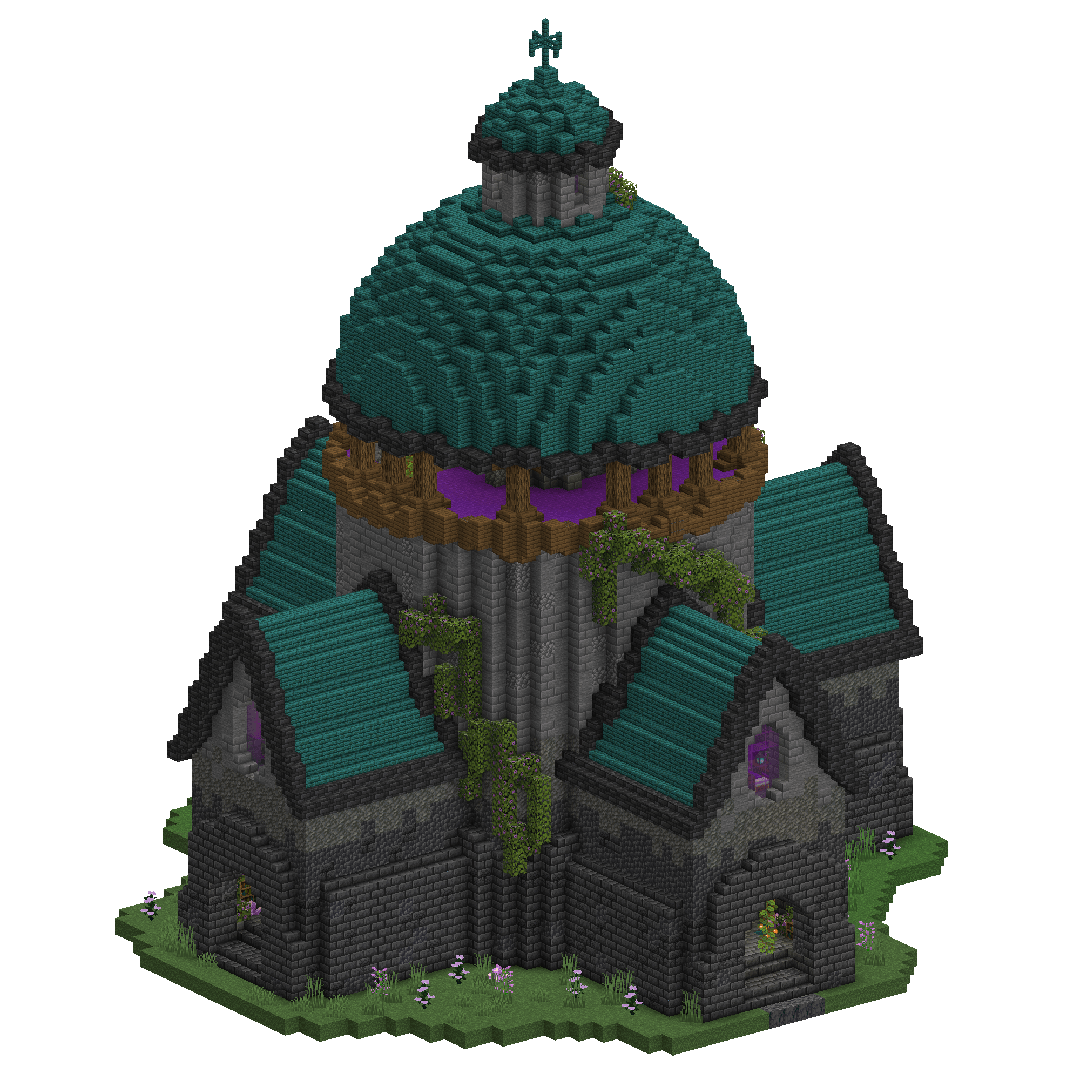
Mages Guild Datapack (RPG Structures)
A small Datapack adding a single Structure. The Mages GuildInstallOn a server

Modern Guns
A datapack that adds 23+ real-life firearms, each with unique stats. Features three distinct tiers and six separate weapon types.InstallOn a server

qrafty's End Villages
Discover forgotten settlements across the void with 20+ vanilla-ish End structures and custom loottables!🌔InstallOn a server
TNT Timer
Adds a timer above tnt which displays the time until it explodes.InstallOn a server

Repurposed Structures - Illager Invasion Compat
Adds compatibility between Repurposed Structures and Illager Invasion's woodland mansions!InstallOn a server

Infinity Cave
Infinity Cave adds a seemingly infinite cave system beneath the bedrock layer increasing it from -64 to -128. With this comes many new challenges and an overall different way of experiencing PvE.InstallOn a server

MES - Biomes O' Plenty Compat Pack
Switches out the style of MES structures to use blocks from BOP, creating a more cohesive and immersive experience when both mods are installed.InstallOn a server
Dynamic light
Mobs on fire and some items emit light! Like the OptiFine's dynamic light.InstallOn a server
Cobblemon: Extra Paradox Mons
Extra Paradox Mons offers new paradox pokemon that'll roam your minecraft worlds!InstallOn a server

X-Ray World Generation
Not an x-ray mod! A datapack that makes normal worlds only generate air, except for blocks you would commonly see with x-ray.InstallOn a serverFAQ
How is a datapack different from a mod?
A datapack uses the game's own tools: it changes recipes, loot, structures and advancements. A mod changes the game's code and can add something genuinely new — a block, a mob, an interface. A datapack doesn't need a loader to work.
How do I install a datapack?
Click “Install” and Millida Launcher will add the datapack to the world you choose. To do it manually, put the archive in the datapacks folder inside the world folder and rejoin the world.
Does a datapack work on a server?
Yes, on a regular server without mods: the datapacks folder sits inside the server's world folder. Players don't need to install anything on their clients.
What is a data pack?
A set of files that changes the game with its own tools: recipes, loot, world generation, advancements and command functions. It works from version 1.13 without mods or loaders and is installed into a specific world.
Are there data packs for world generation?
Yes, it is one of their most common jobs: new biomes, terrain, caves and structures. Generation only changes in chunks that have not been created yet, so such a data pack is best added when creating a new world.
Minecraft datapacks
A datapack changes the game's rules without touching its code: crafting recipes, loot tables, world structures, advancements, command functions. The game supports all of this natively since 1.13, so a datapack needs neither Forge nor Fabric — it's installed into a specific world and works on the vanilla client and a regular server.
Data packs do different jobs: some change world generation — biomes, terrain and structures, others add mechanics, challenges and horror events, and others are made for servers — economy, ranks, command-based minigames. Generation applies only to new chunks, so such packs are added when a world is created. On Millida Hosting a data pack goes onto the server with the On a server button on its page.
That's the main difference from mods: a datapack doesn't show up in the mod list, and it can't add anything the game doesn't have at all — you can't make a new block with its own model this way. On the other hand, it doesn't clash with other packs, doesn't need updating when you switch loaders and doesn't stop you from playing with friends on a regular server. Installing a datapack is simple: put the archive in the datapacks folder inside the world folder, then reload the world or run the reload command. The card lists the game version, author and license, and all releases are gathered in one place.