
Minecraft datapacks — page 11
2,540 itemsData packs: list


Still Life
Still Life replaces Minecraft’s default Overworld with a more realistic alternative!InstallOn a server
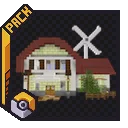
CobbleTowns
A datapack that will add naturally generated towns based on previous Pokémon games to Minecraft. Requires the Cobblemon mod for Forge or Fabric.InstallOn a server

Better End Cities (Vanilla)
Spices up the look of End Cities in a Vanilla friendly wayInstallOn a server

Vanilla Backport Compat
Adds Vanilla Backport features to modded biomes!InstallOn a server

[Retired] Dungeons and Taverns End Castle Standalone
Retired, we decided to retire this project since keeping it up becomes too much of a technical challange for something that is already within main DNT. There be dragonsInstallOn a server
Fortune Works On Ancient Debris
Ancient debris gives netherite scraps, affected by fortuneInstallOn a server

FurniCraft
Furnish your creations with a wide variety of unique furniture in the vanilla style, without the need for any resource packs.InstallOn a server
Farmer's Cutting: Oh The Biomes We've Gone
Adds Farmer's Delight cutting recipes for Oh The Biomes We've GoneInstallOn a server

Data API
Tools to aid in datapack creationInstallOn a server

Scorched
Additions to the Deserts and Badlands to make them more interesting to exploreInstallOn a server

Roguecraft
A game changing data pack that aims to turn Minecraft into a Roguelite game, including new mechanics, a new final boss, upgrades, abilities and way moreInstallOn a server
Farmer's Cutting: Quark
Adds Farmer's Delight cutting recipes for QuarkInstallOn a server
Timber
Automatically break the whole tree by breaking one log and disable it at will by shifting!InstallOn a server

[TACZ] Create: Precise Manufacturing
A Create Mod Addon that aims to incorporate automatable recipes using TaC Zero's mod items.InstallOn a server

CliffTree
A vanilla-styled worldgen overhaul, with new biomes and touches to existing ones. Short for "Cliff under a Tree"InstallOn a server

Archipelago Additions
Expanding the number of dragons in the Isle of Berk mod.InstallOn a server

Artifact Protection - Prominence II
Keeps your Artifact weapons safe from various sources.InstallOn a server

Xaero's Map Server Utils
Allows server administrators to conveniently disable the entity radar, mini-map, and other features of the Xaero's Map series of mods to make competitive play fairerInstallOn a server
CobblemonLoot
Data pack for Cobblemon. Adds some Cobblemon items to vanilla chest loot tables.InstallOn a server

Eugene's Wealthy Plains Village
Overhaul your plains village for better looking and experience.InstallOn a server

FSang18's Heroes
An addonpack for Palladium of Heroes with many different Heroes to becomeInstallOn a server

Blooming Biosphere
An overworld biome overhaul, enhancing vanilla's feel with new detail and vegetationInstallOn a server
Jake's Build Tools
Adds a bunch of craftable tools that help make building easier!InstallOn a serverFAQ
How is a datapack different from a mod?
A datapack uses the game's own tools: it changes recipes, loot, structures and advancements. A mod changes the game's code and can add something genuinely new — a block, a mob, an interface. A datapack doesn't need a loader to work.
How do I install a datapack?
Click “Install” and Millida Launcher will add the datapack to the world you choose. To do it manually, put the archive in the datapacks folder inside the world folder and rejoin the world.
Does a datapack work on a server?
Yes, on a regular server without mods: the datapacks folder sits inside the server's world folder. Players don't need to install anything on their clients.
What is a data pack?
A set of files that changes the game with its own tools: recipes, loot, world generation, advancements and command functions. It works from version 1.13 without mods or loaders and is installed into a specific world.
Are there data packs for world generation?
Yes, it is one of their most common jobs: new biomes, terrain, caves and structures. Generation only changes in chunks that have not been created yet, so such a data pack is best added when creating a new world.
Minecraft datapacks
A datapack changes the game's rules without touching its code: crafting recipes, loot tables, world structures, advancements, command functions. The game supports all of this natively since 1.13, so a datapack needs neither Forge nor Fabric — it's installed into a specific world and works on the vanilla client and a regular server.
Data packs do different jobs: some change world generation — biomes, terrain and structures, others add mechanics, challenges and horror events, and others are made for servers — economy, ranks, command-based minigames. Generation applies only to new chunks, so such packs are added when a world is created. On Millida Hosting a data pack goes onto the server with the On a server button on its page.
That's the main difference from mods: a datapack doesn't show up in the mod list, and it can't add anything the game doesn't have at all — you can't make a new block with its own model this way. On the other hand, it doesn't clash with other packs, doesn't need updating when you switch loaders and doesn't stop you from playing with friends on a regular server. Installing a datapack is simple: put the archive in the datapacks folder inside the world folder, then reload the world or run the reload command. The card lists the game version, author and license, and all releases are gathered in one place.