Soul Soil Craft
by JMasterPro · ModrinthSmall but useful datapack, allows to create soul soil.
Updated September 26
Small but useful datapack, allows to create soul soil.
A datapack that enables wood processing in the stonecutter. It will save you a lot of time on crafting.
Adds a crafting reicpe for the bottle o' enchanting
Allows you to craft chainmail armor with chains. Formerly known as "Craft Me Chainmail Armor"
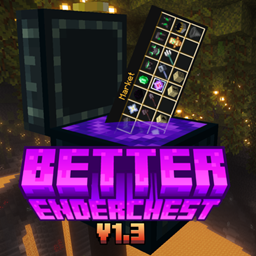
Have you ever wanted to set up a server or just a survival world, but you just were to lazy to implement several Datapacks for Shop, Bank or Post Systems. Well you are lucky then because Better Enderchest has all of it and way more!
Allows you to toggle the visibility of itemframes specifically placed by you.
Data pack that makes the overworld a flat checkerboard
This data pack seeks to bring the spirit of the holidays to life with special holiday themed events, cosmetics, traders, and items (Only available during the season - get them while you can!).
Complex crafts? Make it easier to create them without breaking the balance of the game!
Changes how Minecraft's dye crafting mechanic works a little bit and adds several new recipes for making dyes. Formerly known as "Make a Dye Out Of It".
Stop relying on luck. Smelt gravel in a furnace and get flint quickly.
Makes erosion noise value always low so only mountain terrain spawn
A simple datapack and mod that makes bells craftable. Useful for creative builds.
Crafting ores from a specific type of stone and the ore itself
Adds back the recipe for the Enchanted Golden Apple, but modifies it so it's less farmable.
Mine ice with your hand or any tool! - You don't need silk touch
A simple playtime counter display above your hotbar that will tell you the current world playtime, useful for Survival & Hardcore world and 100 days challenges
Removes "Too Expensive" from Anvils since 1.13! Also lets you repair and recycle anvils, too!
With this Mod / Datapack you can instantly mine Deepslate with a Netherite pickaxe.
Gives an effect when putting on a certain armor or item
Datapack that creates Cave Worlds, continuing support by Wujinjun. Original datapack by Klinbee.
A simple mob kill counter display above your hotbar that will tell you the current world death, useful for Survival world and 100 days challenges
Uses Carpet Mod or HeroBot to add a practice Stun-Slam Bot
Skeletons have a chance of spawning with random tipped arrows.
A datapack uses the game's own tools: it changes recipes, loot, structures and advancements. A mod changes the game's code and can add something genuinely new — a block, a mob, an interface. A datapack doesn't need a loader to work.
Click “Install” and Millida Launcher will add the datapack to the world you choose. To do it manually, put the archive in the datapacks folder inside the world folder and rejoin the world.
Yes, on a regular server without mods: the datapacks folder sits inside the server's world folder. Players don't need to install anything on their clients.
A set of files that changes the game with its own tools: recipes, loot, world generation, advancements and command functions. It works from version 1.13 without mods or loaders and is installed into a specific world.
Yes, it is one of their most common jobs: new biomes, terrain, caves and structures. Generation only changes in chunks that have not been created yet, so such a data pack is best added when creating a new world.
Datapacks for Minecraft 26.2: 933 items in the Data packs section. Compatibility is checked against the files, not the description: only items with a build for exactly these conditions stay in the list.
That's the main difference from mods: a datapack doesn't show up in the mod list, and it can't add anything the game doesn't have at all — you can't make a new block with its own model this way. On the other hand, it doesn't clash with other packs, doesn't need updating when you switch loaders and doesn't stop you from playing with friends on a regular server. Installing a datapack is simple: put the archive in the datapacks folder inside the world folder, then reload the world or run the reload command. The card lists the game version, author and license, and all releases are gathered in one place.