
Datapacks for Minecraft Java 1.21 — page 50
1,278 itemsData packs: list


Playtime Counter
A simple playtime counter display above your hotbar that will tell you the current world playtime, useful for Survival & Hardcore world and 100 days challengesInstallOn a server

HiddenOres
Stone, Deepslate, and Netherrack now drop ores!InstallOn a server

Deadline
A Minecraft datapack that implements a Deadline game. First 1 hour of resource gathering and then a hunger game.InstallOn a server

Trashapack
A data pack that enables players to clean up trash from their inventory.InstallOn a server

Zombie Proof Doors
Zombie Proof Doors is a Datapack for Minecraft that prevents Zombies from intruding into your buildings by breaking doors. Unlike many predecessors, it handles all types of door-busting Zombies.InstallOn a server
Only Survival Mode
A very simple data pack that only allow survival modeInstallOn a server

ID System
Gives any player a unique score on a scoreboard. Could be useful for other datapacks.InstallOn a server

No Crops Griefing
Stops mobs and players from being able to trample crops so easily when jumping on them.InstallOn a server
Mob Kill Counter
A simple mob kill counter display above your hotbar that will tell you the current world death, useful for Survival world and 100 days challengesInstallOn a server
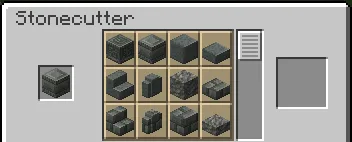
[Crafting] Improved Stonecutting
Overhauls the stonecutting recipes for QoL improvementsInstallOn a server

CoalDye
A datapack that allows you to craft black dye using coal or charcoal.InstallOn a server

No Squid
Disable Squid in Minecraft by preventing its spawning and removing any that appear in the worldInstallOn a server

No Sniffer
Disable Sniffer in Minecraft by preventing its spawning and removing any that appear in the worldInstallOn a server

Compact UHC Run
UHC Run data pack that you can install in any world you want, plus you can include your preferred add-ons to make it more unique in your own way.InstallOn a server

Better Furnaces: Saplings
This data pack adds the ability to smelt saplings in Minecraft, which previously could not be processed in a furnace. Burning a sapling produces dead bush, offering a new way to use resources, especially in buildingInstallOn a server

No Vindicator
Disable Vindicator in Minecraft by preventing its spawning and removing any that appear in the worldInstallOn a server

Pillager Outpost Fix
Fixes the two missing blocks at the top of pillager outpost towers, making it symmetrical.InstallOn a server

More Mining Fatigue
makes elder guardians give the players in a 50-block radius mining fatigue every second instead of every minute.InstallOn a server

Redyeable
A Minecraft mod that allows players to dye items.InstallOn a server

Rare Trident & Axe
Axes & Tridents with "impossible" enchantments are now survival loots, and you can't farm it at all, it's going to be RARE ! Rare Trident have Sharpness or Looting enchantments. Rare Diamond Axe have Looting enchantments.InstallOn a server

No Zombie Nautilus
Disable Zombie Nautilus in Minecraft by preventing its spawning and removing any that appear in the worldInstallOn a server

No Zoglin
Disable Zoglin in Minecraft by preventing its spawning and removing any that appear in the worldInstallOn a server

Clean RTP
RTP with chunk preloading to prevent server crash from teleporting into unloaded chunksInstallOn a serverFAQ
How is a datapack different from a mod?
A datapack uses the game's own tools: it changes recipes, loot, structures and advancements. A mod changes the game's code and can add something genuinely new — a block, a mob, an interface. A datapack doesn't need a loader to work.
How do I install a datapack?
Click “Install” and Millida Launcher will add the datapack to the world you choose. To do it manually, put the archive in the datapacks folder inside the world folder and rejoin the world.
Does a datapack work on a server?
Yes, on a regular server without mods: the datapacks folder sits inside the server's world folder. Players don't need to install anything on their clients.
What is a data pack?
A set of files that changes the game with its own tools: recipes, loot, world generation, advancements and command functions. It works from version 1.13 without mods or loaders and is installed into a specific world.
Are there data packs for world generation?
Yes, it is one of their most common jobs: new biomes, terrain, caves and structures. Generation only changes in chunks that have not been created yet, so such a data pack is best added when creating a new world.
Datapacks for Minecraft Java 1.21
Datapacks for Minecraft 1.21: 1,278 items in the Data packs section. Compatibility is checked against the files, not the description: only items with a build for exactly these conditions stay in the list.
That's the main difference from mods: a datapack doesn't show up in the mod list, and it can't add anything the game doesn't have at all — you can't make a new block with its own model this way. On the other hand, it doesn't clash with other packs, doesn't need updating when you switch loaders and doesn't stop you from playing with friends on a regular server. Installing a datapack is simple: put the archive in the datapacks folder inside the world folder, then reload the world or run the reload command. The card lists the game version, author and license, and all releases are gathered in one place.