
Datapacks for Minecraft 1.21 — page 37
1,282 itemsData packs: list


Abyssaline Nether
An overhaul to the generation of the nether that aims to make the dimension feel more coherent and immersive while preserving the claustrophobic, vertical feeling of the vanilla nether!InstallOn a server

Big Globe - Stalwart Dungeons Compatibility
A compatibility datapack for Stalwart Dungeons, makes all structures generate correctly in Big GlobeInstallOn a server

Projectile Deflection Enchantment
New enchantment for chestplates that protects you from projectiles!InstallOn a server

Netherite Instant Mining
Instant mine deepslate and logs when a netherite pickaxe or axe has efficiency 5 and the player has haste 2InstallOn a server

NoRaidTotems
Makes Evokers from raids not drop totemsInstallOn a server

PVP Kit
A datapack to claim kits with a simple command.InstallOn a server
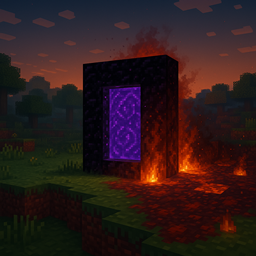
Nethergates
This datapack adds six unique Nether portals to the Overworld, each themed after a different Nether biome. Some are quiet landmarks, others deadly trapsInstallOn a server

Bastion Remnant Hoglin Stable Reforged
Reconstruct the hoglin stable structure of the Bastion RemnantInstallOn a server

AFK Message
Sends a message in chat when a player goes AFKInstallOn a server
Big Globe - Thalassophobia Compatibility
A compatibility datapack for Thalassophobia, makes all mobs generate correctly in Big GlobeInstallOn a server

Translations for Patbox's Mods
Standalone, updated translations for all of Patbox's mods. Works as Data pack and resource packInstallOn a server
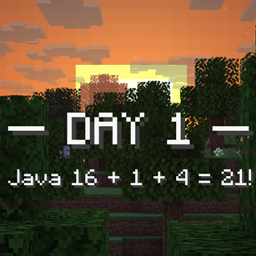
Standard Day Counter
Minecraft's unOfficial Day Counter data pack.InstallOn a server

Big Globe - Majrusz's Progressive Difficulty Compatibility
A compatibility datapack that places the Majrusz's Progressive Difficulty Enderium ore in the generation of Big GlobeInstallOn a server

Atmospheric Nether (Datapack)
A Minecraft worldgen datapack aiming to expand on the Nether's desolation while encouraging the player to explore vast expanses.InstallOn a server

Big Globe - L_Ender's Cataclysm Compatibility
Compatibility between Big Globe and L_Ender's Cataclysm that ensures the correct generation of personalized world structures.InstallOn a server

Big Globe - It Takes a Pillage Compatibility
A compatibility datapack for It Takes a Pillage or It Takes a Pillage Continuation, makes all structures generate correctly in Big GlobeInstallOn a server

Big Globe - Aquamirae Compatibility
A compatibility datapack for Aquamirae, makes all structures generate correctly in Big GlobeInstallOn a server

Better Redstone Torches
Lets you craft four redstone torces at once instead of one!InstallOn a server

Big Globe - Dungeon Now Loading Compatibility
A compatibility datapack for Dungeon Now Loading, makes structure generate correctly in Big GlobeInstallOn a server

Create: Enhanced Totem Productions
Renewable totems of undying, so you can cheat death with confidence!InstallOn a server
Take a Rest
Ever want to heal by crouching and standing still? Take a rest and you will start to regenerate health.InstallOn a server
Big Globe - Caverns & Chasms Compatibility
A compatibility datapack that places the Caverns & Chasms ores (Silver And Spinel) in the generation of Big Globe and also fixes the mobs spawn of the same mod, so that the mobs now if they are generated correctlyInstallOn a server

Herobrine Boss Fight
Adds Herobrine Boss Fight to Survival Minecraft. Only for really skilled players.InstallOn a serverFAQ
How is a datapack different from a mod?
A datapack uses the game's own tools: it changes recipes, loot, structures and advancements. A mod changes the game's code and can add something genuinely new — a block, a mob, an interface. A datapack doesn't need a loader to work.
How do I install a datapack?
Click “Install” and Millida Launcher will add the datapack to the world you choose. To do it manually, put the archive in the datapacks folder inside the world folder and rejoin the world.
Does a datapack work on a server?
Yes, on a regular server without mods: the datapacks folder sits inside the server's world folder. Players don't need to install anything on their clients.
What is a data pack?
A set of files that changes the game with its own tools: recipes, loot, world generation, advancements and command functions. It works from version 1.13 without mods or loaders and is installed into a specific world.
Are there data packs for world generation?
Yes, it is one of their most common jobs: new biomes, terrain, caves and structures. Generation only changes in chunks that have not been created yet, so such a data pack is best added when creating a new world.
Datapacks for Minecraft 1.21
Datapacks for Minecraft 1.21: 1,282 items in the Data packs section. Compatibility is checked against the files, not the description: only items with a build for exactly these conditions stay in the list.
That's the main difference from mods: a datapack doesn't show up in the mod list, and it can't add anything the game doesn't have at all — you can't make a new block with its own model this way. On the other hand, it doesn't clash with other packs, doesn't need updating when you switch loaders and doesn't stop you from playing with friends on a regular server. Installing a datapack is simple: put the archive in the datapacks folder inside the world folder, then reload the world or run the reload command. The card lists the game version, author and license, and all releases are gathered in one place.