
Datapacks for Minecraft Java 1.21 — page 15
1,282 itemsData packs: list




Katters Structures - Dungeon
Sub-project of "Katters Structures" with only the DungeonsInstallOn a server

/sit
Adds a command to sit anywhere you'd like to!InstallOn a server

Set Home
This datapack allows you to mark a location as your home and teleport back to it later!InstallOn a server

Oneblock
A "Oneblock" is a variant of the popular game Minecraft. In this mode, players start on a single floating block in the void.InstallOn a server

Compatible Sword Enchantments
Makes sharpness, smite and bane of arthropods compatible with each other.InstallOn a server

Not Enough Trinket Slots (NETS)
A Trinkets add-on that enables more slots than you'll ever need!InstallOn a server

RME's Campfire Leather
Rotten Flesh to Leather, in a more balanced way! Cook the flesh on a (soul) campfire!InstallOn a server

No Crop Trample
Disables farmland trampling if you use any level of feather falling on your boots. (Also has an alt version to disable it no matter what)InstallOn a server

Double Jump
CoffeeG's Double Jump!Add Double Jump,Wall Jump, Leap and Wall Bounce mechanic in minecraftInstallOn a server

Fast Smelt
Smelt items on Furnace, Blast Furnace, Smoker, and Campfire FAST!InstallOn a server

VillEdit
Create custom villagers with the VillEdit datapack! This is an easy custom villager creator which works without mods.InstallOn a server

deepslate dubble
doubles the resources from deepslate ore variantsInstallOn a server
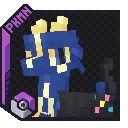
Baby Legends (Cobblemon)
Adds pre-evolutions of popular legendry's!InstallOn a server

Katters Structures - Village
Sub-project of "Katters Structures" with only the VillagesInstallOn a server

Nightosphere
Light changes to the nether generation with level design in mindInstallOn a server
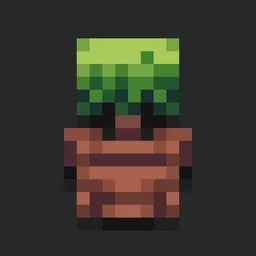
Botanical Pots
Simple, yet effective way to automate any tree-collection process you have going on.InstallOn a server

Arboria Saplings
Makes saplings grow into custom trees from the datapack Arboria: Biome enhancement.InstallOn a server

Info Tools
Modified Coordinates HUD to make your coordinates appear when you have a compass in your inventory and the time of day appear when you have a clock in your inventoryInstallOn a server

Better Cave Worlds
Datapack that creates Cave Worlds, based on the old preset, featuring all biomes, ocean caves, and most structures.InstallOn a server

Craftable Gunpowder
Craft gunpowder with sand, charcoal and magma blocks (1.20+) or potent sulfur, bone meal and charcoal (26.2+).InstallOn a server

Death Swap
DeathSwap, a minigame where players swap positions periodically and use the mechanic to outsmart and eliminate their opponents!InstallOn a server
Glowing Players
A mod/data pack which will provide glowing effect to players.InstallOn a server

Chestpack Backpacks
Simple, vanilla friendly backpacks. Pick up and carry chests!InstallOn a serverFAQ
How is a datapack different from a mod?
A datapack uses the game's own tools: it changes recipes, loot, structures and advancements. A mod changes the game's code and can add something genuinely new — a block, a mob, an interface. A datapack doesn't need a loader to work.
How do I install a datapack?
Click “Install” and Millida Launcher will add the datapack to the world you choose. To do it manually, put the archive in the datapacks folder inside the world folder and rejoin the world.
Does a datapack work on a server?
Yes, on a regular server without mods: the datapacks folder sits inside the server's world folder. Players don't need to install anything on their clients.
What is a data pack?
A set of files that changes the game with its own tools: recipes, loot, world generation, advancements and command functions. It works from version 1.13 without mods or loaders and is installed into a specific world.
Are there data packs for world generation?
Yes, it is one of their most common jobs: new biomes, terrain, caves and structures. Generation only changes in chunks that have not been created yet, so such a data pack is best added when creating a new world.
Datapacks for Minecraft Java 1.21
Datapacks for Minecraft 1.21: 1,282 items in the Data packs section. Compatibility is checked against the files, not the description: only items with a build for exactly these conditions stay in the list.
That's the main difference from mods: a datapack doesn't show up in the mod list, and it can't add anything the game doesn't have at all — you can't make a new block with its own model this way. On the other hand, it doesn't clash with other packs, doesn't need updating when you switch loaders and doesn't stop you from playing with friends on a regular server. Installing a datapack is simple: put the archive in the datapacks folder inside the world folder, then reload the world or run the reload command. The card lists the game version, author and license, and all releases are gathered in one place.