
Datapacks for Minecraft Java 1.13 — page 3
242 itemsData packs: list



playtime tracker
track your world playtime displayed in days, hours, minutes, and seconds!InstallOn a server

Seeded Grass
Adds ability to craft grass blocks from dirt and seedsInstallOn a server

Craftable Totem of Undying
Adds a crafting recipe for the Totem of Undying!InstallOn a server

entity count
count all entities currently loaded throughout your world.InstallOn a server
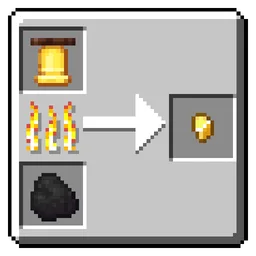
Gold Nugget Recycling
Lets you smelt most gold-requiring items into Gold Nuggets. Must-have for Vanilla+ playthroughs.InstallOn a server

Battle Royale
Game mode in which players compete within an ever-shrinking area, gathering resources and eliminating one another until only one remains standing.InstallOn a server

No Skeleton
Disable Skeleton in Minecraft by preventing its spawning and removing any that appear in the worldInstallOn a server
Better Ore Smelting
Adds smeltable Raw Ore Blocks to the furnace and blast furnaceInstallOn a server

Elytra Crafting Recipe
Elytra are now craftable, but are still a end game item. requires dragon's breath and nether star to craftInstallOn a server

Dye Tweaks
Adds the ability to duplicate dyes efficientlyInstallOn a server

Saddle Crafting Recipie
Simple mod that makes saddles craftable!InstallOn a server

XK’s Lazy Crafting
Skipping multi-step crafting to Increaseing crafting speedInstallOn a server

Create x Valkyrien Skies Clockwork Survival support
Adds the missing recipes, to enable survival gameplay.InstallOn a server

Highway
Gives Speed II when running on "path" blocksInstallOn a server

No Spider
Disable Spider in Minecraft by preventing its spawning and removing any that appear in the worldInstallOn a server

Silver's Better Wood Cutting Stone Cutter
Craft all of your wood related blocks for cheaper with this datapack!InstallOn a server

Sponge Crafting
Adds a vanilla-friendly, ocean-themed crafting recipe for the uncraftable Sponge block.InstallOn a server

Leaves Tweaks
Adds the ability to craft and crossbread for leavesInstallOn a server

No Warden
Disable Wander in Minecraft by preventing its spawning and removing any that appear in the worldInstallOn a server
No Iron Golem Poppy Drops
Makes iron golems drop only iron ingots and no poppies.InstallOn a server

Early Game Shulker
A datapack that adds a simple recipe to craft a brown shulker box with 4 string, 4 leather, and 1 chest.InstallOn a server

Reverse Glass Block & Panel Craft
Easy way to Reverse Crafting Glass Blocks and Panels CraftInstallOn a server

No Cave Spider
Disable Cave Spider in Minecraft by preventing its spawning and removing any that appear in the worldInstallOn a serverFAQ
How is a datapack different from a mod?
A datapack uses the game's own tools: it changes recipes, loot, structures and advancements. A mod changes the game's code and can add something genuinely new — a block, a mob, an interface. A datapack doesn't need a loader to work.
How do I install a datapack?
Click “Install” and Millida Launcher will add the datapack to the world you choose. To do it manually, put the archive in the datapacks folder inside the world folder and rejoin the world.
Does a datapack work on a server?
Yes, on a regular server without mods: the datapacks folder sits inside the server's world folder. Players don't need to install anything on their clients.
What is a data pack?
A set of files that changes the game with its own tools: recipes, loot, world generation, advancements and command functions. It works from version 1.13 without mods or loaders and is installed into a specific world.
Are there data packs for world generation?
Yes, it is one of their most common jobs: new biomes, terrain, caves and structures. Generation only changes in chunks that have not been created yet, so such a data pack is best added when creating a new world.
Datapacks for Minecraft Java 1.13
Datapacks for Minecraft 1.13: 242 items in the Data packs section. Compatibility is checked against the files, not the description: only items with a build for exactly these conditions stay in the list.
That's the main difference from mods: a datapack doesn't show up in the mod list, and it can't add anything the game doesn't have at all — you can't make a new block with its own model this way. On the other hand, it doesn't clash with other packs, doesn't need updating when you switch loaders and doesn't stop you from playing with friends on a regular server. Installing a datapack is simple: put the archive in the datapacks folder inside the world folder, then reload the world or run the reload command. The card lists the game version, author and license, and all releases are gathered in one place.