

Tempad Mod für Minecraft 1.20.1, 1.21.1
Erstelle ein Portal von überall nach überall
 NeoForge
 Fabric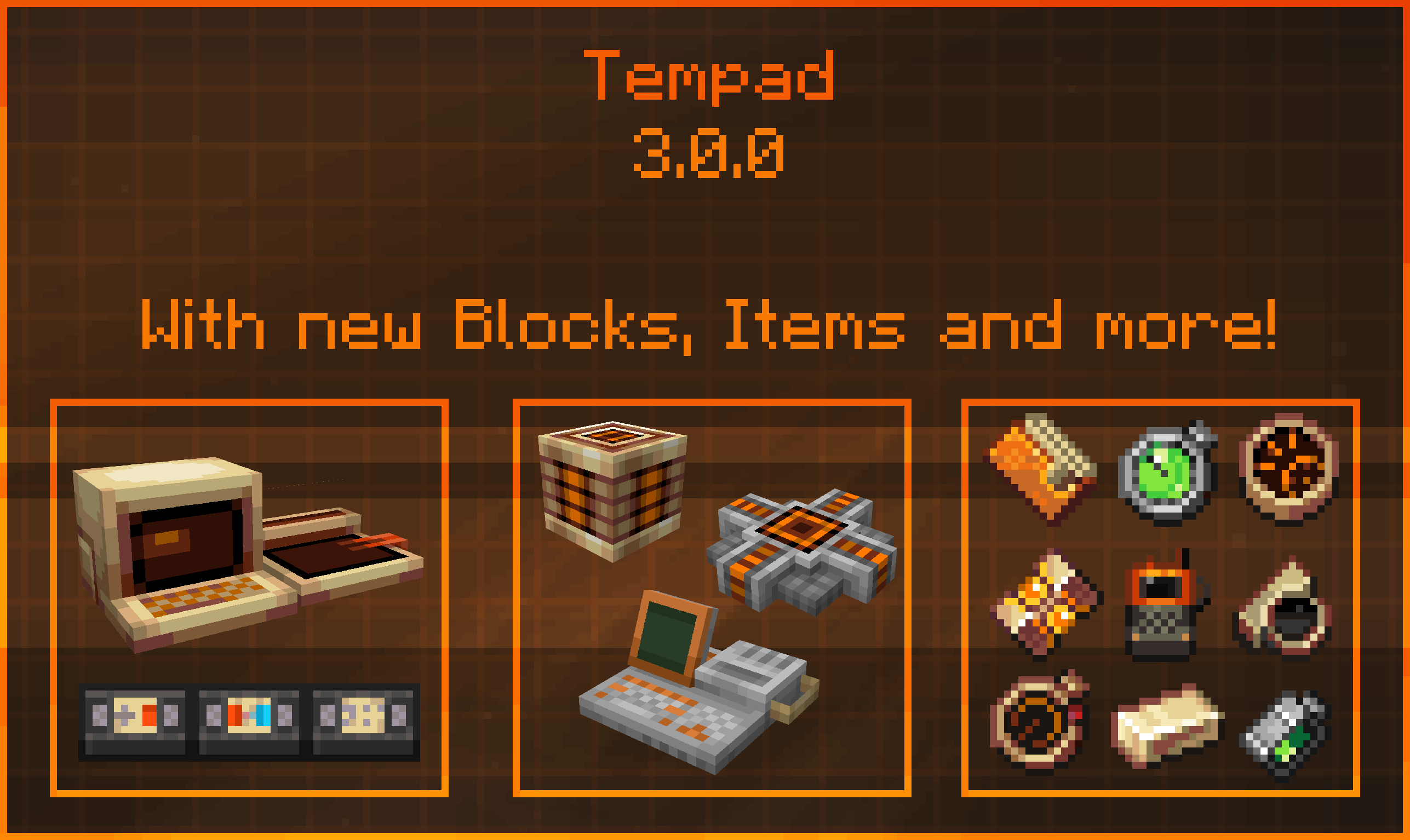
Tempad
Tempad is a Minecraft mod inspired by Marvel’s Loki, providing players with immersive teleportation mechanics through various intuitive and thematic items.
Features:
Timedoor Projector & Marker: Set teleport locations and easily travel between points using Timedoors.
- Card Wallet: Conveniently store and manage location cards.
- Time Twister: Return to previous locations effortlessly.
- Location Broadcaster & Screening Device: Allow other players to teleport directly to you, with advanced filtering capabilities.
- Knowledge Projector: Comprehensive in-game documentation accessible directly within Minecraft.
- Workstation: A block-form variant of the portable Tempad.
- Metronome: Block-form device for powering teleportation mechanics.
Compatibility:
- Cadmus: Disable Timedoors on claimed territories.
- Argonauts & FTB Teams: Filter teleportation options by guild, party, or teammates.
- Jade: Enhanced HUD displaying additional block and Timedoor information.
- Dark Mode Everywhere: Improved visibility with fully supported dark mode interfaces.
- Curios: Items can be placed into dedicated Curios slots and visibly rendered on the player.
Special Thanks:
- Facu for creating all block textures.
- Shrimp for designing the item models and textures.
- ArcanePigeon for crafting the mod’s GUI elements.
- The dedicated Tempad Testers, especially RoboNebi, who significantly contributed to bug fixes and wrote extensive in-game documentation.
For All Time! Always!
Installation von Tempad
With Millida Launcher
Install Millida Launcher
The launcher is free: download it at millida.net/launcher and sign in with any nickname.
Click “Install” on this page
The launcher opens and installs the mod for Minecraft 1.20.1–1.21.1 on Fabric or NeoForge automatically, together with its dependencies: Resourceful Lib, Resourceful Config, Fabric API, Kotlin for Forge.
Launch the game
A profile with it appears in the launcher: click “Play”.
Manually
Install Fabric or NeoForge
The loader must match the game version of the mod file, for example Minecraft 1.21.1. After installing it, a separate profile appears in your launcher.
Download the file for your version
In the version list above, pick the file tempad-1.21.1-3.0.4-all.jar (1.6 MB) for your game version and loader.
Put it in the mods folder
The folder is inside .minecraft (Windows: %appdata%\.minecraft\mods). If it does not exist, create it. Required dependencies go there too: Resourceful Lib, Resourceful Config, Fabric API, Kotlin for Forge.
Launch the loader profile
Open “Mods” in the main menu: Tempad should be in the list.
On a server
A server on Fabric or NeoForge
The mod only works on a server with the same loader and game version, for example 1.21.1.
File goes into the server’s mods folder
Stop the server, put the mod file into the mods folder and start the server again.
Or use the “To hosting” button
On Millida Hosting, the button at the top of the page uploads the file to your server and restarts it for you.
Minecraft 1.21.1 runs on Java 21: with a different Java version the game may close right after launch.
Versionen
Mit Abhängigkeiten
| Minecraft | Loader | Datei | Datum | Aktionen |
|---|---|---|---|---|
| 1.21.1 | NeoForge | 1.21.11.6 MB | ||
| 1.21.1 | NeoForge | 1.21.11.6 MB | ||
| 1.21.1 | NeoForge | 1.21.11.6 MB | ||
| 1.21.1 | NeoForge | 1.21.11.6 MB | ||
| 1.21.1 | NeoForge | 1.21.11.5 MB | ||
| 1.20.4 | Fabric | 1.20.4187 KB | ||
| 1.20.4 | NeoForge | 1.20.4189 KB | ||
| 1.20.1 | Fabric | 1.20.1187 KB |
Was zum Ausführen nötig ist
- Botariumoptional
- Trinketsoptional
- Resourceful Liberforderlich
- Resourceful Configerforderlich
- Fabric APIerforderlich
- Odyssey Alliesoptional
- Odyssey Claimsoptional
- Dependencyoptional
- Dependencyoptional
- Jade 🔍optional
- Kotlin for Forgeerforderlich
- Curios APIoptional
Bewertungen
Bewerten Sie Tempad als Erster


