

Jade 🔍 Mod für Minecraft 1.20.1, 1.21.1
Zeigt Informationen darüber an, was du gerade ansiehst. (Hwyla/Waila-Fork für Minecraft 1.16+)
 NeoForge
 Fabric
 Quilt
 Forge
Jade 🔍
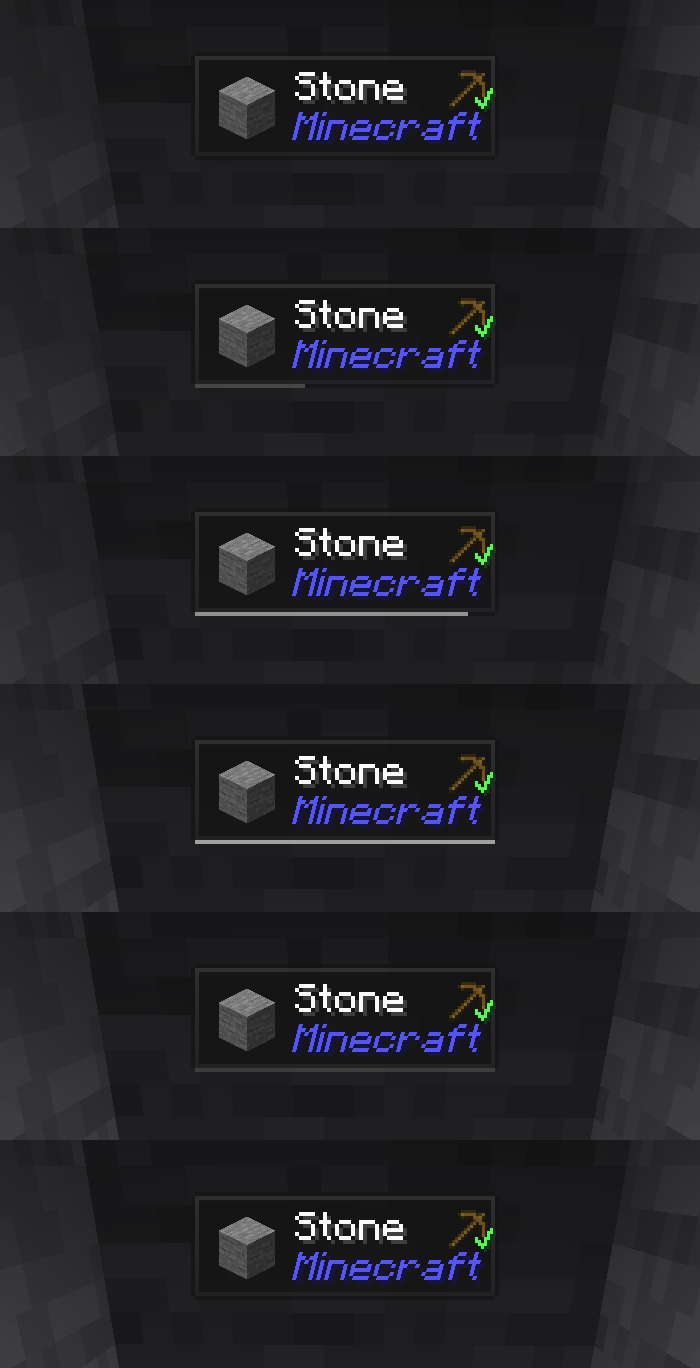
Jade ist die Informations-HUD-Mod – Hwyla/Waila für moderne Minecraft-Versionen. Entwickelt für eine bessere Benutzererfahrung und API.
Jade kann nur auf der Client-Seite installiert werden. Viele Funktionen erfordern jedoch Jade auf der Server-Seite. (Gegenstandsaufbewahrung, Brennstoffmenge des Braustands, Bienen im Bienenstock ...)
Für die Mod-Integration versuche Jade Addons: NeoForge Fabric

Tasten (Standard):
- Ziffernblock 0: Konfigurationsbildschirm öffnen
- Ziffernblock 1: Overlay umschalten
- Ziffernblock 2: Flüssigkeitsanzeige umschalten
- Ziffernblock 3: Rezepte anzeigen (erfordert JEI)
- Ziffernblock 4: Verwendungen anzeigen (erfordert JEI)
- Ziffernblock 5: Ziel vorlesen

Bemerkenswerte Änderungen im Vergleich zu Hwyla:
- API-Neugestaltung
- Mehr Vanilla-Addons
- Höhere Konfigurierbarkeit
- Bessere Barrierefreiheit
Wie vom ursprünglichen Projekt Hwyla gefordert, verwendet Jade die Lizenz Creative Commons Attribution-NonCommercial-ShareAlike 4.0 International (CC BY-NC-SA 4.0).
Installation von Jade 🔍
With Millida Launcher
Install Millida Launcher
The launcher is free: download it at millida.net/launcher and sign in with any nickname.
Click “Install” on this page
The launcher opens and installs the mod for Minecraft 1.16–26.3 on Fabric, Forge, NeoForge or Quilt automatically, together with its dependencies: Fabric API.
Launch the game
A profile with it appears in the launcher: click “Play”.
Manually
Install Fabric, Forge, NeoForge or Quilt
The loader must match the game version of the mod file, for example Minecraft 26.3. After installing it, a separate profile appears in your launcher.
Download the file for your version
In the version list above, pick the file Jade-mc26.3-NeoForge-26.3.5.jar (1.0 MB) for your game version and loader.
Put it in the mods folder
The folder is inside .minecraft (Windows: %appdata%\.minecraft\mods). If it does not exist, create it. Required dependencies go there too: Fabric API.
Launch the loader profile
Open “Mods” in the main menu: Jade 🔍 should be in the list.
On a server
A server on Fabric, Forge, NeoForge or Quilt
The mod only works on a server with the same loader and game version, for example 26.3.
File goes into the server’s mods folder
Stop the server, put the mod file into the mods folder and start the server again.
Use the “To server” button
On Millida Hosting, the button at the top of the page uploads the file to your server and restarts it for you.
Versionen
Mit Abhängigkeiten
| Minecraft | Loader | Datei | Datum | Aktionen |
|---|---|---|---|---|
| 26.1.2 | NeoForge | 26.1.21005 KB 7 | ||
| 26.3 | NeoForge | 26.31 MB 22 | ||
| 26.3 | Fabric, Quilt | 26.31 MB 666 | ||
| 26.3 | NeoForge | 26.31 MB 1 | ||
| 26.3 | Fabric, Quilt | 26.31 MB | ||
| 26.3 | Fabric, Quilt | 26.31 MB | ||
| 26.3 | Fabric, Quilt | 26.31 MB | ||
| 26.3 | NeoForge | 26.31007 KB |
Was zum Ausführen nötig ist
- Fabric APIerforderlich
- Just Enough Items (JEI)optional
Inhalte, die dies benötigen
Bewertungen
Bewerten Sie Jade 🔍 als Erster


