

Quick Skin Mod für Minecraft 26.3
Keine Lust mehr, mit Minecrafts langsamem Launcher Zeit zu verschwenden, nur um deinen Skin zu ändern? Quick Skin lässt dich Skins sofort wechseln, sogar auf "Offline"-Servern, und gibt dir Zugriff auf jeden offiziellen Minecraft-Cape.
 NeoForge
 Fabric
Über die Quick Skin-Mod
The default Minecraft skin system is rigid. Changing your look requires leaving the game, you're stuck with standard resolutions, and cool customizations like animated capes are impossible. QuickSkin completely overhauls this experience, giving you total control over your appearance directly in-game with powerful features for both single-player and multiplayer.

The Ultimate Skin Management GUI
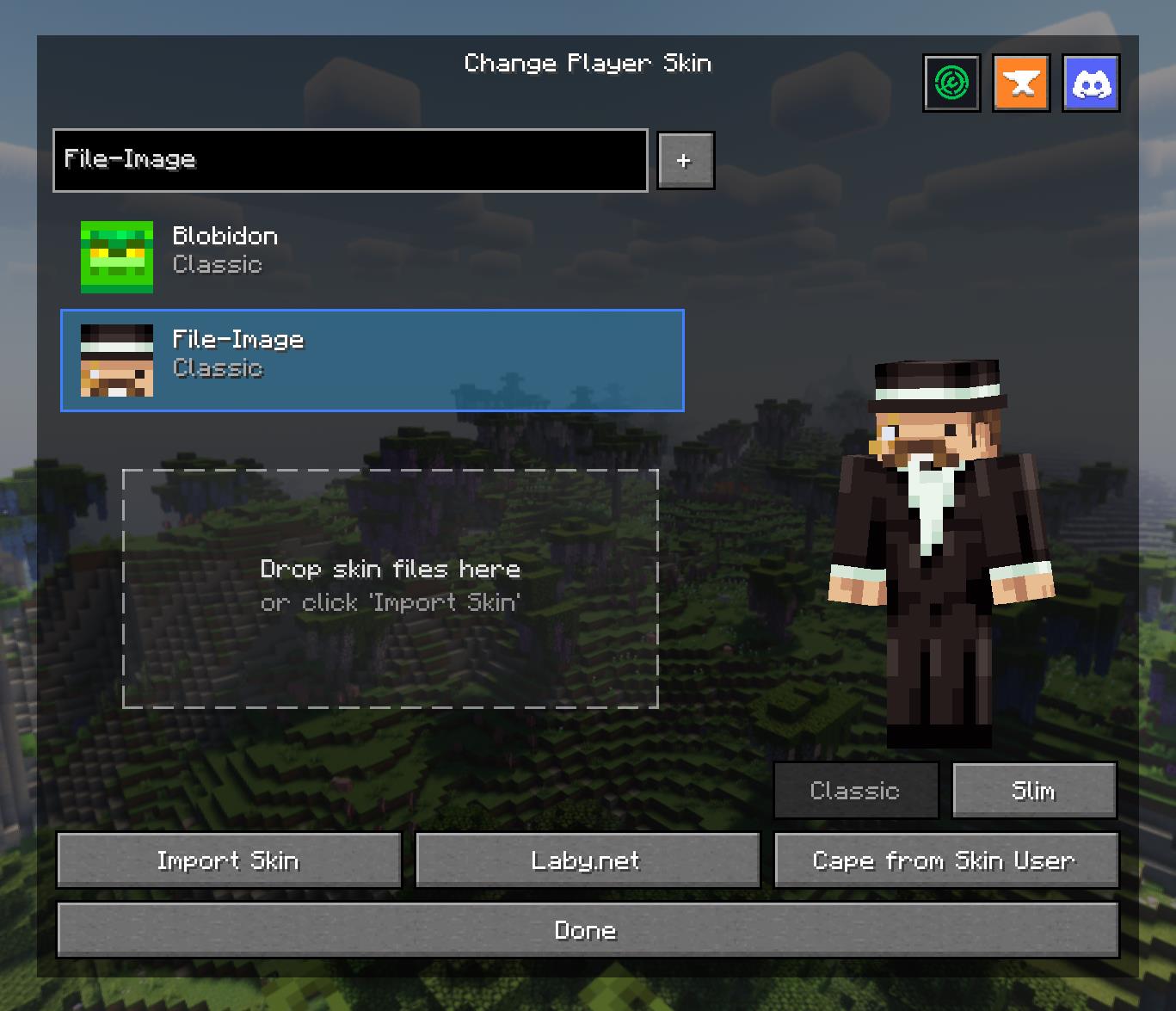
Access a powerful and intuitive menu from the Title or Pause screen to manage your entire look.
- Skin Library: Save skins from other players by username or import your own local files.
- Model Swapping: Instantly switch between Classic and Slim player models.
- Drag & Drop: Simply drag skin files onto the menu to import them into your local library.
- Cape Selector: Choose from a library of built-in capes or your own imported animated/static capes.
High-Definition Skin Engine
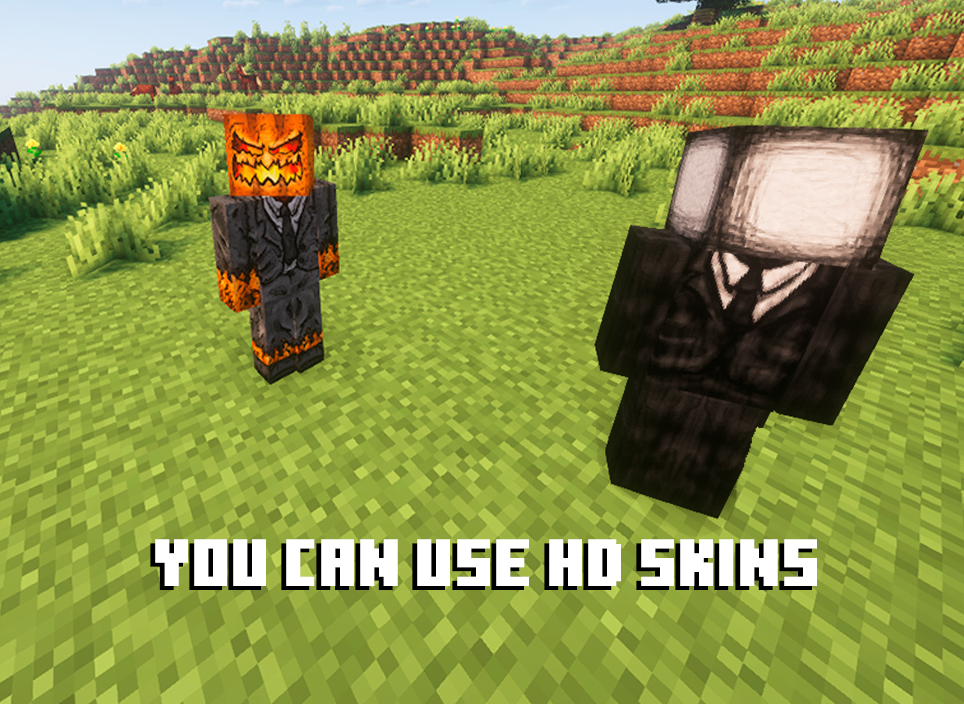
Break free from 64x64 limitations! QuickSkin's HD Texture Processor allows you to use high-resolution skins.
- Automatic Normalization: The mod intelligently handles different skin formats, converting legacy skins (64x32) to the modern format on import.
- Performance Scaling: HD skins are automatically downsampled for previews and thumbnails to ensure smooth UI performance, with quality settings available in the config.
- Full Resolution In-Game: Enjoy your detailed HD skins in all their glory in the world.
Animated Cape Engine
Equip dynamic, eye-catching animated capes using standard GIF files.
- GIF Processing: The mod automatically processes GIFs into an efficient texture atlas for smooth in-game animation.
- Performance First: Control the maximum FPS, memory usage, and concurrent animations to keep your game running smoothly.
- Speed Control: Adjust the playback speed of your animated cape in the Cape Selection menu to get the perfect effect.

Mod Compatibility
QuickSkin is designed to work seamlessly alongside popular player customization, rendering, and utility mods.
Currently supported mods include:
- Customizable Player Models (CPM)
- Ears
- 3D Skin Layers
- CustomNPCs-Unofficial
- Essential
- ReplayMod
If you find any conflicts, please report them!
❤ Discord ➜ https://discord.gg/EeQgres2Fz

Installation von Quick Skin
With Millida Launcher
Install Millida Launcher
The launcher is free: download it at millida.net/launcher and sign in with any nickname.
Click “Install” on this page
The launcher opens and installs the mod for Minecraft 1.21.8–26.3 on Fabric or NeoForge automatically, together with its dependencies: Fabric API, Architectury API.
Launch the game
A profile with it appears in the launcher: click “Play”.
Manually
Install Fabric or NeoForge
The loader must match the game version of the mod file, for example Minecraft 26.3. After installing it, a separate profile appears in your launcher.
Download the file for your version
In the version list above, pick the file Quick Skin - NeoForge - 26.3-3.1.1.jar (5.3 MB) for your game version and loader.
Put it in the mods folder
The folder is inside .minecraft (Windows: %appdata%\.minecraft\mods). If it does not exist, create it. Required dependencies go there too: Fabric API, Architectury API.
Launch the loader profile
Open “Mods” in the main menu: Quick Skin should be in the list.
On a server
A server on Fabric or NeoForge
The mod only works on a server with the same loader and game version, for example 26.3.
File goes into the server’s mods folder
Stop the server, put the mod file into the mods folder and start the server again.
Or use the “To hosting” button
On Millida Hosting, the button at the top of the page uploads the file to your server and restarts it for you.
Versionen
Mit Abhängigkeiten
| Minecraft | Loader | Datei | Datum | Aktionen |
|---|---|---|---|---|
| 26.3 | NeoForge | 26.35.3 MB 2 | ||
| 26.1 | NeoForge | 26.15.3 MB | ||
| 26.2 | NeoForge | 26.25.3 MB | ||
| 26.1.2 | NeoForge | 26.1.25.3 MB | ||
| 26.1.1 | NeoForge | 26.1.15.3 MB | ||
| 1.21.8 | NeoForge | 1.21.85.3 MB | ||
| 1.21.11 | NeoForge | 1.21.115.3 MB | ||
| 1.21.9 | NeoForge | 1.21.95.3 MB |
Was zum Ausführen nötig ist
- Fabric APIerforderlich
- Architectury APIerforderlich
FAQ
Which Minecraft versions does Quick Skin work on?
There are files for 1.21.8–26.3, 9 versions in total. The newest is 26.3.
Is Quick Skin for Forge or Fabric?
There are files for Fabric: 1.21.8–26.3 and for NeoForge: 1.21.8–26.3. There are no files for Forge: a mod for another loader will not start.
What does Quick Skin need to work?
Required: Fabric API, Architectury API. Without them the mod will not start: dependencies go into the same mods folder.
Does Quick Skin work on a server?
Yes. Quick Skin works both in singleplayer and on a server.
How do I download Quick Skin?
With Millida Launcher: it installs Quick Skin into a modpack by itself, for the right game version and loader. The launcher is free.
Bewertungen
Bewerten Sie Quick Skin als Erster


