
关于 Soft Bits 资源包
Soft bits x16
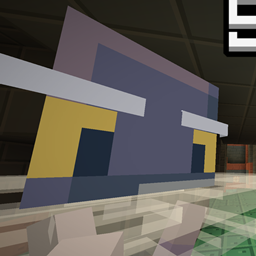
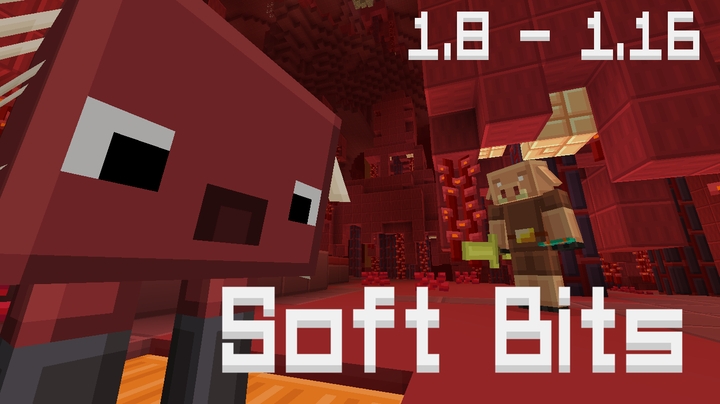
Soft Bits is a texture pack made to make minecraft less sharp and go easy on the eyes, while keeping the idea of what is what, so you won't have problem in differentiating between items and blocks.
Mobs, Items, Blocks, even the font has been changed, making the game have even more of a squary look
Here you will find the legacy versions of the texture pack.
For the latest version please visit The Original Upload Page.
For any bug reports you may join the following discord: https://discord.gg/gfGjNNN
如何安装 Soft Bits
With Millida Launcher
Install Millida Launcher
The launcher is free: download it at millida.net/launcher and sign in with any nickname.
Click “Install” on this page
The launcher opens and installs the resource pack for Minecraft 1.21–1.21.4 automatically.
Launch the game
A profile with it appears in the launcher: click “Play”.
Manually
Download the archive
Pick the file Soft Bits 1.21.4.zip (7.6 MB) for your game version. No need to unpack it.
Put it in the resourcepacks folder
The easiest way: “Options”, then “Resource Packs”, then “Open Pack Folder”, and drag the archive there.
Enable the pack
In the same window, move the pack to the right-hand “Selected” column and click “Done”.
版本
含依赖项
| Minecraft | 加载器 | 文件 | 日期 | 操作 |
|---|---|---|---|---|
| 1.21 | — | Soft Bits 1.21.47.6 MB 4 |
常见问题
Which Minecraft versions does Soft Bits work on?
There are files for 1.21.4, 1.21.3, 1.21.2, 1.21.1, 1.21. The newest is 1.21.4.
Where can I download Soft Bits safely?
On this page: the file Soft Bits 1.21.4.zip (7.6 MB) is stored on Millida’s server, with no link shorteners. SHA-1 checksum: afe25f4ce1a04c9bbef7d432a4a1abc429b6181d.
评价
成为第一个评价 Soft Bits 的人


