
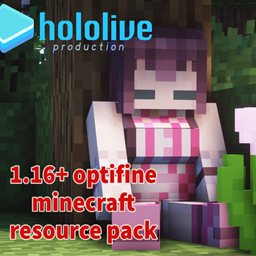
关于 Hololive resourcepack 资源包
Requires Optifine
Hololive Resource Pack

Wolf has collected all hololive members
Put a name tag on the wolf ,will be replaced with that member
Name and Membership List: README
If you want minecraft wolf Name tag for the name "Wolf",Put a name tag on the wolf
Instruction Manual↓
3.1 updata
[wolf]
Added AZKi new clothes ↓
3.0 updata
[wolf]
Added new skin outer layer model↓
Added ID 3th↓
Added a_chan、Enma、Harusaki_Nodoka skin↓
[allay]
Added allay (watame ubersheep)↓
[cow]
Added cow & Mushroom cow prompt animation↓
[fox]
Update fox sleep action↓
twitter:stevenhsu120
野うさぎ Model :asdfg1114
skin:aozane
a_chan、Enma skin:moenie
Ubersheep logo:RaseruDi
- Do not distribute the pack or textures and/or claim them as your own.
- Feel free to use in-game (loading the pack through the Minecraft client), remix and/or edit the textures for your own personal use. However, you may not distribute the modified/remixed textures without my consent.
- Do not re-upload the pack elsewhere. I urge everyone to link to here, this is to protect the packs integrity and to centralize comments/critique that may help me improve the pack.
- Feel free to take screenshots/video recordings in/from Minecraft while using this pack and/or the contents/assets therein (loading the pack or parts of it through the Minecraft client) and to distribute such content with or without commercial purposes (crediting is not necessary).
- You are allowed to distribute the resourcepack within your Minecraft servers community* if you are the owner or acting on behalf of the owner of said server. This only applies to the server resourcepack prompt (serverside resourcepack) and does not include hosting this resourcepack on a server forum/website.
- Anyone who has ever connected to your server

如何安装 Hololive resourcepack
Install Millida Launcher
The launcher is free: download it at millida.net/launcher and sign in with any nickname.
Click “Install” on this page
The launcher opens and installs the resource pack for Minecraft 1.20–1.20.1 automatically.
Launch the game
A profile with it appears in the launcher: click “Play”.
版本
含依赖项
| Minecraft | 加载器 | 文件 | 日期 | 操作 |
|---|---|---|---|---|
| 1.20.1 | — | §6月舞§f-[1.20]hololive v3.1.zip58.2 MB |
常见问题
Which Minecraft versions does Hololive resourcepack work on?
There are files for 1.20.1, 1.20. The newest is 1.20.1.
How do I download Hololive resourcepack?
With Millida Launcher: it installs Hololive resourcepack into a modpack by itself, for the right game version and loader. The launcher is free.
评价
成为第一个评价 Hololive resourcepack 的人


