

Refrax Shader cho Minecraft 1.20.1, 1.21.1
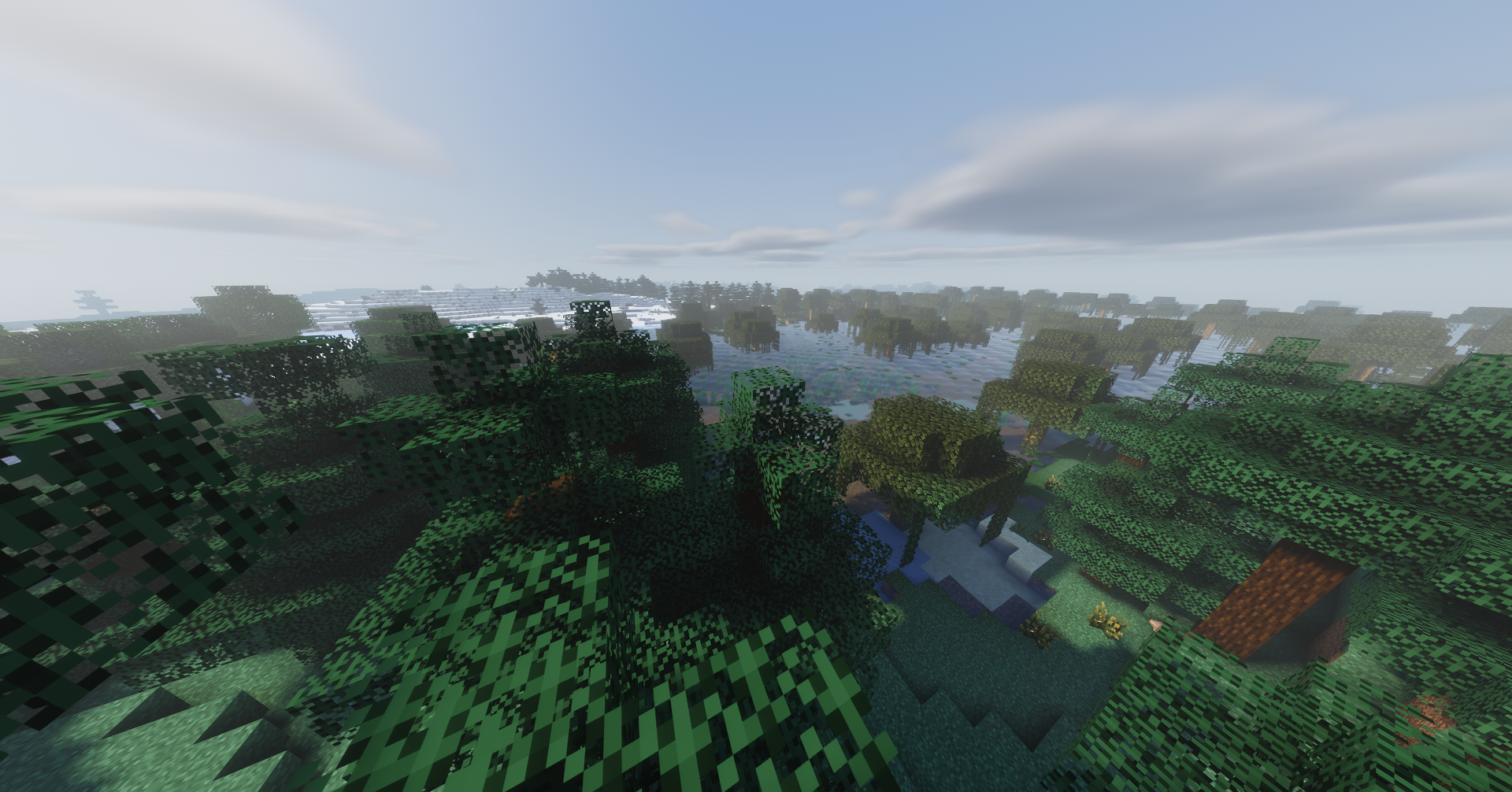
Refrax là một gói shader Minecraft tập trung vào hiệu năng và tính năng.
- lượt tải
- 3 lượt tải
- lượt xem
- 57 lượt xem
- Đã cập nhật
- Đã cập nhật 04.09.2026
- 1.18.2 — 26.2
 Fabric
- Máy khách
Refrax
Refrax is a performance and feature-oriented Minecraft shaderpack for Iris.

Credits and recommendation:
- Logo and banner credits to JoaquiX - AVPBR
- A lot of the screenshots available in the galery have been taking using the AVPBR Retextured resource pack. I highly recommend trying out AVPBR Retextured.
Performance benchmarks (GTX 1650 Ti, 1080p, 16 chunks)
NOTE: This is for v1.3.0:
Profile - Target FPS
Potato - 120+ Low - ~90 Medium - ~70 High - ~55 Very High - 40+ Extreme - 25+ Overdrive - ~20

Performance benchmarks (GTX 1650 Ti, 1080p, 16 chunks)
NOTE: This is for v1.2.2:
Profile - Target FPS
Potato - ~160 Low - ~120 Medium - ~80 High - 60+ Very High - 40+ Extreme - 25+ Overdrive - ~20
NOTE: Both benchmarks were taken using the exact same scene.
I saw a ~25 fps boost on 1.18.2, 20+ fps boost on 1.20.1 and ~15 fps boost on 1.21.1.
These values can be bumped higher by changing the performance mode slider at very little visual compromise even at overdrive performance mode (You'll only notice it in certain situations. It mainly reduces the sample count of clouds, god rays, AO, SSR, and water wave octaves, most noticeable of which are reflections and water which will be tuned to be less noticeable in the future).
Supported versions:
1.18.2 and higher versions should all work just fine.
Unsupported versions:
1.16.5 - No colored lighting and no block breaking particles. 1.17.x, 1.18 - Does not load the shader 1.18.1 - Does not render a lot of blocks.
Installation
- Install Iris.
- Copy the Refrax.zip to .minecraft/shaderpacks/ or the shader folder of your launcher's instance.
- Select the shader in the Iris menu and enjoy!
License
See LICENCE.txt.
Credits & inspiration
Refrax is original source, inspired by Photon, Complementary Reimagined, Bliss, Solas, MakeUp Ultra Fast, Super Duper Vanilla, published graphics research, and the Iris shader documentation.
Cách cài đặt Refrax
With Millida Launcher
Install Millida Launcher
The launcher is free: download it at millida.net/launcher and sign in with any nickname.
Click “Install” on this page
The launcher opens and installs the shaders for Minecraft 1.18.2–26.2 automatically.
Launch the game
A profile with it appears in the launcher: click “Play”.
Manually
Install Iris
Without a shader mod the game cannot see shaders. Install it for the same Minecraft version.
Download the shader archive
Pick the file Refrax_v1.3.1.zip (12 MB) and do not unpack it.
Put it in the shaderpacks folder
“Options”, then “Video Settings”, then “Shader Packs”, then “Open Shader Pack Folder”, and drag the archive there.
Select the shaders
In the same window, click the pack name and “Apply”.
Phiên bản
Kèm phụ thuộc
| Minecraft | Loader | Tệp | Ngày | Hành động |
|---|---|---|---|---|
| 1.21 | Iris | 1.2111.7 MB | ||
| 1.20.1 | Iris | 1.20.111.7 MB 2 | ||
| 26.2 | Iris | 26.211.7 MB | — | |
| 26.1 | Iris | 26.111.7 MB | — | |
| 1.21.11 | Iris | 1.21.1111.7 MB | — | |
| 1.19.2 | Iris | 1.19.211.7 MB | — | |
| 1.18.2 | Iris | 1.18.211.7 MB | — |
Đánh giá
Hãy là người đầu tiên đánh giá Refrax


