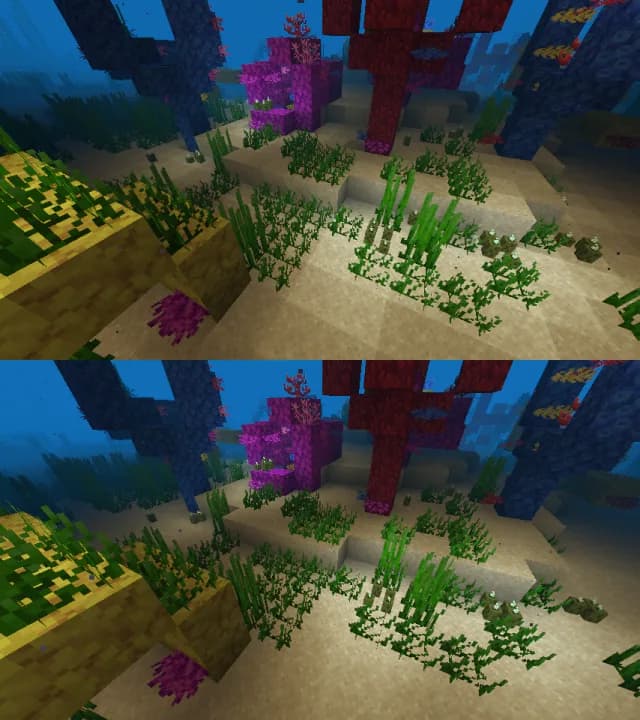
Iris Shaders Mod cho Minecraft 1.20.1, 1.21.1
Bộ nạp gói shader hiện đại cho Minecraft, hướng đến tương thích với các gói shader OptiFine hiện có
 NeoForge
 Fabric
 Quilt
Quilt
Liên kết
- Truy cập trang web của chúng tôi để tải xuống và xem những ảnh chụp màn hình đẹp!
- Truy cập mục shaders để tìm các gói shader!
- Truy cập máy chủ Discord của chúng tôi để trò chuyện về mod và nhận hỗ trợ! Đây cũng là nơi tuyệt vời để nhận thông tin cập nhật về quá trình phát triển ngay khi chúng đang diễn ra.
- Truy cập tài liệu dành cho nhà phát triển để biết thông tin về việc phát triển, xây dựng và đóng góp cho Iris!

Cài đặt
Bạn có thể tìm hướng dẫn cài đặt tại đây.

Câu hỏi thường gặp
- Tìm câu trả lời cho các câu hỏi thường gặp trên trang FAQ của chúng tôi.
- Iris hỗ trợ hầu hết các gói shader, nhưng danh sách các gói shader không được hỗ trợ có sẵn tại đây.
- Danh sách các hạn chế không thể khắc phục trong Iris có sẵn tại đây.
Thêm thông tin
Bạn có thể tìm thêm thông tin trên README của chúng tôi.
Cách cài đặt Iris Shaders
With Millida Launcher
Install Millida Launcher
The launcher is free: download it at millida.net/launcher and sign in with any nickname.
Click “Install” on this page
The launcher opens and installs the mod for Minecraft 1.16–26.3 on Fabric, NeoForge or Quilt automatically, together with its dependencies: Sodium.
Launch the game
A profile with it appears in the launcher: click “Play”.
Manually
Install Fabric, NeoForge or Quilt
The loader must match the game version of the mod file, for example Minecraft 26.3. After installing it, a separate profile appears in your launcher.
Download the file for your version
In the version list above, pick the file iris-neoforge-1.11.7+mc26.3.jar (2.7 MB) for your game version and loader.
Put it in the mods folder
The folder is inside .minecraft (Windows: %appdata%\.minecraft\mods). If it does not exist, create it. Required dependencies go there too: Sodium.
Launch the loader profile
Open “Mods” in the main menu: Iris Shaders should be in the list.
Iris Shaders works on the player’s side only: there is no need to install it on a server.
Phiên bản
Kèm phụ thuộc
| Minecraft | Loader | Tệp | Ngày | Hành động |
|---|---|---|---|---|
| 26.3 | NeoForge | 26.32.7 MB 264 | ||
| 26.3 | Fabric | 26.32.7 MB 3.208 | ||
| 1.21.11 | NeoForge | 1.21.112.6 MB 300 | ||
| 1.21.11 | Fabric | 1.21.112.7 MB 4.131 | ||
| 26.3 | Fabric | 26.32.7 MB 16 | ||
| 26.3 | Fabric | 26.32.7 MB 3 | ||
| 26.2 | NeoForge | 26.22.6 MB 130 | ||
| 26.2 | Fabric | 26.22.7 MB 1.422 |
Yêu cầu để chạy
- Sodiumbắt buộc
Câu hỏi thường gặp
Which Minecraft versions does Iris Shaders work on?
There are files for 1.16–26.3, 20 versions in total. The newest is 26.3.
Is Iris Shaders for Forge or Fabric?
There are files for Fabric: 1.16–26.3, for NeoForge: 1.21–26.3 and for Quilt: 1.16–1.21. There are no files for Forge: a mod for another loader will not start.
What does Iris Shaders need to work?
Required: Sodium. Without it the mod will not start: dependencies go into the same mods folder.
Do I need to install Iris Shaders on a server?
No. Iris Shaders works on the player’s side only: there is no need to install it on a server.
Where can I download Iris Shaders safely?
On this page: the file iris-neoforge-1.11.7+mc26.3.jar (2.7 MB) is stored on Millida’s server, with no link shorteners. SHA-1 checksum: 57cbbd1f58b6226c633520541c1a3ae57c019373.
Đánh giá
Hãy là người đầu tiên đánh giá Iris Shaders