

Zenith Mod cho Minecraft 1.20.1
Bản port fabric không chính thức của Apotheosis.
- lượt tải
- 3 lượt tải
- lượt xem
- 35 lượt xem
- Đã cập nhật
- Đã cập nhật 22.10.2026
- 1.20.1
 Fabric
Giới thiệu mod Zenith
Dự án này đã được thay thế bởi Zenith Renewed, một bản fork của Zenith hiện đang được phát triển và cập nhật. Vui lòng nhấp vào đây để đến trang Curseforge của nó.
Thông tin
Zenith là một bản port fabric không chính thức của mod Apotheosis bởi Shadows - bạn có thể tìm thấy tại đây.
Các phiên bản 1.20 yêu cầu Zenith Attributes và FakerLib!
Zenith 1.20 có tính tương đồng với phiên bản forge của Apotheosis - các module sau đây có sẵn:
Ghi công cho ShadowsofFire vì mã forge gốc và cho Faellynna vì phần đồ họa!
- Module Enchantment
Module Enchantment tập trung vào việc đại tu hệ thống enchantment và thêm các enchantment mới. Module này sẽ cho phép bạn trở nên mạnh mẽ hơn nhiều so với những giới hạn trước đây từng cho phép, đồng thời giới thiệu những enchantment mới thú vị giúp bạn phiêu lưu và chinh phục thế giới.
- Module Spawner
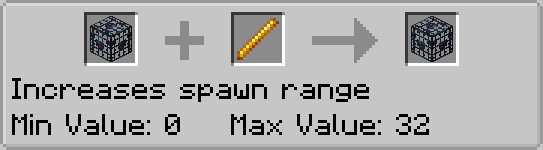
Module Spawner là nguồn gốc của mọi thay đổi đối với Mob Spawner. Nó cho phép bạn tạo các trang trại mob phức tạp chỉ bằng các khối và vật phẩm vanilla hiện có.
- Module Garden
Module garden có một số phần mở rộng cho các khối phát triển theo chiều dọc. Cụ thể, nó cho phép mía, xương rồng và tre phát triển đến độ cao lớn hơn trước. Nó cũng bao gồm một vật phẩm để nhặt và vận chuyển mob.
- Module Potion
Module potion bao gồm các potion mới, thêm công thức chế tạo mới cho những potion trước đây không thể có được, và thêm một số nội dung mới khác để hỗ trợ việc sử dụng potion.
- Module Village
Module Village tập trung vào việc giới thiệu nội dung mới cho các ngôi làng, dân làng và các khối liên quan của chúng.
- Module Adventure
Module Adventure thêm các boss, gem và một hệ thống affix mới cho trang bị.
todo hình ảnh
Zenith là một bản port không chính thức của Apotheosis - vui lòng không yêu cầu trợ giúp về bản port fabric này trên các máy chủ discord hoặc kho lưu trữ github của họ.
Cách cài đặt Zenith
With Millida Launcher
Install Millida Launcher
The launcher is free: download it at millida.net/launcher and sign in with any nickname.
Click “Install” on this page
The launcher opens and installs the mod for Minecraft 1.20.1 on Fabric automatically.
Launch the game
A profile with it appears in the launcher: click “Play”.
Manually
Install Fabric
The loader must match the game version of the mod file, for example Minecraft 1.20.1. After installing it, a separate profile appears in your launcher.
Download the file for your version
In the version list above, pick the file zenith-1.2.5-1.20.1.jar (5.8 MB) for your game version.
Put it in the mods folder
The folder is inside .minecraft (Windows: %appdata%\.minecraft\mods). If it does not exist, create it.
Launch the loader profile
Open “Mods” in the main menu: Zenith should be in the list.
Minecraft 1.20.1 runs on Java 17: with a different Java version the game may close right after launch.
Phiên bản
Kèm phụ thuộc
| Minecraft | Loader | Tệp | Ngày | Hành động |
|---|---|---|---|---|
| 1.20.1 | Fabric | zenith-1.2.5-1.20.15.8 MB 3 | ||
| 1.20.1 | Fabric | zenith-0.2.4-1.20.12.4 MB |
Câu hỏi thường gặp
Which Minecraft versions does Zenith work on?
Only Minecraft 1.20.1: there are no files for other versions.
Is Zenith for Forge or Fabric?
Only for Fabric: 1.20.1. There are no files for Forge or NeoForge: a mod for another loader will not start.
Does Zenith need other mods?
The author lists no required dependencies: the Fabric loader is enough.
Which Java does Zenith need?
Minecraft 1.20.1 runs on Java 17. If the game closes right after launch, the usual cause is the wrong Java version in the profile settings.
Where can I download Zenith safely?
On this page: the file zenith-1.2.5-1.20.1.jar (5.8 MB) is stored on Millida’s server, with no link shorteners. SHA-1 checksum: 529bc6770f2c2d6a88d6db35b335bc8d61bdb11f.
Đánh giá
Hãy là người đầu tiên đánh giá Zenith


