

Treasure2 Mod cho Minecraft 1.20.1, 1.21.1
Ai lại không thích tìm chiến lợi phẩm chứ? Tìm được đồ miễn phí luôn vui mà!
 NeoForge
 Forge
ForgeGiới thiệu mod Treasure2
Treasure2 làm tăng thêm cảm giác hồi hộp khi khám phá trong Minecraft. Mod này thêm nhiều rương kho báu mới và quý hiếm để bạn khám phá. Các rương được bảo vệ bằng nhiều loại khóa khác nhau và chỉ có thể mở được khi tìm thấy chìa khóa tương ứng.
GottschCore
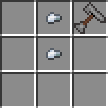
Bạn có thể dùng túi nhỏ để đựng thêm chìa khóa, khóa, xu và đá quý. Bạn có thể dùng Key Ring để giữ nhiều chìa khóa và nó sẽ hoạt động như một chìa khóa, tự chọn đúng chìa từ kho đồ của nó cho ổ khóa.
Không cần tạo cả một sub-mod, Treasure2 thêm một bộ vũ khí mới, phiên bản tiêu chuẩn và đồ sưu tầm. Chúng được thiết kế hướng đến lối chơi vanilla, nên không nên quá mạnh.
Mimics đã trở lại! Mô hình được thiết kế lại và 5 mimic mới (Cardboard, Crate, Moldy Crate, Viking và Cauldron).
Bạn có thể dễ dàng tạo các mod add-on cho Treasure2. Dưới đây là danh sách một số mod:
Treasure2: Twilight Forest Loot Pack - bởi gottsch
Treasure2 có thể được dùng như một mod độc lập, tuy nhiên chỉ có bấy nhiêu vật phẩm vanilla để làm loot tốt. Treasure2 được thiết kế để dùng datapack nhằm tạo bảng loot cho rương kho báu. Đây là một datapack Twilight Forest để dùng trong Treasure2:
treasure2-twilight-forest-datapackv1.0.0.zip
Bạn có thể xem nó như một ví dụ về cách thiết lập bất kỳ datapack nào cho Treasure2.
Câu trả lời là Có. Cứ thoải mái dùng Treasure2 hoặc bất kỳ mod nào của tôi trong modpack của bạn.
https://www.tiktok.com/@louisetherose/video/7277901152363056391
Cách cài đặt Treasure2
With Millida Launcher
Install Millida Launcher
The launcher is free: download it at millida.net/launcher and sign in with any nickname.
Click “Install” on this page
The launcher opens and installs the mod for Minecraft 1.12.2–1.21.1 on Forge or NeoForge automatically.
Launch the game
A profile with it appears in the launcher: click “Play”.
Manually
Install Forge or NeoForge
The loader must match the game version of the mod file, for example Minecraft 1.21.1. After installing it, a separate profile appears in your launcher.
Download the file for your version
In the version list above, pick the file treasure2-neoforge-1.21.1-5.0.2.jar (3.4 MB) for your game version and loader.
Put it in the mods folder
The folder is inside .minecraft (Windows: %appdata%\.minecraft\mods). If it does not exist, create it.
Launch the loader profile
Open “Mods” in the main menu: Treasure2 should be in the list.
Minecraft 1.21.1 runs on Java 21: with a different Java version the game may close right after launch.
Phiên bản
Kèm phụ thuộc
| Minecraft | Loader | Tệp | Ngày | Hành động |
|---|---|---|---|---|
| 1.20.1 | Forge | treasure2-1.20.1-4.0.6.jar3.4 MB 1 | ||
| 1.21.1 | NeoForge | treasure2-neoforge-1.21.1-5.0.2.jar3.4 MB 1 | ||
| 1.12.2 | — | Treasure2-mc1.12.2-f14.23.5.2859-v2.0.0.jar4.5 MB |
Câu hỏi thường gặp
Which Minecraft versions does Treasure2 work on?
There are files for 1.21.1, 1.20.1, 1.12.2. The newest is 1.21.1.
Is Treasure2 for Forge or Fabric?
There are files for Forge: 1.20.1 and for NeoForge: 1.21.1. There are no files for Fabric: a mod for another loader will not start.
Does Treasure2 need other mods?
The author lists no required dependencies: the Forge or NeoForge loader is enough.
Which Java does Treasure2 need?
Minecraft 1.21.1 runs on Java 21. If the game closes right after launch, the usual cause is the wrong Java version in the profile settings.
How do I download Treasure2?
With Millida Launcher: it installs Treasure2 into a modpack by itself, for the right game version and loader. The launcher is free.
Đánh giá
Hãy là người đầu tiên đánh giá Treasure2


