

Tech Reborn Mod cho Minecraft 1.12.2, 26.3
Tech Reborn là một mod công nghệ hoàn toàn độc lập bao gồm công cụ và máy móc để thu thập tài nguyên, xử lý vật liệu và tiến triển qua mod.
- lượt tải
- 26 lượt tải
- lượt xem
- 81 lượt xem
- Đã cập nhật
- Đã cập nhật 25.10.2026
- 1.8.8 — 26.3
 Fabric
Giới thiệu mod Tech Reborn
Tech Reborn là một mod công nghệ hoàn toàn độc lập, bao gồm các công cụ và máy móc để thu thập tài nguyên, chế biến vật liệu và tiến triển qua mod.
Tech Reborn cho Minecraft 1.14+ sử dụng Fabric. Không có kế hoạch phát triển phiên bản Forge trong tương lai.
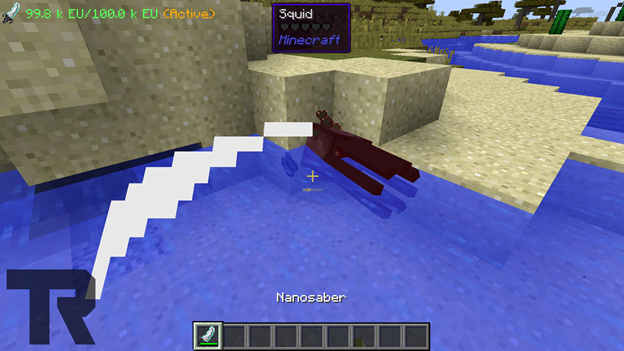
Tech Reborn cho 1.17 yêu cầu Fabric Loader, Fabric API. Reborn Core được tích hợp vào TR bắt đầu từ 1.17.
Tech Reborn cho 1.14 - 1.16 yêu cầu Fabric Loader, Fabric API và Reborn Core
Tham gia discord của đội Team Reborn để được hỗ trợ hoặc trò chuyện về các mod: https://discord.gg/teamreborn
Tham gia discord của Fabric để trò chuyện về các mod Fabric nói chung: https://discord.gg/v6v4pMv
Xem video sau của Rockit14 để có hướng dẫn sử dụng TechReborn:
Ghi công:
- Modmuss50 - Nhà phát triển chính
- Drcrazy - Nhà phát triển
- Gigabit101 - Cựu nhà phát triển
- Prospector - Cựu nhà phát triển & Cựu nghệ sĩ kết cấu
- Yulife - Cựu nghệ sĩ kết cấu
- The Chisel Team - Kết cấu kết nối nếu Chisel được cài đặt
Tech Reborn là một mod cho Fabric, và không có kế hoạch chuyển mod này sang Forge.
Cách cài đặt Tech Reborn
With Millida Launcher
Install Millida Launcher
The launcher is free: download it at millida.net/launcher and sign in with any nickname.
Click “Install” on this page
The launcher opens and installs the mod for Minecraft 1.8.8–26.3 on Fabric automatically.
Launch the game
A profile with it appears in the launcher: click “Play”.
Manually
Install Fabric
The loader must match the game version of the mod file, for example Minecraft 26.3. After installing it, a separate profile appears in your launcher.
Download the file for your version
In the version list above, pick the file TechReborn-6.2.0.jar (6.5 MB) for your game version.
Put it in the mods folder
The folder is inside .minecraft (Windows: %appdata%\.minecraft\mods). If it does not exist, create it.
Launch the loader profile
Open “Mods” in the main menu: Tech Reborn should be in the list.
Phiên bản
Kèm phụ thuộc
| Minecraft | Loader | Tệp | Ngày | Hành động |
|---|---|---|---|---|
| 26.3 | Fabric | TechReborn 6.2.06.5 MB 16 | ||
| 26.2 | Fabric | TechReborn 6.1.16.6 MB 7 | ||
| 1.12.1 | — | TechReborn-1.12.2-2.27.3.1084-universal.jar2.6 MB 2 | ||
| — | Fabric | TechReborn-1.15-3.0.13.4.jar2.5 MB 1 | ||
| 1.12.1 | — | TechReborn-1.12.2-2.11.0.410-universal.jar2.4 MB | ||
| 1.8.8 | — | TechReborn-1.8.8-0.7.1.23-universal.jar1.1 MB |
Câu hỏi thường gặp
Which Minecraft versions does Tech Reborn work on?
There are files for 26.3, 26.2, 1.12.2, 1.12.1, 1.12, 1.8.8. The newest is 26.3.
Is Tech Reborn for Forge or Fabric?
Only for Fabric: 26.2–26.3. There are no files for Forge or NeoForge: a mod for another loader will not start.
Does Tech Reborn need other mods?
The author lists no required dependencies: the Fabric loader is enough.
Where can I download Tech Reborn safely?
On this page: the file TechReborn-6.2.0.jar (6.5 MB) is stored on Millida’s server, with no link shorteners. SHA-1 checksum: 76fb2003a317a14ba1d79f5f887348be8eb50916.
Đánh giá
Hãy là người đầu tiên đánh giá Tech Reborn


