
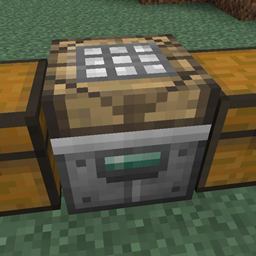
Steve's Workshop Mod cho Minecraft 1.7.10
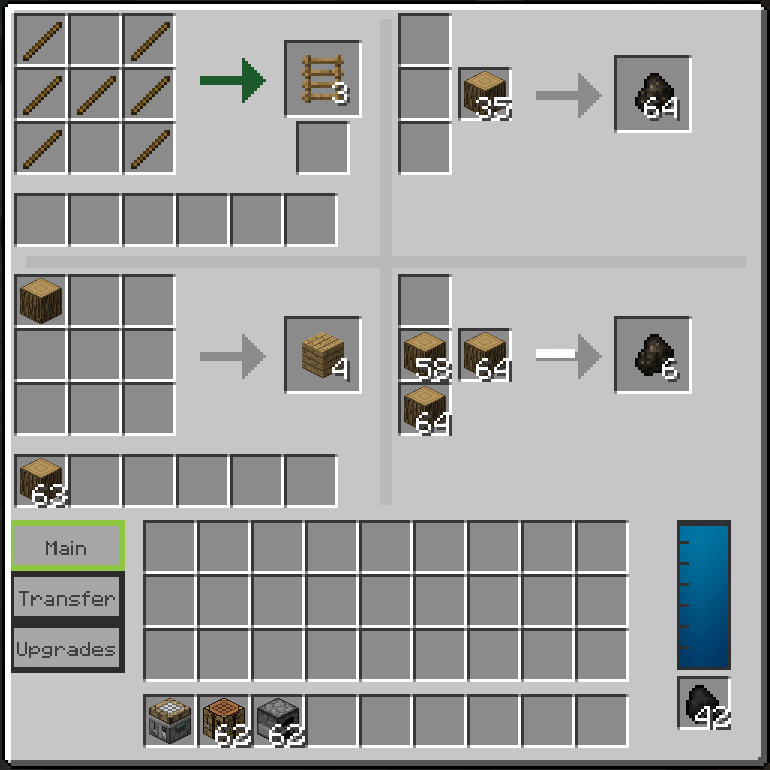
Thêm bàn sản xuất chứa nhiều bàn chế tạo và/hoặc lò nung mô-đun.
Giới thiệu mod Steve's Workshop
Mod này thêm một bàn sản xuất chứa nhiều bàn chế tạo và/hoặc lò nung dạng mô-đun.
Đây là một mod khá nhỏ, tôi vẫn sẽ thêm vài nâng cấp nữa nhưng hầu hết các tính năng đã có sẵn.
Để biết thêm thông tin về mod, hãy xem video bên dưới.
Cách cài đặt Steve's Workshop
With Millida Launcher
Install Millida Launcher
The launcher is free: download it at millida.net/launcher and sign in with any nickname.
Click “Install” on this page
The launcher opens and installs the mod for Minecraft 1.7.10 automatically.
Launch the game
A profile with it appears in the launcher: click “Play”.
Manually
Download the file for your version
In the version list above, pick the file StevesWorkshop-0.5.1.jar (223 KB) for your game version.
Put it in the mods folder
The folder is inside .minecraft (Windows: %appdata%\.minecraft\mods). If it does not exist, create it.
Launch the loader profile
Open “Mods” in the main menu: Steve's Workshop should be in the list.
Minecraft 1.7.10 runs on Java 8: with a different Java version the game may close right after launch.
Phiên bản
Kèm phụ thuộc
| Minecraft | Loader | Tệp | Ngày | Hành động |
|---|---|---|---|---|
| 1.7.10 | — | StevesWorkshop-0.5.1.jar223 KB |
Câu hỏi thường gặp
Which Minecraft versions does Steve's Workshop work on?
Only Minecraft 1.7.10: there are no files for other versions.
Which Java does Steve's Workshop need?
Minecraft 1.7.10 runs on Java 8. If the game closes right after launch, the usual cause is the wrong Java version in the profile settings.
Where can I download Steve's Workshop safely?
On this page: the file StevesWorkshop-0.5.1.jar (223 KB) is stored on Millida’s server, with no link shorteners. SHA-1 checksum: 5c7e54effb7cb928aae1fdd5c88a277249fdc67b.
Đánh giá
Hãy là người đầu tiên đánh giá Steve's Workshop


