
Snow Under Trees Mod cho Minecraft 1.20.1, 26.3
Thêm tuyết dưới cây trong quần xã sinh vật có tuyết
 Fabric
 Quilt
Quilt NeoForge
 Forge
ForgeGiới thiệu mod Snow Under Trees
Mod này được tạo ra trong MMD WinterJam 2019!
Chức năng
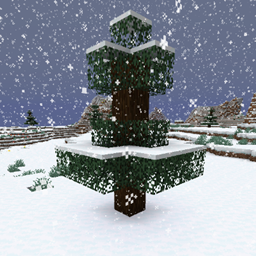
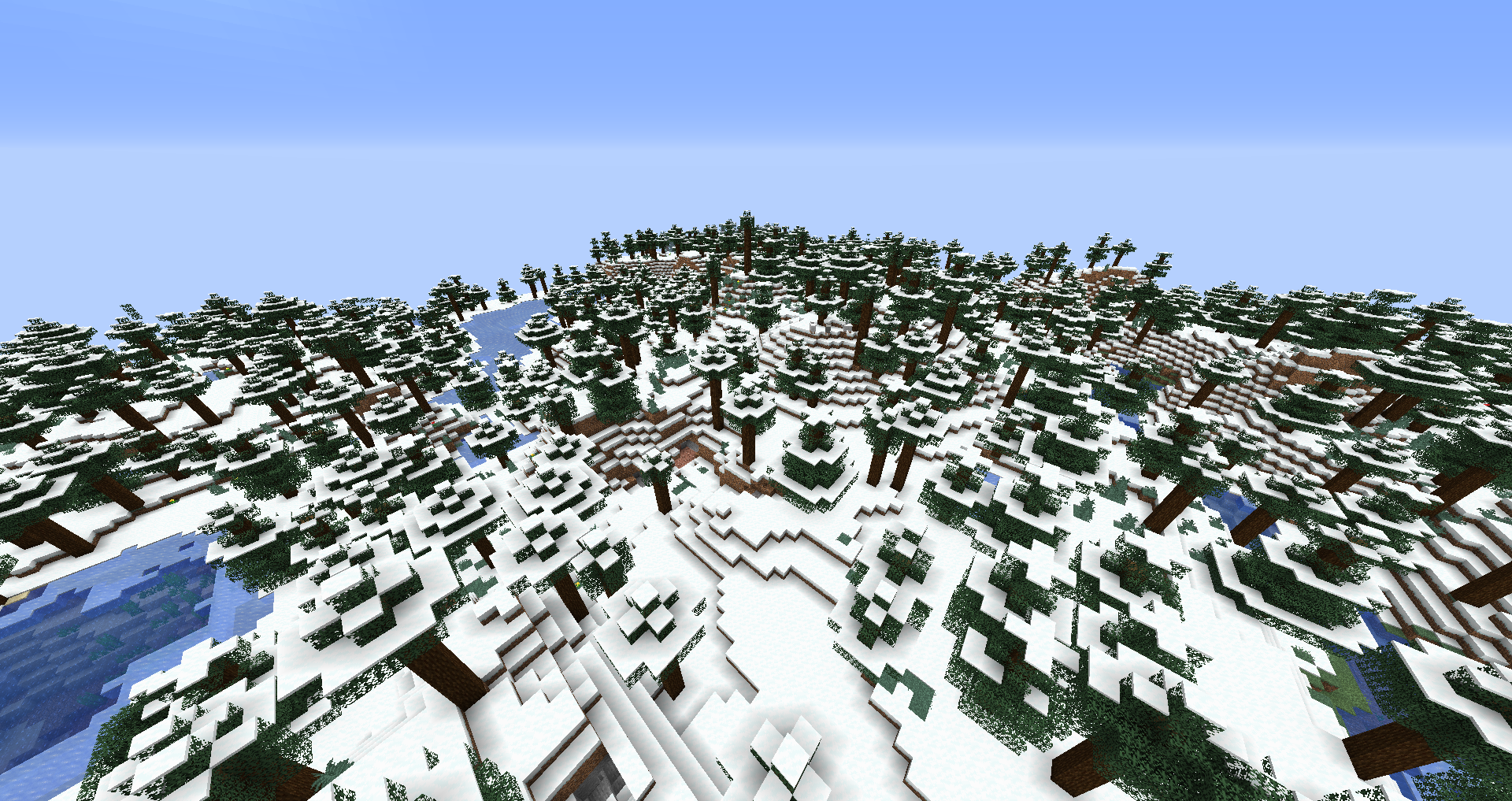
Snow Under Trees thêm tuyết dưới gốc cây, ai mà ngờ được. Điều này sẽ xảy ra mỗi khi chunk mới được tạo, hoặc khi trời đang có tuyết rơi. Lưu ý rằng chỉ những biome đủ lạnh để có tuyết mới bị ảnh hưởng. Ví dụ như rừng thông thường sẽ không bị ảnh hưởng.
Hỗ trợ mod
- Biome từ mod
- Terralith
- Oh The Biomes You'll Go
- Oh The Biomes We've Gone
- Biomes O' Plenty
- …
- Snow! Real Magic!
- Serene Seasons
- Eternal Winter
- Dynamic Trees
- Moonrise
Nếu bạn muốn thấy các mod khác được hỗ trợ hoặc bất kỳ hỗ trợ nào được liệt kê ở đây không hoạt động, hãy thoải mái mở một issue trên GitHub.
Trình diễn
Ở đây bạn có thể thấy sự so sánh giữa cùng một biome Snowy Taiga nguyên bản được tạo mà không có (trước) và có (sau) mod này được cài đặt:
Cấu hình
enablebiomefeature - Đặt thành false sẽ tắt việc tuyết tạo dưới gốc cây khi chunk mới được tạo. enablewhensnowing - Đặt thành false sẽ tắt việc tuyết tạo dưới gốc cây khi trời đang có tuyết rơi trong thế giới. filteredbiomes - Bất kỳ biome nào có ID biome được thêm vào đây sẽ không bị mod này ảnh hưởng theo bất kỳ cách nào. Bạn có thể tìm ID biome của biome bạn đang ở trên màn hình F3. Ví dụ, ID biome của biome plains trông như thế này: minecraft:plains
Bạn được phép sử dụng mod này trong bất kỳ modpack nào.
Hãy tham gia cùng tôi trên Discord! https://discord.gg/kgZUAxK
Theo dõi tôi trên Twitter để cập nhật mod và những trò vui khác! https://twitter.com/bl4ckscor3
Cách cài đặt Snow Under Trees
With Millida Launcher
Install Millida Launcher
The launcher is free: download it at millida.net/launcher and sign in with any nickname.
Click “Install” on this page
The launcher opens and installs the mod for Minecraft 1.16.2–26.3 on Fabric, Forge, NeoForge or Quilt automatically.
Launch the game
A profile with it appears in the launcher: click “Play”.
Manually
Install Fabric, Forge, NeoForge or Quilt
The loader must match the game version of the mod file, for example Minecraft 26.3. After installing it, a separate profile appears in your launcher.
Download the file for your version
In the version list above, pick the file snowundertrees-fabric-26.3-1.6.1.jar (245 KB) for your game version and loader.
Put it in the mods folder
The folder is inside .minecraft (Windows: %appdata%\.minecraft\mods). If it does not exist, create it.
Launch the loader profile
Open “Mods” in the main menu: Snow Under Trees should be in the list.
Phiên bản
Kèm phụ thuộc
| Minecraft | Loader | Tệp | Ngày | Hành động |
|---|---|---|---|---|
| 26.3 | Fabric, Quilt | snowundertrees-fabric-26.3-1.6.1.jar245 KB 26 | ||
| 26.3 | NeoForge | snowundertrees-neoforge-26.3-1.6.1.jar246 KB 2 | ||
| 1.20.1 | NeoForge, Forge | snowundertrees-1.20.1-1.4.12.jar27.9 KB 2 | ||
| 1.16.2 | Forge | snowundertrees-1.16.2-v1.1.2.jar11.6 KB |
Câu hỏi thường gặp
Which Minecraft versions does Snow Under Trees work on?
There are files for 26.3, 1.20.1, 1.16.2. The newest is 26.3.
Is Snow Under Trees for Forge or Fabric?
There are files for Fabric: 26.3, for Forge: 1.16.2–1.20.1, for NeoForge: 1.20.1–26.3 and for Quilt: 26.3.
Does Snow Under Trees need other mods?
The author lists no required dependencies: the Fabric, Forge, NeoForge or Quilt loader is enough.
Where can I download Snow Under Trees safely?
On this page: the file snowundertrees-fabric-26.3-1.6.1.jar (245 KB) is stored on Millida’s server, with no link shorteners. SHA-1 checksum: e2de49a134251d36176b99b1b7997e950ccbfa8d.
Đánh giá
Hãy là người đầu tiên đánh giá Snow Under Trees


