
 NeoForge
 Forge
Skinned Lanterns
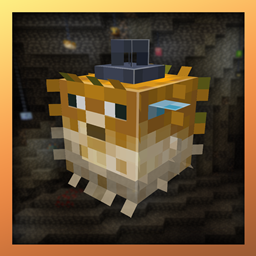
Một mod bổ sung thêm nhiều Đèn lồng vào trò chơi! Lấy cảm hứng từ Skinned Carts!
Tương thích với mod
Endergetic Expansion
Supplementaries
Botania
Jellyfishing
Cảm ơn uraneptus vì logo và biểu tượng, hãy theo dõi họ trên twitter!
Cách cài đặt Skinned Lanterns (Forge / NeoForge)
With Millida Launcher
Install Millida Launcher
The launcher is free: download it at millida.net/launcher and sign in with any nickname.
Click “Install” on this page
The launcher opens and installs the mod for Minecraft 1.21.4–1.21.5 on Forge or NeoForge automatically.
Launch the game
A profile with it appears in the launcher: click “Play”.
Manually
Install Forge or NeoForge
The loader must match the game version of the mod file, for example Minecraft 1.21.5. After installing it, a separate profile appears in your launcher.
Download the file for your version
In the version list above, pick the file skinned_lanterns-1.21.5-1.5.0-neoforge.jar (525 KB) for your game version and loader.
Put it in the mods folder
The folder is inside .minecraft (Windows: %appdata%\.minecraft\mods). If it does not exist, create it.
Launch the loader profile
Open “Mods” in the main menu: Skinned Lanterns (Forge / NeoForge) should be in the list.
Minecraft 1.21.5 runs on Java 21: with a different Java version the game may close right after launch.
Phiên bản
Kèm phụ thuộc
| Minecraft | Loader | Tệp | Ngày | Hành động |
|---|---|---|---|---|
| 1.21.5 | NeoForge | skinned_lanterns-1.21.5-1.5.0-neoforge.jar525 KB | ||
| 1.21.4 | Forge | skinned_lanterns-1.21.4-1.5.0.jar524 KB |
Đánh giá
Hãy là người đầu tiên đánh giá Skinned Lanterns (Forge / NeoForge)


