
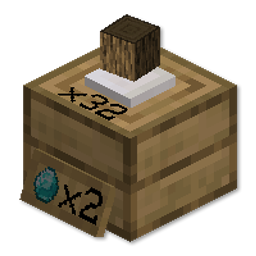
Simple Shops Mod cho Minecraft 1.18.2
Thêm cửa hàng người chơi và cửa hàng sáng tạo đơn giản, dễ dùng!
- lượt xem
- 26 lượt xem
- Đã cập nhật
- Đã cập nhật 17.10.2026
- 1.18.2
 Forge
Forge
Giới thiệu mod Simple Shops
Simple Shops Mod
Mod này thêm Player Shops và Creative Shops
cực kỳ dễ thiết lập và sử dụng!
Chỉ cần chế tạo shop và đặt nó xuống đất.
Nhấp chuột phải với một vật phẩm để đặt giá,
và nhấp chuột phải lần nữa để thêm một số vật phẩm để bán.
Bạn có thể để nó ở bất cứ đâu, vì không người chơi nào khác có thể phá nó!
Sau đó bạn có thể thu lợi nhuận của mình bằng cách nhấp chuột trái.
Nếu bạn muốn phá shop của mình, bạn có thể làm điều đó bằng cách nhấp chuột trái trong khi đang ngồi.
Cập nhật:
Bây giờ bạn có thể nhấp chuột phải với tay không để thêm hàng tồn kho!
Bạn cũng có thể thêm Stock Viewer vào shop của mình! Với màu sắc có thể tùy chỉnh nữa!
Xem video hướng dẫn bên dưới!
Hãy thoải mái tham gia discord và chia sẻ ý tưởng cũng như phản hồi của bạn!
Được tài trợ bởi BISECT HOSTING Tận tâm mang đến cho bạn trải nghiệm lưu trữ máy chủ Minecraft dễ dàng và tiết kiệm nhất có thể. Giảm 25% cho tháng đầu tiên với bất kỳ máy chủ game nào bằng mã "wolforce".
MCTCG Mega Builds Simple Shops Player Tabs Support me!
Hearth Well Vaultopic Mechanics Pristeel Groves Miner Golems
Cách cài đặt Simple Shops
With Millida Launcher
Install Millida Launcher
The launcher is free: download it at millida.net/launcher and sign in with any nickname.
Click “Install” on this page
The launcher opens and installs the mod for Minecraft 1.18.2 on Forge automatically.
Launch the game
A profile with it appears in the launcher: click “Play”.
Manually
Install Forge
The loader must match the game version of the mod file, for example Minecraft 1.18.2. After installing it, a separate profile appears in your launcher.
Download the file for your version
In the version list above, pick the file simpleshops-1.2.2.jar (148 KB) for your game version.
Put it in the mods folder
The folder is inside .minecraft (Windows: %appdata%\.minecraft\mods). If it does not exist, create it.
Launch the loader profile
Open “Mods” in the main menu: Simple Shops should be in the list.
Minecraft 1.18.2 runs on Java 17: with a different Java version the game may close right after launch.
Phiên bản
Kèm phụ thuộc
| Minecraft | Loader | Tệp | Ngày | Hành động |
|---|---|---|---|---|
| 1.18.2 | Forge | simpleshops-1.2.2.jar148 KB |
Câu hỏi thường gặp
Which Minecraft versions does Simple Shops work on?
Only Minecraft 1.18.2: there are no files for other versions.
Is Simple Shops for Forge or Fabric?
Only for Forge: 1.18.2. There are no files for Fabric or NeoForge: a mod for another loader will not start.
Does Simple Shops need other mods?
The author lists no required dependencies: the Forge loader is enough.
Which Java does Simple Shops need?
Minecraft 1.18.2 runs on Java 17. If the game closes right after launch, the usual cause is the wrong Java version in the profile settings.
Where can I download Simple Shops safely?
On this page: the file simpleshops-1.2.2.jar (148 KB) is stored on Millida’s server, with no link shorteners. SHA-1 checksum: 6da213f138d70bcaf06b6d4723b4c7fb852b5d18.
Đánh giá
Hãy là người đầu tiên đánh giá Simple Shops


