
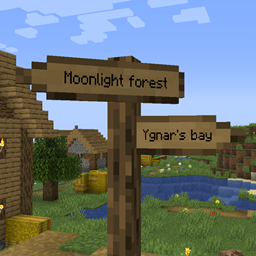
Signpost Mod cho Minecraft 1.12.2, 26.2
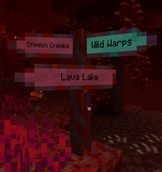
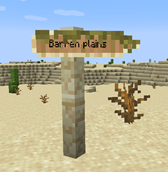
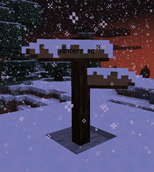
Biển chỉ dẫn để dịch chuyển và trang trí
 Fabric
 NeoForge
 Forge
ForgeGiới thiệu mod Signpost
Tháng 9 năm 2026: Đã phát hành phiên bản 2.04.0/2.04.1:
- Chuyển sang 1.21.1, 1.21.11, 26.1.2, 26.2 và 26.3.
- Các loại vật liệu của Signpost giờ đây được quản lý thông qua data pack
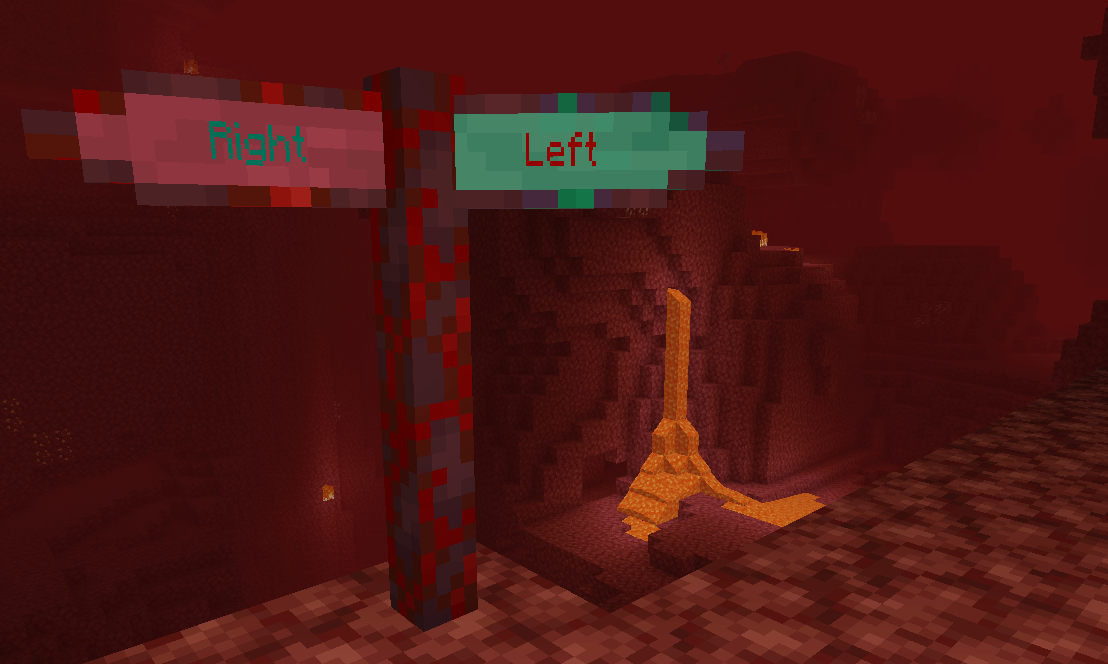
Bao gồm tích hợp vào Antique Atlas (phiên bản >= 2.01.0)! Với các phiên bản cũ hơn, hãy xem mod Signposts của harceroi (1.7.10) hoặc Atlas Extras của Rikshy (1.12). Hỗ trợ các làng của Repurposed Structures. Cũng hỗ trợ mod Waystones (trừ 1.17).
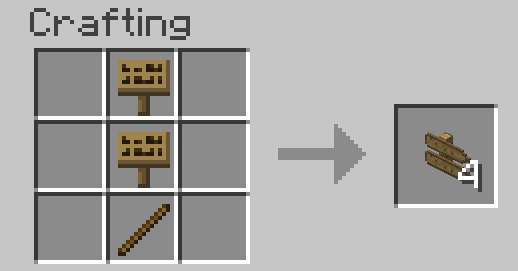
Bắt đầu trong chế độ sinh tồn: Chỉ cần chế tạo một tấm biển vanilla thông thường. Tất cả các công thức sau đó sẽ dần được thêm vào sách công thức của bạn.
Cách sử dụng:
- Waystones
- Sign Posts
- Lệnh
- Tạo thế giới
- Cấu hình
Bản địa hóa zhcn bởi TartaricAcid (Phiên bản 1.) và SettingDust (Phiên bản 2.) bản địa hóa ruru bởi Aqelius (Phiên bản 1.) và lineisover (Phiên bản 2.) bản địa hóa frfr, eses, ptbr, itit, plpl, ukua, trtr, jajp, kokr, zhtw và svse bởi AI (>= Phiên bản 2.04.1-26.3).
AI cũng được sử dụng để chuyển dự án sang các phiên bản minecraft mới.
Vui lòng sao lưu bản đồ của bạn, báo cáo mọi lỗi và chúc vui vẻ :D
Bạn có thể đưa mod này vào modpack.
Cách cài đặt Signpost
With Millida Launcher
Install Millida Launcher
The launcher is free: download it at millida.net/launcher and sign in with any nickname.
Click “Install” on this page
The launcher opens and installs the mod for Minecraft 1.7.10–26.2 on Fabric, Forge or NeoForge automatically.
Launch the game
A profile with it appears in the launcher: click “Play”.
Manually
Install Fabric, Forge or NeoForge
The loader must match the game version of the mod file, for example Minecraft 26.2. After installing it, a separate profile appears in your launcher.
Download the file for your version
In the version list above, pick the file signpost-fabric-26.2-2.04.1.jar (1.2 MB) for your game version and loader.
Put it in the mods folder
The folder is inside .minecraft (Windows: %appdata%\.minecraft\mods). If it does not exist, create it.
Launch the loader profile
Open “Mods” in the main menu: Signpost should be in the list.
Phiên bản
Kèm phụ thuộc
| Minecraft | Loader | Tệp | Ngày | Hành động |
|---|---|---|---|---|
| 26.2 | Fabric | signpost-fabric-26.2-2.04.1.jar1.2 MB 1 | ||
| 26.2 | NeoForge | signpost-neoforge-26.2-2.04.1.jar1.2 MB | ||
| 26.2 | Forge | signpost-forge-26.2-2.04.1.jar1.2 MB 1 | ||
| 1.15.2 | Forge | Signpost 1.15.2 2.00.1781 KB | ||
| 1.12.2 | — | signpost-1.12.2-1.08.5.jar443 KB | ||
| 1.12.2 | — | signpost-1.12.2-1.08.4.jar443 KB | ||
| 1.7.10 | — | signpost-1.7.10-1.02.189.3 KB |
Câu hỏi thường gặp
Which Minecraft versions does Signpost work on?
There are files for 26.2, 1.15.2, 1.12.2, 1.7.10. The newest is 26.2.
Is Signpost for Forge or Fabric?
There are files for Fabric: 26.2, for Forge: 1.15.2–26.2 and for NeoForge: 26.2.
Does Signpost need other mods?
The author lists no required dependencies: the Fabric, Forge or NeoForge loader is enough.
Where can I download Signpost safely?
On this page: the file signpost-fabric-26.2-2.04.1.jar (1.2 MB) is stored on Millida’s server, with no link shorteners. SHA-1 checksum: cb8feecb4279f72582635446975feadc0469a527.
Đánh giá
Hãy là người đầu tiên đánh giá Signpost


