
Quick Elytra Mod cho Minecraft 26.2
Tự động đổi Elytra + phím tắt, phím tắt đổi totem, v.v.
- lượt tải
- 1 lượt tải
- lượt xem
- 22 lượt xem
- Đã cập nhật
- Đã cập nhật 18.10.2026
- 26.2
 Fabric
Giới thiệu mod Quick Elytra
Adds two hotkeys (v1.0.0)
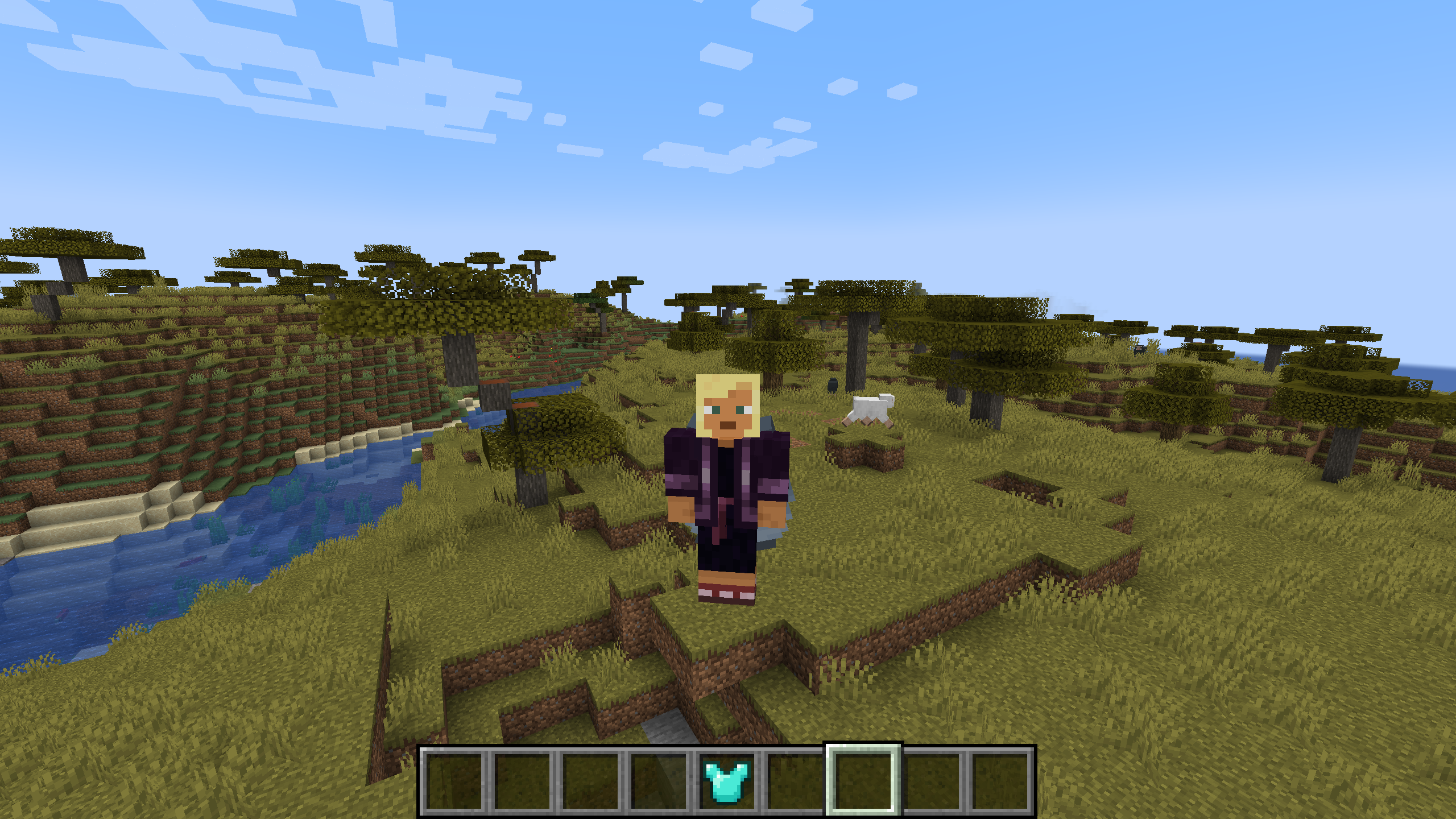
An elytra/chestplate swapping keybind. It prioritises items with a larger durability and then with a larger amount of enchant levels. Will also prioritize chestplates/elytra that are in your offhand. Default keybind 'G'.
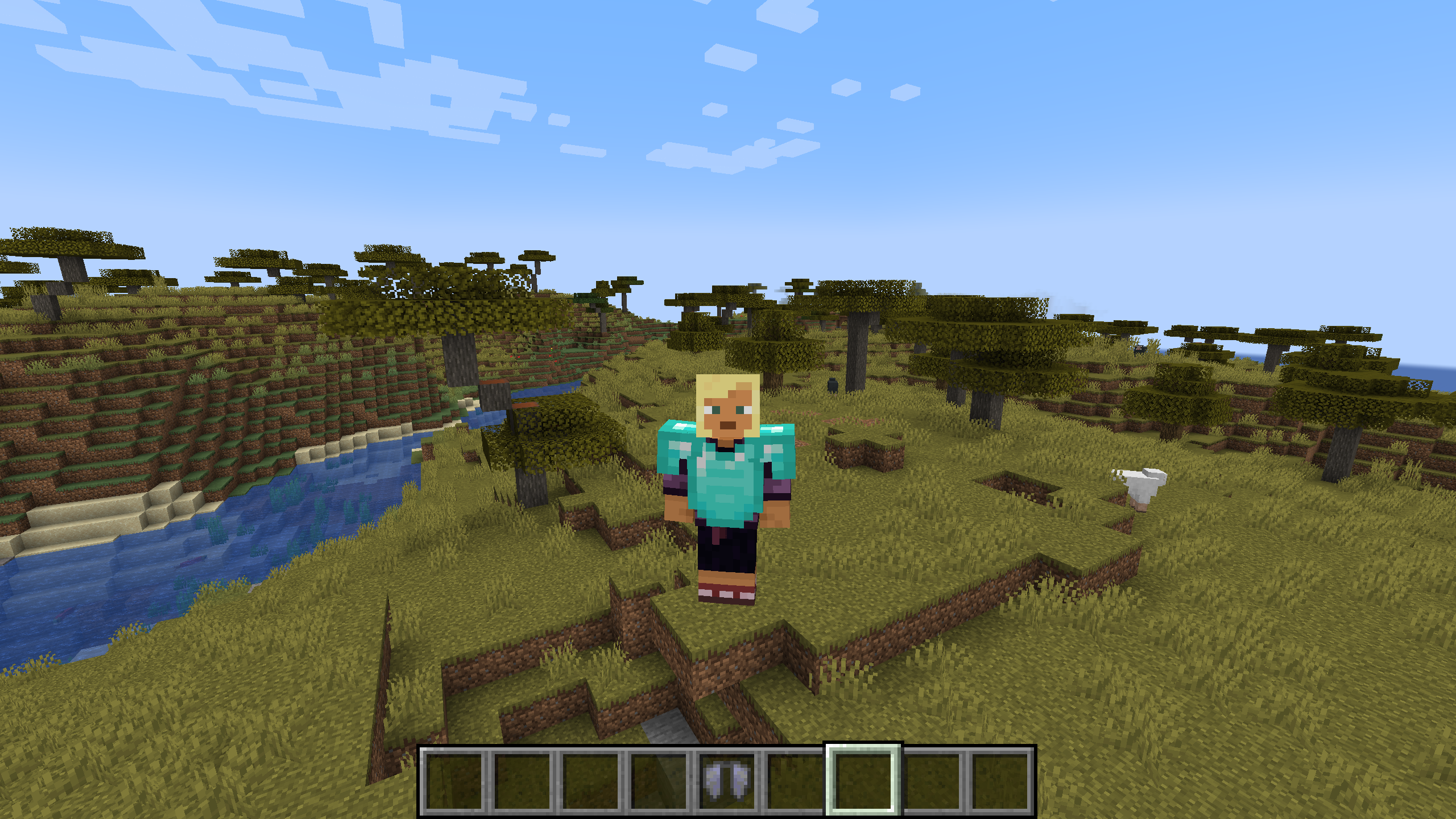
A quick totem equipping keybind. Will equip a totem of undying into your offhand when pressed. Default keybind 'X'.
Adds automatic elytra swapping (v1.1.0)
When enabled, this will automatically equip your elytra when you attempt to fly with your chestplate still on. This is disabled by default and can be toggled in the mod config menu (accessible via mod menu).
Extensive config (v1.2.0)
A config screen is available via the Mod Menu.
It has several different options:
- Automatic elytra swapping toggle
- Swap fireworks to your offhand automatically while gliding with an elytra, being switched back on landing
- Configure a list of which elytra items will be scanned on swapping an elytra
- Configure a list of which offhand items will be scanned on performing the offhand swap
- Configure a list of valid firework items for the automatic firework swap
Cách cài đặt Quick Elytra
With Millida Launcher
Install Millida Launcher
The launcher is free: download it at millida.net/launcher and sign in with any nickname.
Click “Install” on this page
The launcher opens and installs the mod for Minecraft 26.2 on Fabric automatically.
Launch the game
A profile with it appears in the launcher: click “Play”.
Manually
Install Fabric
The loader must match the game version of the mod file, for example Minecraft 26.2. After installing it, a separate profile appears in your launcher.
Download the file for your version
In the version list above, pick the file quickelytra-1.3.1-mc26.2.jar (109 KB) for your game version.
Put it in the mods folder
The folder is inside .minecraft (Windows: %appdata%\.minecraft\mods). If it does not exist, create it.
Launch the loader profile
Open “Mods” in the main menu: Quick Elytra should be in the list.
Phiên bản
Kèm phụ thuộc
| Minecraft | Loader | Tệp | Ngày | Hành động |
|---|---|---|---|---|
| 26.2 | Fabric | v1.3.1 for mc26.2109 KB 1 |
Câu hỏi thường gặp
Which Minecraft versions does Quick Elytra work on?
Only Minecraft 26.2: there are no files for other versions.
Is Quick Elytra for Forge or Fabric?
Only for Fabric: 26.2. There are no files for Forge or NeoForge: a mod for another loader will not start.
Does Quick Elytra need other mods?
The author lists no required dependencies: the Fabric loader is enough.
Where can I download Quick Elytra safely?
On this page: the file quickelytra-1.3.1-mc26.2.jar (109 KB) is stored on Millida’s server, with no link shorteners. SHA-1 checksum: 16c1e49d6bcbe90dcbb9f3291b3ca5a16f0a5395.
Đánh giá
Hãy là người đầu tiên đánh giá Quick Elytra


