
Progressive Bosses Mod cho Minecraft 1.20.1, 1.16.5
Triệu hồi các phiên bản mạnh hơn của Wither và Ender Dragon
- lượt tải
- 8 lượt tải
- lượt xem
- 38 lượt xem
- Đã cập nhật
- Đã cập nhật 26.10.2026
- 1.16 — 1.20.1
 Forge
Forge
Giới thiệu mod Progressive Bosses
Đối với bản port Fabric, hãy xem [Fabric] Progressive Bosses (lưu ý bản này không liên kết với tôi, vui lòng báo cáo vấn đề cho nhà phát triển)
Mod này yêu cầu InsaneLib
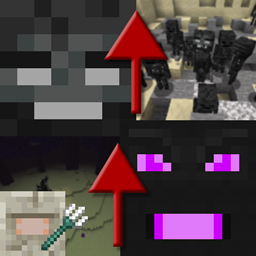
Mod này khiến Wither và Ender Dragon trở nên khó hơn bằng cách cho phép bạn triệu hồi phiên bản mạnh hơn của chúng. Đồng thời khiến trận chiến với Elder Guardian khó hơn.
Độ khó sẽ thích ứng dựa trên những người chơi xung quanh boss.
- Nhiều máu hơn: chúng là boss mà ... sao chúng có thể gục chỉ với vài đòn?
- Kỹ năng mới: như Wither Charging hay Dragon hồi sinh tinh thể
- Minions: cả Dragon và Wither đều có Minions
- Caged crystals: nhiều lồng hơn sẽ xuất hiện quanh tinh thể, và một số tinh thể sẽ xuất hiện bên trong tháp
- Acidballs và Skulls nhanh hơn: né tránh khó hơn
- Trận chiến với Elder Guardian khó hơn và có phần thưởng thực sự!
- Rất rất nhiều bản sửa lỗi: Mojang không còn quan tâm đến khía cạnh sinh tồn của trò chơi nữa
- Và còn nhiều nhiều thứ nữa! Đây chỉ là phần nổi của tảng băng tháp.
Trở thành patreon để dùng thử các phiên bản mới hơn sớm và chơi trên máy chủ công khai.
Xem các dự án khác của tôi!
Quyền cho Modpack
Bạn muốn làm gì với modpack cũng được, công khai hay riêng tư đều được!
Ngăn chặn đăng lại Mod
Đừng tải mod này từ bất kỳ trang web nào khác ngoài Curseforge hoặc Modrinth. Nó có thể là malware và có thể gây hại cho PC của bạn. Xem https://stopmodreposts.org để biết thêm thông tin.
Cách cài đặt Progressive Bosses
With Millida Launcher
Install Millida Launcher
The launcher is free: download it at millida.net/launcher and sign in with any nickname.
Click “Install” on this page
The launcher opens and installs the mod for Minecraft 1.16–1.20.1 on Forge automatically.
Launch the game
A profile with it appears in the launcher: click “Play”.
Manually
Install Forge
The loader must match the game version of the mod file, for example Minecraft 1.20.1. After installing it, a separate profile appears in your launcher.
Download the file for your version
In the version list above, pick the file progressivebosses-4.3.12.jar (999 KB) for your game version.
Put it in the mods folder
The folder is inside .minecraft (Windows: %appdata%\.minecraft\mods). If it does not exist, create it.
Launch the loader profile
Open “Mods” in the main menu: Progressive Bosses should be in the list.
Minecraft 1.20.1 runs on Java 17: with a different Java version the game may close right after launch.
Phiên bản
Kèm phụ thuộc
| Minecraft | Loader | Tệp | Ngày | Hành động |
|---|---|---|---|---|
| 1.20.1 | Forge | 4.3.12999 KB 8 | ||
| 1.20.1 | Forge | 4.3.3990 KB | ||
| 1.20.1 | Forge | 4.3.1959 KB | ||
| 1.16.3 | — | [1.16.x] Progressive Bosses 2.2.068 KB |
Câu hỏi thường gặp
Which Minecraft versions does Progressive Bosses work on?
There are files for 1.16–1.20.1, 7 versions in total. The newest is 1.20.1.
Is Progressive Bosses for Forge or Fabric?
Only for Forge: 1.20.1. There are no files for Fabric or NeoForge: a mod for another loader will not start.
Does Progressive Bosses need other mods?
The author lists no required dependencies: the Forge loader is enough.
Which Java does Progressive Bosses need?
Minecraft 1.20.1 runs on Java 17. If the game closes right after launch, the usual cause is the wrong Java version in the profile settings.
Where can I download Progressive Bosses safely?
On this page: the file progressivebosses-4.3.12.jar (999 KB) is stored on Millida’s server, with no link shorteners. SHA-1 checksum: 5ec938a9e975ec49ae461d6ca1dd6e798a1d0dbc.
Đánh giá
Hãy là người đầu tiên đánh giá Progressive Bosses


