
Pipe Goggles Mod cho Minecraft 1.21.1, 1.12.2
Giúp bạn với hệ thống ống nước. Nhìn xuyên tường thấy ống!
 NeoForge
 Forge
ForgePipe Goggles
Mô tả
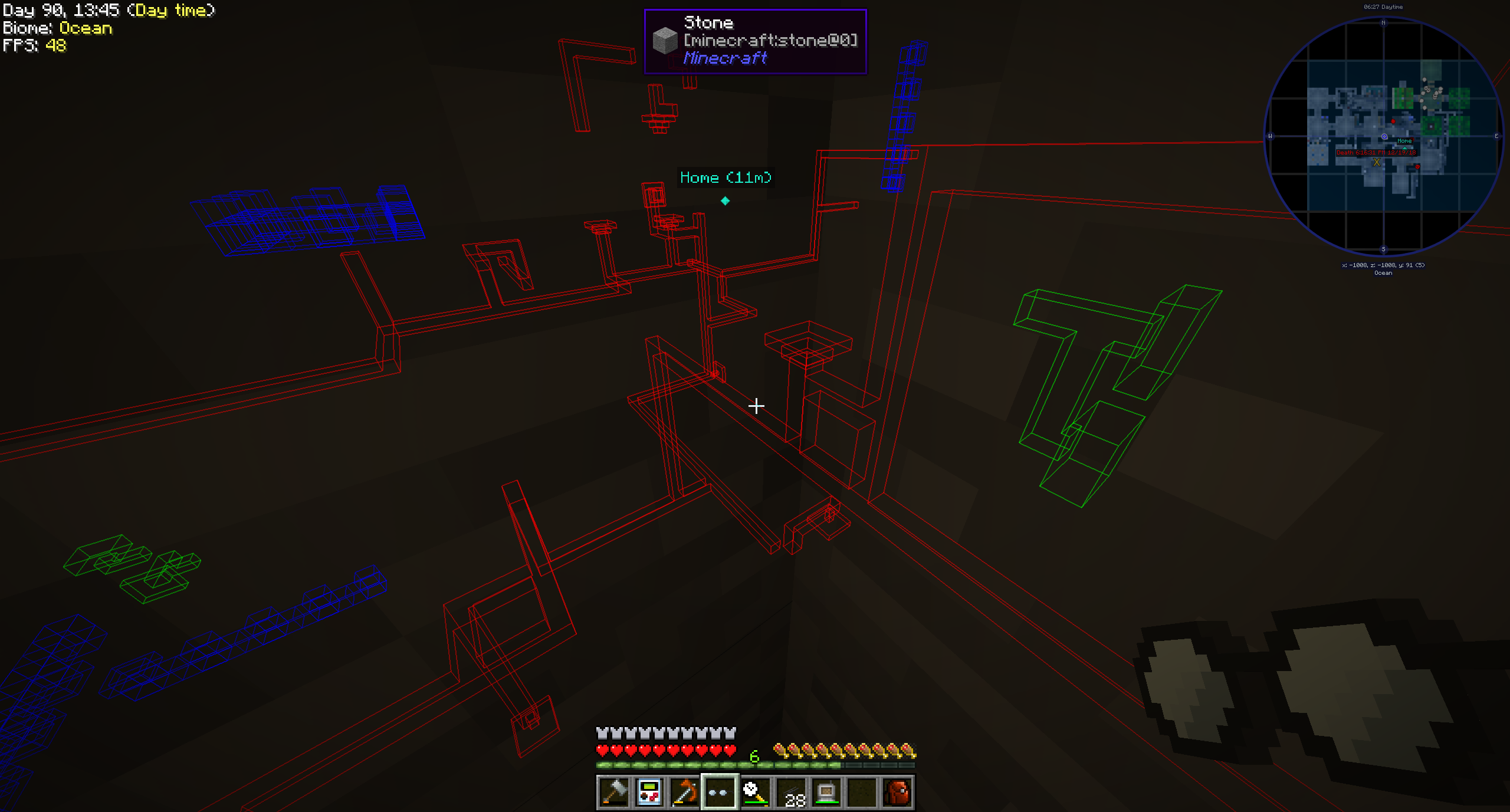
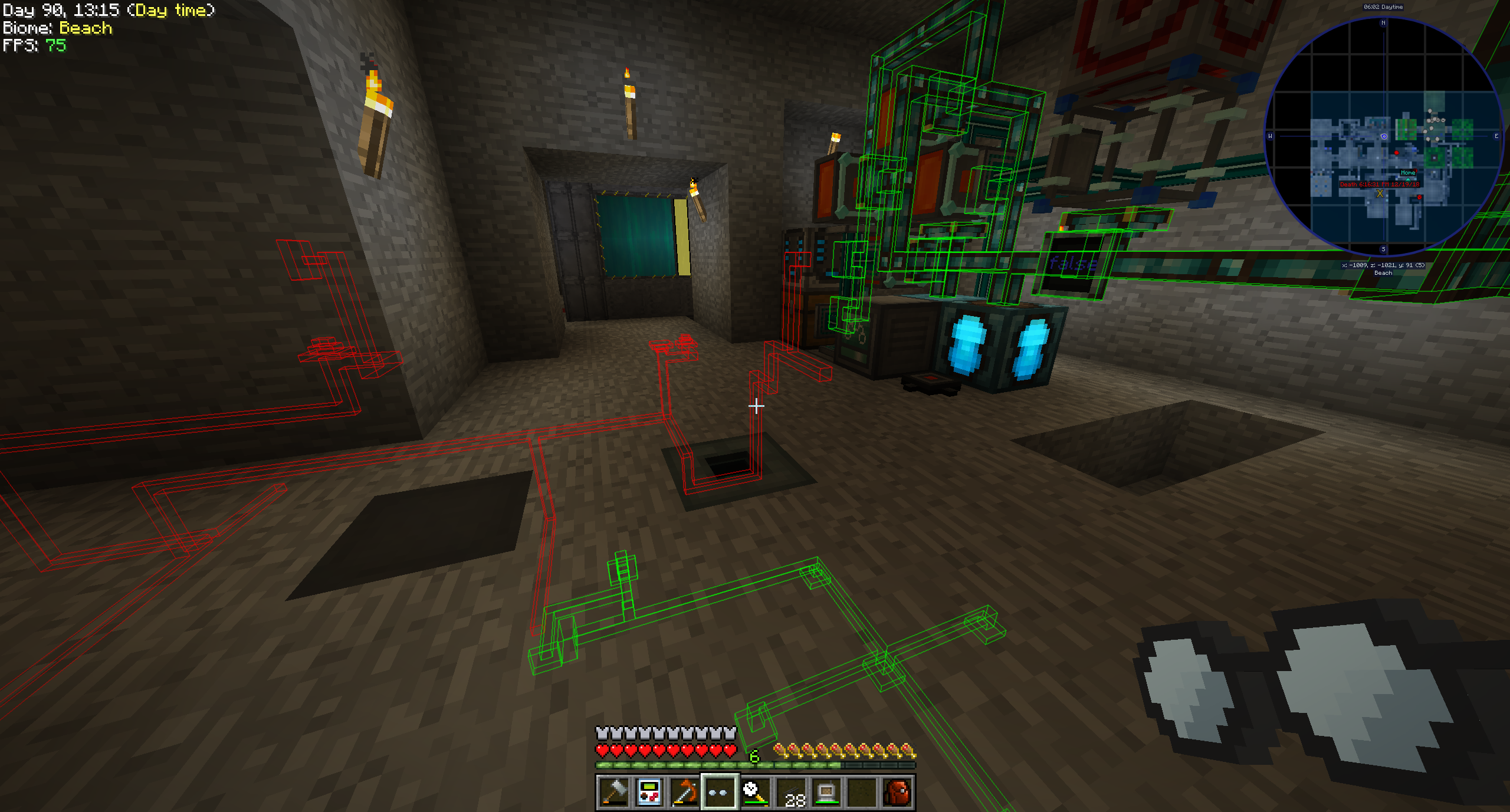
Pipe Goggles hiện tại chỉ thêm một vật phẩm duy nhất, Pipe Goggles. Chúng cho phép người đeo nhìn thấy nhiều loại đường ống khác nhau xuyên qua tường.
Cách sử dụng
Nhấp chuột phải khi đang cầm kính để mở một giao diện cấu hình nhỏ.
Đặt những loại ống bạn muốn nhìn thấy vào các ô màu.
Kính có thể ở ba chế độ khác nhau:
- Luôn bật: Kính luôn hoạt động, hiển thị tất cả các loại ống.
- Luôn tắt: Kính không bao giờ hoạt động, không hiển thị loại ống nào.
- Tự động: Kính chỉ hiển thị các loại ống tương ứng khi người chơi đang cầm một vật phẩm ống trên tay.
Bạn cũng có thể cấu hình phạm vi của kính, độ dày đường của các loại ống và độ mờ của chúng.
Tùy thuộc vào cấu hình của mod, kính của bạn sẽ cần được cấp năng lượng để hoạt động!
Các mod được hỗ trợ (1.21.1):
- Applied Energistics 2
- Create
- EnderIO
- Flux Networks
- IntegratedDynamics
- LaserIO
- Mekanism
- Redstone (từ vanilla minecraft)
- Modern Industrialization
- MoreRed
- Oritech
- Pipez
- PneumaticCraft
- Refined Storage
- Replication
- XNet
Các mod được hỗ trợ (1.14):
- Refined Storage
- Simple Storage Network
- Inspirations
- Integrated Dynamics
Các mod được hỗ trợ (1.12):
- Applied Energistics
- Cyclic
- EnderIO
- Extra Utilities 2
- Immersive Engineering
- Integrated Dynamics
- Mekanism
- OpenComputers
- Refined Storage
- Simple Storage Network
- Thermal Dynamics
Thêm hỗ trợ cho các mod khác (1.21.1 trở lên):
Việc này khá đơn giản và một ví dụ sẽ dễ hiểu hơn lời nói trong trường hợp này:
{ "neoforge:conditions": [ { "type": "neoforge:modloaded", "modid": "xnet" } ], "blocks": [ "xnet:netcable", "xnet:connector" ], "items": [ "xnet:cables", "xnet:connectors" ], "mod": "xnet" }
blocks là các khối cần được làm nổi bật. Chúng có thể là id khối hoặc tag. items là các vật phẩm giúp kính ở chế độ tự động làm nổi bật các loại ống. Cũng có thể là id vật phẩm hoặc tag.
Tệp đó nên được đặt ở đây: <your-data-pack>/data/pipegoggles/pipegoggles/mods/xnet.json.
Có thể tìm thêm ví dụ ở đây.
Cách cài đặt Pipe Goggles
With Millida Launcher
Install Millida Launcher
The launcher is free: download it at millida.net/launcher and sign in with any nickname.
Click “Install” on this page
The launcher opens and installs the mod for Minecraft 1.12–1.21.1 on Forge or NeoForge automatically.
Launch the game
A profile with it appears in the launcher: click “Play”.
Manually
Install Forge or NeoForge
The loader must match the game version of the mod file, for example Minecraft 1.21.1. After installing it, a separate profile appears in your launcher.
Download the file for your version
In the version list above, pick the file pipegoggles-2.0.4.jar (380 KB) for your game version and loader.
Put it in the mods folder
The folder is inside .minecraft (Windows: %appdata%\.minecraft\mods). If it does not exist, create it.
Launch the loader profile
Open “Mods” in the main menu: Pipe Goggles should be in the list.
Minecraft 1.21.1 runs on Java 21: with a different Java version the game may close right after launch.
Phiên bản
Kèm phụ thuộc
| Minecraft | Loader | Tệp | Ngày | Hành động |
|---|---|---|---|---|
| 1.21.1 | NeoForge | pipegoggles-2.0.4.jar380 KB | ||
| 1.14.4 | Forge | PipeMaster-2.0.1.12.jar52.5 KB | ||
| 1.12.1 | — | PipeMaster-1.0.2-b8.jar134 KB |
Đánh giá
Hãy là người đầu tiên đánh giá Pipe Goggles


