
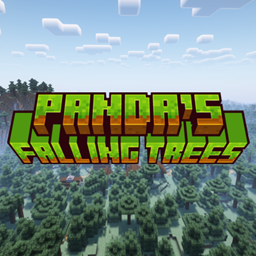
Panda's Falling Trees Mod cho Minecraft 1.20.1, 1.20.4
Làm cây đổ khi bị chặt
 NeoForge
 Forge
Forge Fabric
Giới thiệu:
Panda's Falling Trees khiến mọi cây đổ như cây trong Dynamic trees, đồng thời vẫn giữ nguyên các loại cây gốc từ Vanilla Minecraft.
Mod nên hỗ trợ các mod khác nếu khối log và leaves là một phần của Block Tag log và leaves
Các phiên bản và mod loader được hỗ trợ:
Mod loader Phiên bản
Fabric 1.20 – 1.21.10
NeoForge 1.20.5 – 1.21.10
Hỗ trợ Forge đã kết thúc
Phát triển hướng tới 1.21.10
Trình diễn:
Phát triển:
Tìm kiếm codebase của một phiên bản cụ thể
- 1.21
- 1.21.10
- 1.21.9
- 1.21.8
- 1.21.7
- 1.21.6
- 1.21.5
- 1.21.4
- 1.21.3
- 1.21.2
- 1.21.1
- 1.21.0
- 1.20
- 1.20.6
- 1.20.5
- 1.20.4
- 1.20.3
- 1.20.2
- 1.20.1
- 1.20.0
Kotlin DSL
repositories { mavenCentral() maven("https://repo.pandasystems.dev/repository/maven-public/") } dependencies { modApi("dev.pandasystems:fallingtrees-common-<game version>:<version>") // Common api("dev.pandasystems:fallingtrees-neoforge-<game version>:<version>") // NeoForge modApi("dev.pandasystems:fallingtrees-fabric-<game version>:<version>") // Fabric }
Quảng cáo:
Cảm ơn Kinetic Hosting đã hỗ trợ dự án này
Mỗi máy chủ được mua qua liên kết tiếp thị của tôi sẽ giúp hỗ trợ tôi và công việc của tôi.
Giấy phép
Dự án được cấp phép theo GNU GPLv3
Cách cài đặt Panda's Falling Trees
With Millida Launcher
Install Millida Launcher
The launcher is free: download it at millida.net/launcher and sign in with any nickname.
Click “Install” on this page
The launcher opens and installs the mod for Minecraft 1.20–1.20.4 on Fabric, Forge or NeoForge automatically.
Launch the game
A profile with it appears in the launcher: click “Play”.
Manually
Install Fabric, Forge or NeoForge
The loader must match the game version of the mod file, for example Minecraft 1.20.4. After installing it, a separate profile appears in your launcher.
Download the file for your version
In the version list above, pick the file fallingtrees-neoforge-1.20.2-0.14.0.jar (3.9 MB) for your game version and loader.
Put it in the mods folder
The folder is inside .minecraft (Windows: %appdata%\.minecraft\mods). If it does not exist, create it.
Launch the loader profile
Open “Mods” in the main menu: Panda's Falling Trees should be in the list.
Minecraft 1.20.4 runs on Java 17: with a different Java version the game may close right after launch.
Phiên bản
Kèm phụ thuộc
| Minecraft | Loader | Tệp | Ngày | Hành động |
|---|---|---|---|---|
| 1.20 | Fabric | [1.20 Fabric] 0.14.03.9 MB 4 | ||
| 1.20.2 | NeoForge | [1.20.2 NeoForge] 0.14.03.9 MB 3 | ||
| 1.20 | Fabric | [1.20 Fabric] 0.14.0-APLHA.2.23.9 MB | ||
| 1.20.2 | NeoForge | [1.20.2 NeoForge] 0.14.0-APLHA.2.23.9 MB | ||
| 1.20.2 | Forge | [Forge 1.20-1.20.4] v0.13.23.8 MB 40 |
Câu hỏi thường gặp
Which Minecraft versions does Panda's Falling Trees work on?
There are files for 1.20.4, 1.20.3, 1.20.2, 1.20.1, 1.20. The newest is 1.20.4.
Is Panda's Falling Trees for Forge or Fabric?
There are files for Fabric: 1.20, for Forge: 1.20–1.20.4 and for NeoForge: 1.20.2.
Does Panda's Falling Trees need other mods?
The author lists no required dependencies: the Fabric, Forge or NeoForge loader is enough.
Which Java does Panda's Falling Trees need?
Minecraft 1.20.4 runs on Java 17. If the game closes right after launch, the usual cause is the wrong Java version in the profile settings.
How do I download Panda's Falling Trees?
With Millida Launcher: it installs Panda's Falling Trees into a modpack by itself, for the right game version and loader. The launcher is free.
Đánh giá
Hãy là người đầu tiên đánh giá Panda's Falling Trees


