

MythicBotany Mod cho Minecraft 1.20.1, 1.16.5
Đi sâu hơn vào thế giới botania
- lượt tải
- 10 lượt tải
- lượt xem
- 61 lượt xem
- Đã cập nhật
- Đã cập nhật 27.10.2026
- 1.16.3 — 1.20.1
 Forge
Forge
Giới thiệu mod MythicBotany
MythicBotany là một mod mở rộng Botania một chút. Một số tính năng của nó được liệt kê dưới đây:
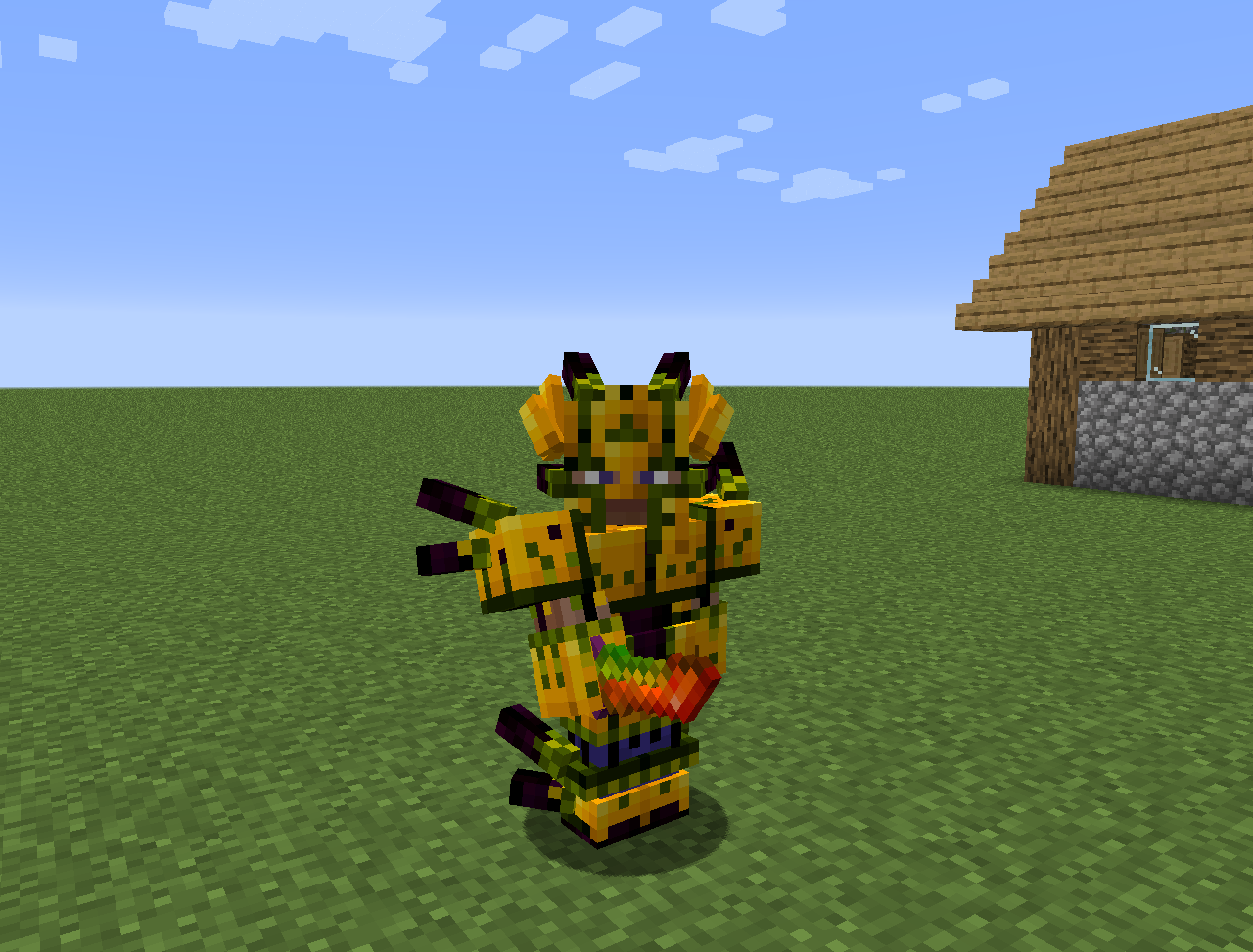
- Mana infuser: Một nâng cấp của terrestrial agglommeration plate, yêu cầu vàng và shimmerrock ở bên dưới và bên cạnh Terrasteel để có thể tạo ra Alfsteel.
- Alfsteel: Được chế tạo giống Terrasteel nhưng với tài nguyên từ Alfheim. Có thể dùng để tạo ra bộ giáp tốt hơn, pylon và nhiều thứ khác.
- Một số loài hoa mới:
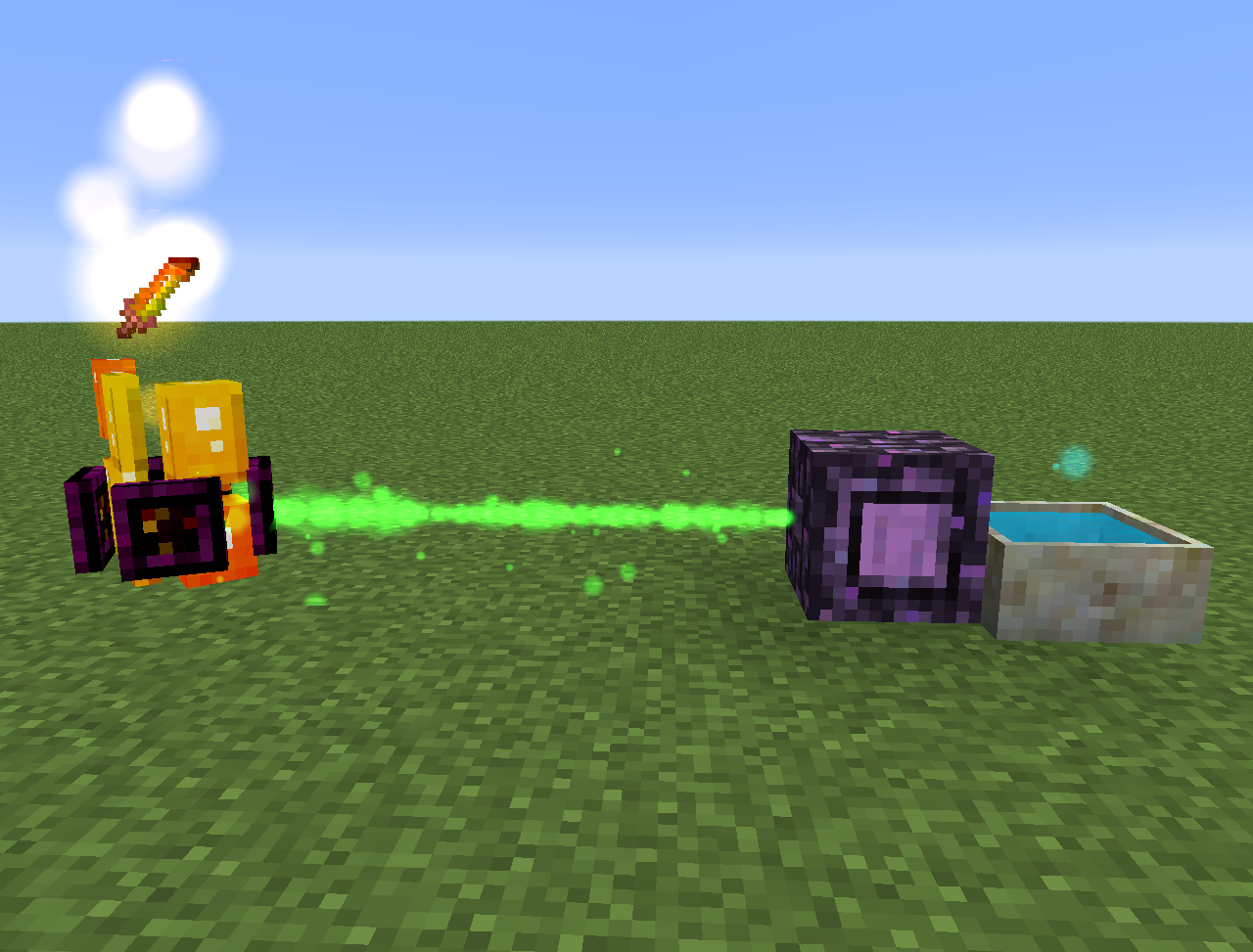
- Wither Aconite: Tạo Mana từ nether star
- Exoblaze: Nạp nhiên liệu cho brewing stand bằng mana
- Hellebore: Ngăn piglin và hoglin biến thành zombie ở overworld
- Aquapanthus: Nạp đầy petal apothecary và cauldron gần đó.
- Raindeletia: Tạo mana khi trời mưa. Phải có tầm nhìn rõ lên bầu trời. Đặt nó trên vivid grass hoặc enchanted soil để nó tạo ra nhiều mana hơn.
- Nó cũng thêm một chiều không gian Alfheim và một số nội dung từ thần thoại Bắc Âu
Mọi thứ cũng có thể được tìm thấy trong lexica botania.
Cách cài đặt MythicBotany
With Millida Launcher
Install Millida Launcher
The launcher is free: download it at millida.net/launcher and sign in with any nickname.
Click “Install” on this page
The launcher opens and installs the mod for Minecraft 1.16.3–1.20.1 on Forge automatically.
Launch the game
A profile with it appears in the launcher: click “Play”.
Manually
Install Forge
The loader must match the game version of the mod file, for example Minecraft 1.20.1. After installing it, a separate profile appears in your launcher.
Download the file for your version
In the version list above, pick the file MythicBotany-1.20.1-4.0.4.jar (2.1 MB) for your game version.
Put it in the mods folder
The folder is inside .minecraft (Windows: %appdata%\.minecraft\mods). If it does not exist, create it.
Launch the loader profile
Open “Mods” in the main menu: MythicBotany should be in the list.
Minecraft 1.20.1 runs on Java 17: with a different Java version the game may close right after launch.
Phiên bản
Kèm phụ thuộc
| Minecraft | Loader | Tệp | Ngày | Hành động |
|---|---|---|---|---|
| 1.20.1 | Forge | MythicBotany-1.20.1-4.0.4.jar2.1 MB 8 | ||
| 1.18.1 | Forge | MythicBotany-1.18.1-2.0.2.jar2 MB | ||
| 1.16.5 | Forge | MythicBotany-1.16.4-1.3.7.jar2 MB 2 | ||
| 1.16.3 | — | MythicBotany-1.16.3-1.0.0.jar403 KB |
Câu hỏi thường gặp
Which Minecraft versions does MythicBotany work on?
There are files for 1.20.1, 1.18.1, 1.16.5, 1.16.4, 1.16.3. The newest is 1.20.1.
Is MythicBotany for Forge or Fabric?
Only for Forge: 1.16.4–1.20.1. There are no files for Fabric or NeoForge: a mod for another loader will not start.
Does MythicBotany need other mods?
The author lists no required dependencies: the Forge loader is enough.
Which Java does MythicBotany need?
Minecraft 1.20.1 runs on Java 17. If the game closes right after launch, the usual cause is the wrong Java version in the profile settings.
Where can I download MythicBotany safely?
On this page: the file MythicBotany-1.20.1-4.0.4.jar (2.1 MB) is stored on Millida’s server, with no link shorteners. SHA-1 checksum: b616c118d611459a0711931c51c9c4d41408abb4.
Đánh giá
Hãy là người đầu tiên đánh giá MythicBotany


