

Luminax Mod cho Minecraft 1.20.1, 26.1.2
Thêm một loạt khối phát sáng đơn giản vào game
 NeoForge
 Forge
ForgeLuminax
Mod rất đơn giản này thêm một vài khối đơn sắc vào trò chơi.
Bạn có thể dùng Luminax Wand để thay đổi màu sắc và mức phát sáng của khối.
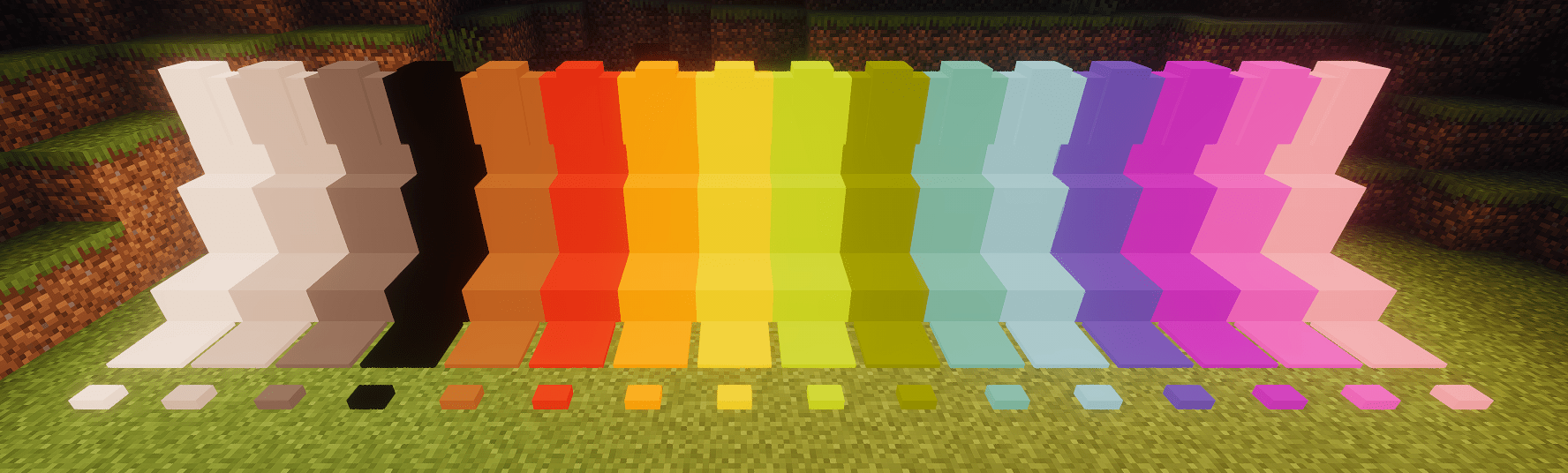
Framed Blocks cũng được hỗ trợ đầy đủ
Các khối hiện có bao gồm:
- Khối đầy đủ
- Phiến
- Cầu thang
- Tường
- Bản ép
- Nút
Cách cài đặt Luminax
With Millida Launcher
Install Millida Launcher
The launcher is free: download it at millida.net/launcher and sign in with any nickname.
Click “Install” on this page
The launcher opens and installs the mod for Minecraft 1.20.1–26.1.2 on Forge or NeoForge automatically.
Launch the game
A profile with it appears in the launcher: click “Play”.
Manually
Install Forge or NeoForge
The loader must match the game version of the mod file, for example Minecraft 26.1.2. After installing it, a separate profile appears in your launcher.
Download the file for your version
In the version list above, pick the file luminax-2.0.1+26.1.2.jar (527 KB) for your game version and loader.
Put it in the mods folder
The folder is inside .minecraft (Windows: %appdata%\.minecraft\mods). If it does not exist, create it.
Launch the loader profile
Open “Mods” in the main menu: Luminax should be in the list.
Phiên bản
Kèm phụ thuộc
| Minecraft | Loader | Tệp | Ngày | Hành động |
|---|---|---|---|---|
| 26.1.2 | NeoForge | [Neoforge] Luminax 2.0.1-26.2.1527 KB | ||
| 1.20.1 | Forge | [Forge] Luminax 1.3.0-1.20.11 MB |
Đánh giá
Hãy là người đầu tiên đánh giá Luminax


