

 Fabric
 NeoForge
 Forge
UPDATE: The first version for 1.21.1 has been released!
The mod bridges the gap between EMI and the mods from the \[Let’s Do\] collection, as they only have JEI & REI support natively. It adds in recipes in EMI for all kind of crafting methods provided by mods from the \[Let's Do\] collection.
Preview
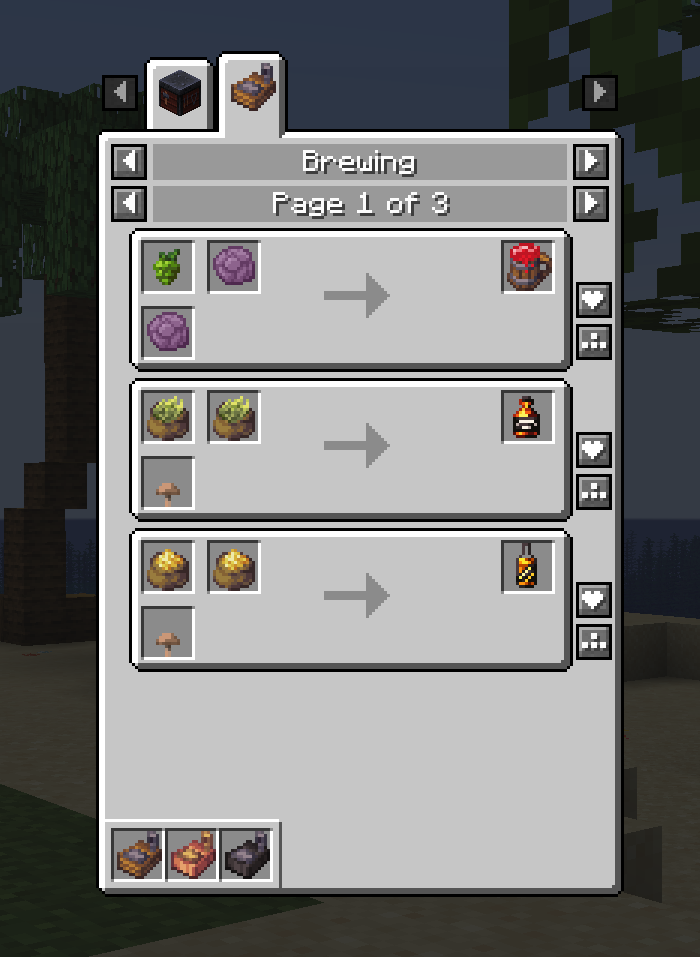
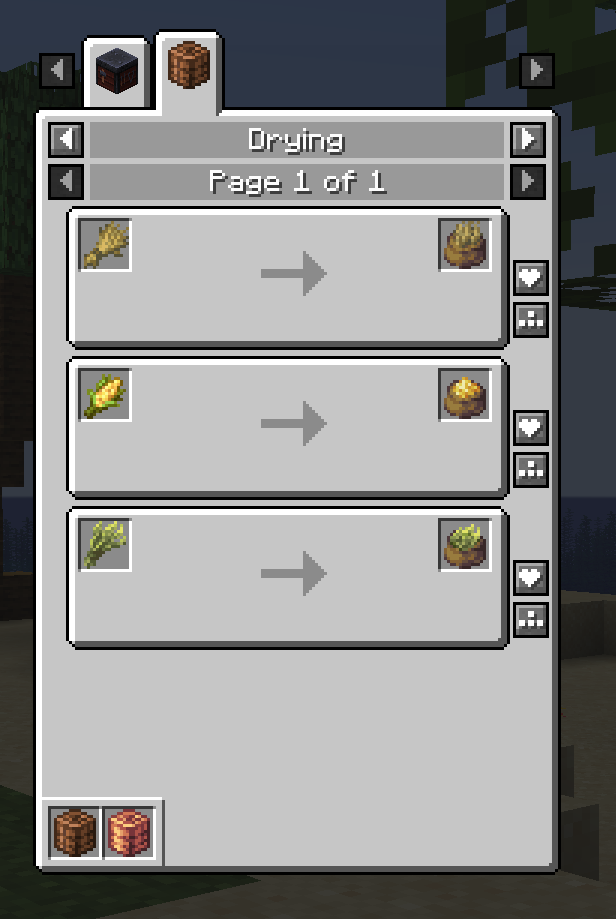
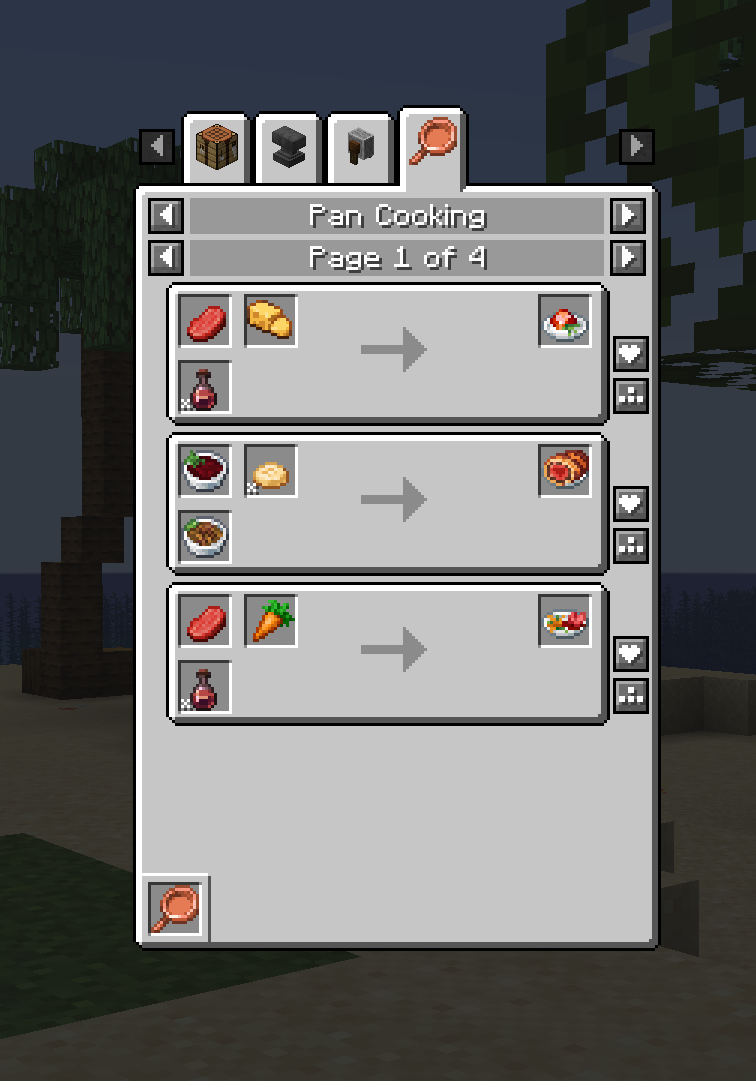
This mod requires EMI to be installed. It does not require any of the mods from the \[Let's Do\] collection, so you can opt in or out on any of them.
The mod brings all kinds of recipes into EMI from the following mods:
- \[Let's Do\] Bakery
- \[Let's Do\] Beachparty
- \[Let's Do\] Brewery
- \[Let's Do\] Candlelight
- \[Let's Do\] Herbal Brews
- \[Let's Do\] Meadow
- \[Let's Do\] Vinery
- \[Let's Do\] Nether Vinery
- \[Let's Do\] Farm & Charm & it's compats
New recipes - These already are in the Let's Do mods, but most probably the mod creator did not create JEI/REI visualisations for them. This mod adds visualisation for recipes that the mod creator considered they don't need recipes.
Cách cài đặt [Let's Do Addon] EMI Compat
With Millida Launcher
Install Millida Launcher
The launcher is free: download it at millida.net/launcher and sign in with any nickname.
Click “Install” on this page
The launcher opens and installs the mod for Minecraft 1.20.1–1.21.1 on Fabric, Forge or NeoForge automatically.
Launch the game
A profile with it appears in the launcher: click “Play”.
Manually
Install Fabric, Forge or NeoForge
The loader must match the game version of the mod file, for example Minecraft 1.21.1. After installing it, a separate profile appears in your launcher.
Download the file for your version
In the version list above, pick the file emi-letsdo-compat-2.0.3.jar (118 KB) for your game version and loader.
Put it in the mods folder
The folder is inside .minecraft (Windows: %appdata%\.minecraft\mods). If it does not exist, create it.
Launch the loader profile
Open “Mods” in the main menu: [Let's Do Addon] EMI Compat should be in the list.
[Let's Do Addon] EMI Compat works on the player’s side only: there is no need to install it on a server.
Minecraft 1.21.1 runs on Java 21: with a different Java version the game may close right after launch.
Phiên bản
Kèm phụ thuộc
| Minecraft | Loader | Tệp | Ngày | Hành động |
|---|---|---|---|---|
| 1.21.1 | Fabric | 1.21.1118 KB 1 | ||
| 1.21.1 | NeoForge | 1.21.1120 KB 7 | ||
| 1.20.1 | Fabric | 1.20.1134 KB | ||
| 1.20.1 | Forge | 1.20.1139 KB | ||
| 1.21.1 | NeoForge | 1.21.1118 KB | ||
| 1.20.1 | Forge | 1.20.1137 KB | ||
| 1.20.1 | Fabric | 1.20.1132 KB | ||
| 1.21.1 | Fabric | 1.21.1116 KB |
Câu hỏi thường gặp
Which Minecraft versions does [Let's Do Addon] EMI Compat work on?
There are files for 1.21.1, 1.20.1. The newest is 1.21.1.
Is [Let's Do Addon] EMI Compat for Forge or Fabric?
There are files for Fabric: 1.20.1–1.21.1, for Forge: 1.20.1 and for NeoForge: 1.21.1.
Does [Let's Do Addon] EMI Compat need other mods?
The author lists no required dependencies: the Fabric, Forge or NeoForge loader is enough.
Do I need to install [Let's Do Addon] EMI Compat on a server?
No. [Let's Do Addon] EMI Compat works on the player’s side only: there is no need to install it on a server.
Which Java does [Let's Do Addon] EMI Compat need?
Minecraft 1.21.1 runs on Java 21. If the game closes right after launch, the usual cause is the wrong Java version in the profile settings.
Where can I download [Let's Do Addon] EMI Compat safely?
On this page: the file emi-letsdo-compat-2.0.3.jar (118 KB) is stored on Millida’s server, with no link shorteners. SHA-1 checksum: 8905d92df2ff77793b7b486eff1c54e25c34939a.
Đánh giá
Hãy là người đầu tiên đánh giá [Let's Do Addon] EMI Compat


