
FPS Overlay Mod cho Minecraft 1.20.1, 1.21.1
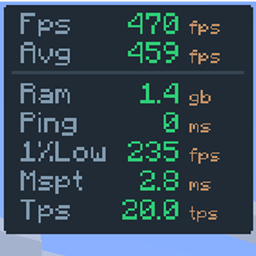
Một lớp phủ hoàn toàn tùy chỉnh, không cồng kềnh. Điều chỉnh bố cục để hiển thị chính xác những gì bạn cần cho PvP và kiểm tra hiệu năng: FPS, 1% lows, ping, TPS máy chủ và MSPT.
từ Hichamdev · CurseForge
 Fabric
 NeoForge
 Forge
FPS Overlay
Simple & Lightweight Performance Monitor
As seen in AsianHalfSquat's Videos! v3.6 OLD
Featured in the "Voxy vs Distant Horizons" showcase. Get that same professional aesthetic with the built-in preset!

Features
- Real-Time Stats: Track FPS, Avg FPS, Ping, and RAM usage instantly.
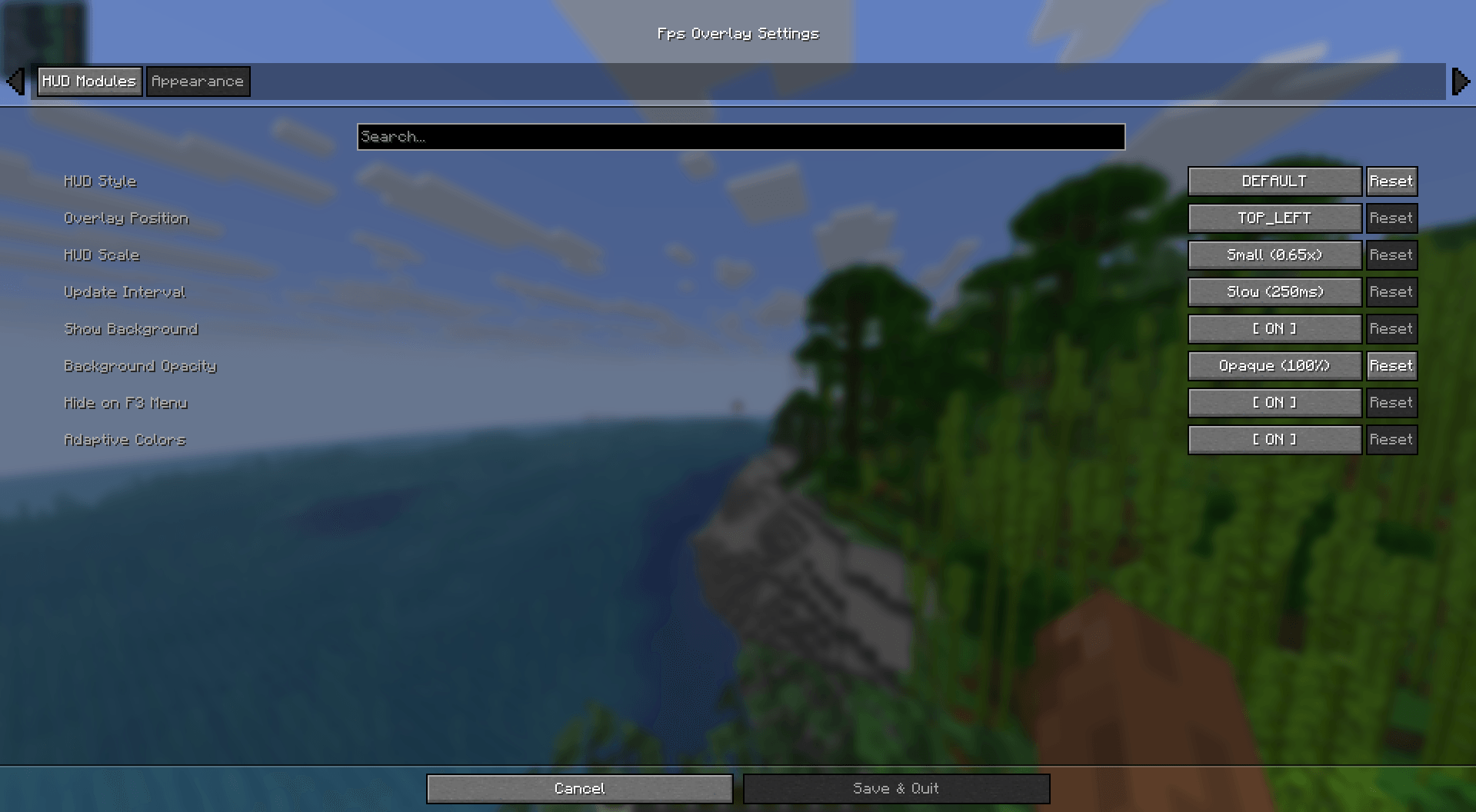
- Fully Customizable: Easily change the size, position, and colors via the config menu.
- Quick Toggle: Hide or show the overlay with a single keypress. (Default: o)
- Ultra Lightweight: Written for performance. It won't impact your frames.
- Cross-Platform: Full support for Fabric, NeoForge, and Forge.
Installation & Setup
How to Install
- Download and install your preferred loader (Fabric or NeoForge).
- Download the FPS Overlay jar for your Minecraft version.
- Drop it into your .minecraft/mods folder.
- Launch and enjoy!
How to Change Modes
- Open the configuration menu (use Mod Menu on Fabric).
- Look for the Layout Type setting.
- Switch between Default, Navbar, or AsianHalfSquat styles.
Cách cài đặt FPS Overlay
Install Millida Launcher
The launcher is free: download it at millida.net/launcher and sign in with any nickname.
Click “Install” on this page
The launcher opens and installs the mod for Minecraft 1.20.1–26.2 on Fabric, Forge or NeoForge automatically.
Launch the game
A profile with it appears in the launcher: click “Play”.
Phiên bản
Kèm phụ thuộc
| Minecraft | Loader | Tệp | Ngày | Hành động |
|---|---|---|---|---|
| 26.1.2 | NeoForge | FpsOverlay-neoforge-5.6.jar103 KB | ||
| 26.2 | Fabric | FpsOverlay-fabric-5.6.jar105 KB 24 | ||
| 1.21.1 | NeoForge | FpsOverlay-neoforge-1.21.1-5.5.jar101 KB 7 | ||
| 1.20.1 | Forge | FpsOverlay-forge-5.2.jar92.6 KB 6 | ||
| 26.1 | Fabric | FpsOverlay-fabric-5.0.jar46.2 KB |
Đánh giá
Hãy là người đầu tiên đánh giá FPS Overlay
Bình luận 0
Đăng nhập để bình luậnĐăng nhập


