

 NeoForge
 Forge
Forge Fabric
🚀 What’s Extended AE?
Extended AE is an add-on for Applied Energistics 2 that streamlines storage and crafting workflows.
KubeJS Support for 1.21+
Discord Server
🔑 Highlights
- 🧩 36-slot Pattern Provider & Interface – craft or export huge recipe sets in one block.
- 🌊 Infinity Cells (Water / Cobblestone) – endless basic resources on tap.
- ⚡ x8 Faster Import / Export Buses – high-throughput item I/O.
- 🔎 Extended Pattern Access Terminal (wired + wireless) – huge autocrafting UI.
- 🛠️ Pattern Modifier – batch-edit & clone crafting patterns.
- 🏷️ Tag Export & Storage Buses – filter/output by any item tag.
- 🎯 Precise Export Bus – per-slot exact exporting.
- 📦 Mod Export & Storage Buses – inventory filters by mod ID.
- 🔄 Active Formation Plane – places blocks only on redstone.
- ⚙️ Extended Inscriber & Extended Charger – parallel chip making & charging.
- 🔬 Crystal Assembler & Restorer – instant pure-crystal growth & repair.
- 🏗️ Extended Molecular Assembler – x8 parallel crafting.
- 🧬 Assembler Matrix - scalable multiblock crafter for extreme speed 🔥
- 🧴 ME Canner – fills (or now empties) cans & containers.
- 📡 ME Wireless Connector – long-range network bridge.
🖥️ Versions & Loaders
MC Fabric Forge NeoForge
1.19.2 ✅ ✅ ❌
1.20.1 ✅ ✅ ❌
1.21.1 ⚠️ ⚠️ ✅
⚠️ - Abandoned by Applied Energistics 2
🔗 Links
GitHub 🛠️
🙌 Credits
🎨 Textures & models by Sea_Kerman
📸 Showcase
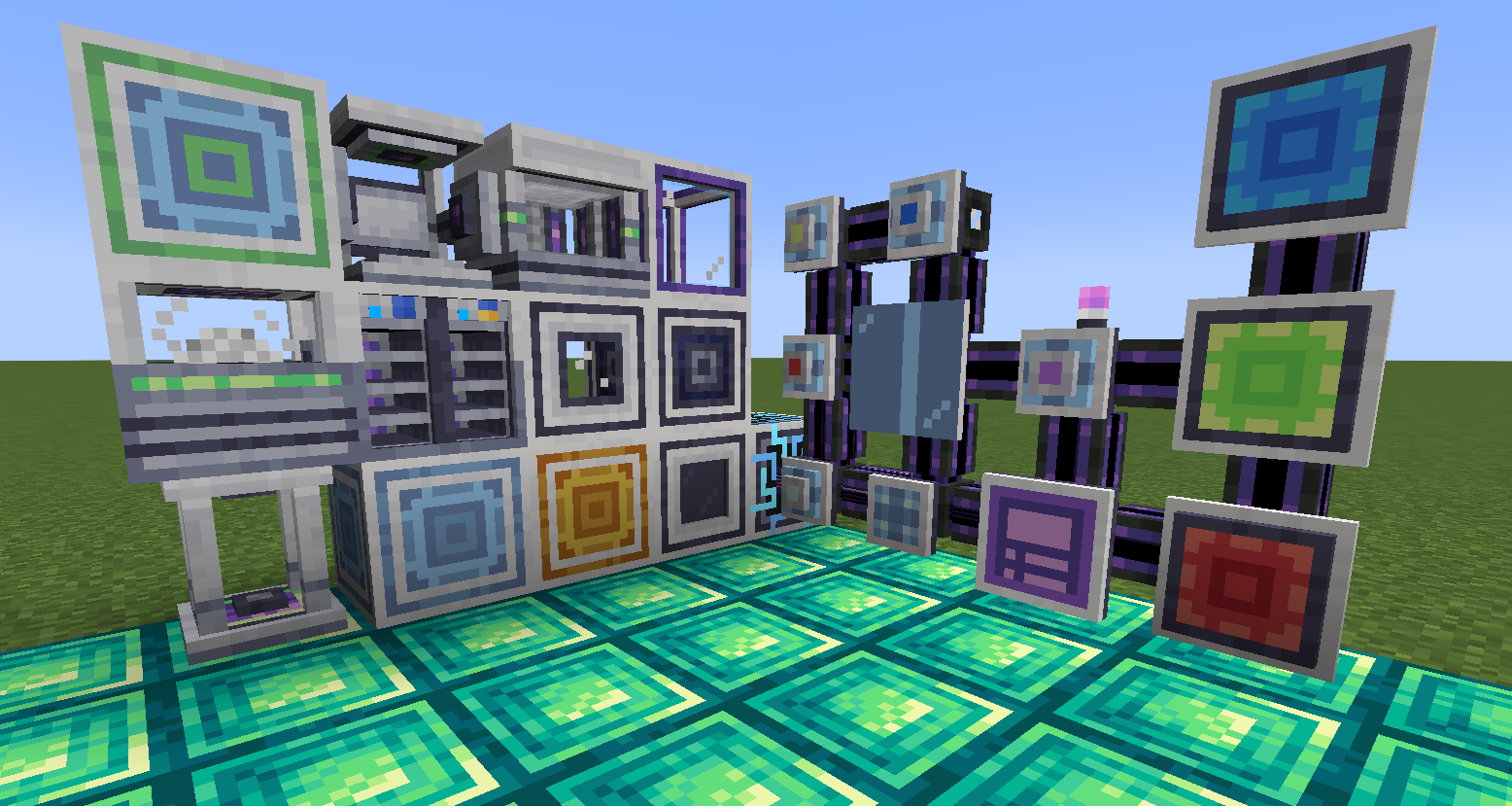
Cách cài đặt ExtendedAE
With Millida Launcher
Install Millida Launcher
The launcher is free: download it at millida.net/launcher and sign in with any nickname.
Click “Install” on this page
The launcher opens and installs the mod for Minecraft 1.12.2–26.1.2 on Fabric, Forge or NeoForge automatically.
Launch the game
A profile with it appears in the launcher: click “Play”.
Manually
Install Fabric, Forge or NeoForge
The loader must match the game version of the mod file, for example Minecraft 26.1.2. After installing it, a separate profile appears in your launcher.
Download the file for your version
In the version list above, pick the file ExtendedAE-26.1-1.0.4-neoforge.jar (5.2 MB) for your game version and loader.
Put it in the mods folder
The folder is inside .minecraft (Windows: %appdata%\.minecraft\mods). If it does not exist, create it.
Launch the loader profile
Open “Mods” in the main menu: ExtendedAE should be in the list.
Phiên bản
Kèm phụ thuộc
| Minecraft | Loader | Tệp | Ngày | Hành động |
|---|---|---|---|---|
| 1.21.1 | NeoForge | ExtendedAE-1.21-2.2.38-neoforge.jar5.6 MB 2 | ||
| 1.20.1 | Forge, NeoForge | ExtendedAE-1.20-1.4.21-forge.jar2.8 MB 5 | ||
| 26.1.2 | NeoForge | ExtendedAE-26.1-1.0.4-neoforge.jar5.2 MB | ||
| 1.12.2 | Forge | ExtendedAE-1.12-0.0.2.jar30.5 KB 7 | ||
| 1.21.1 | NeoForge | ExtendedAE-1.21-2.1.4-neoforge.jar1.5 MB | ||
| 1.20.1 | Fabric | ExtendedAE-1.20-1.0.2-fabric.jar1.4 MB 2 | ||
| 1.20.1 | Fabric | ExtendedAE-1.20-0.1.0-fabric.jar1.1 MB |
Câu hỏi thường gặp
Which Minecraft versions does ExtendedAE work on?
There are files for 26.1.2, 1.21.1, 1.20.1, 1.12.2. The newest is 26.1.2.
Is ExtendedAE for Forge or Fabric?
There are files for Fabric: 1.20.1, for Forge: 1.12.2–1.20.1 and for NeoForge: 1.20.1–26.1.2.
Does ExtendedAE need other mods?
The author lists no required dependencies: the Fabric, Forge or NeoForge loader is enough.
How do I download ExtendedAE?
With Millida Launcher: it installs ExtendedAE into a modpack by itself, for the right game version and loader. The launcher is free.
Đánh giá
Hãy là người đầu tiên đánh giá ExtendedAE


