

Enhanced Searchability Mod cho Minecraft 1.20.4
Thêm các ô tìm kiếm hữu ích vào giao diện
 Fabric
 Forge
Forge Quilt
QuiltEnhanced Searchability
THIS MOD PAGE WILL NO LONGER BE UPDATED. GO TO MODRINTH TO GET THE LATEST VERSION
Requires the Fabric Loader and Fabric API
Logo made by @CarbonGhost
Setup
- Drop the mod in the mods folder
Info
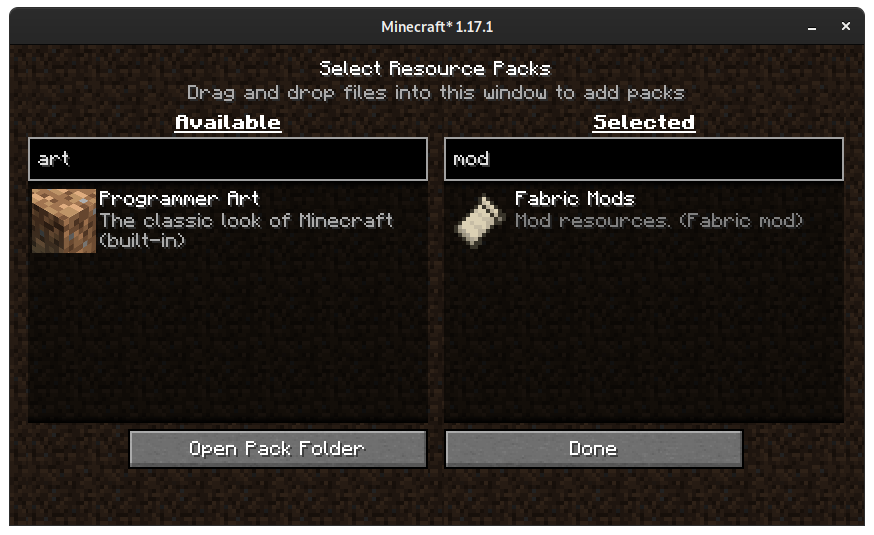
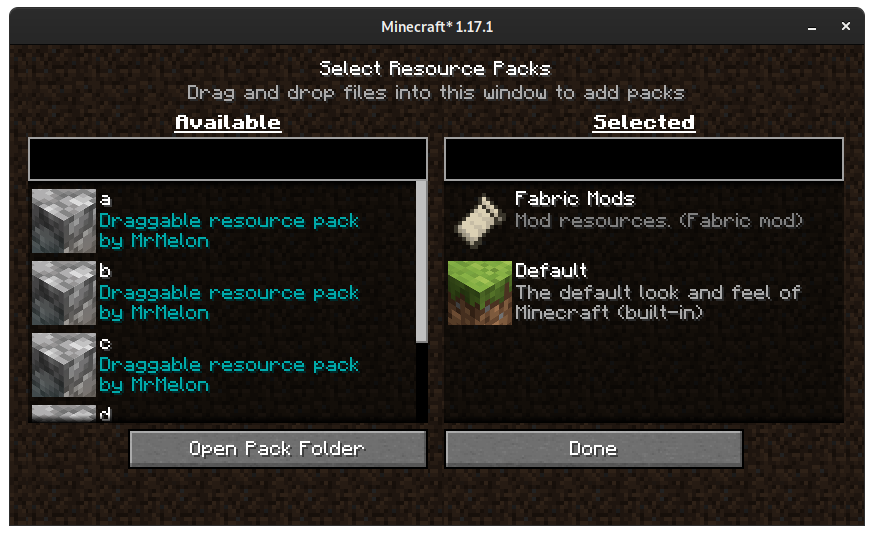
This mod adds more search bars into the UI:
- Resource pack selector screen
- Datapack selector screen
- Multiplayer screen
Discord
- https://discord.gg/usbmdrJ
Download
- CurseForge
- Modrinth
Cách cài đặt Enhanced Searchability
With Millida Launcher
Install Millida Launcher
The launcher is free: download it at millida.net/launcher and sign in with any nickname.
Click “Install” on this page
The launcher opens and installs the mod for Minecraft 1.20.4 on Fabric, Forge or Quilt automatically.
Launch the game
A profile with it appears in the launcher: click “Play”.
Manually
Install Fabric, Forge or Quilt
The loader must match the game version of the mod file, for example Minecraft 1.20.4. After installing it, a separate profile appears in your launcher.
Download the file for your version
In the version list above, pick the file enhanced_searchability-mc1.20.4-1.0.5-build.23.jar (119 KB) for your game version and loader.
Put it in the mods folder
The folder is inside .minecraft (Windows: %appdata%\.minecraft\mods). If it does not exist, create it.
Launch the loader profile
Open “Mods” in the main menu: Enhanced Searchability should be in the list.
Minecraft 1.20.4 runs on Java 17: with a different Java version the game may close right after launch.
Phiên bản
Kèm phụ thuộc
| Minecraft | Loader | Tệp | Ngày | Hành động |
|---|---|---|---|---|
| 1.20.4 | Fabric, Forge, Quilt | enhanced_searchability-mc1.20.4-1.0.5-build.23.jar119 KB |
Đánh giá
Hãy là người đầu tiên đánh giá Enhanced Searchability


