
ColorBlindness Mod cho Minecraft 1.18.2, 26.3
Hiệu ứng thuốc mô phỏng chứng mù màu (Forge, NeoForge, Fabric, Quilt)
 Forge
Forge NeoForge
 Fabric
 Quilt
QuiltGiới thiệu mod ColorBlindness
ColorBlindness is a Minecraft mod (Forge, NeoForge, Fabric, Quilt). The purpose is to provide color blindness potion effects for other mods to add their own potions or items with color blindness effects.
This mod is compatible with Optifine & shaders!
This mod does not add brewable potions!
The Fabric / Quilt version needs the following mods:
- Fabric API (Github, Curseforge, Modrinth)
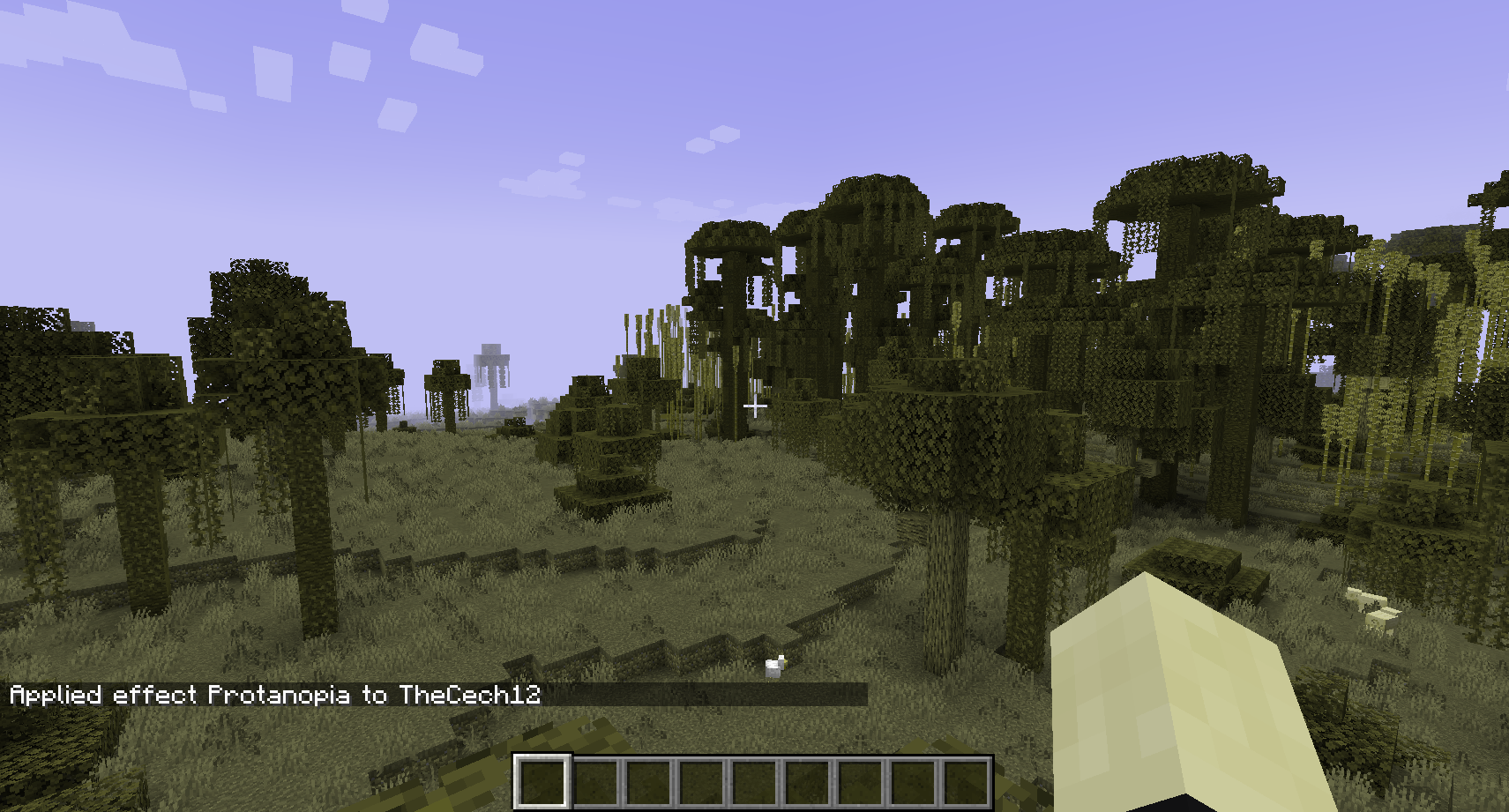
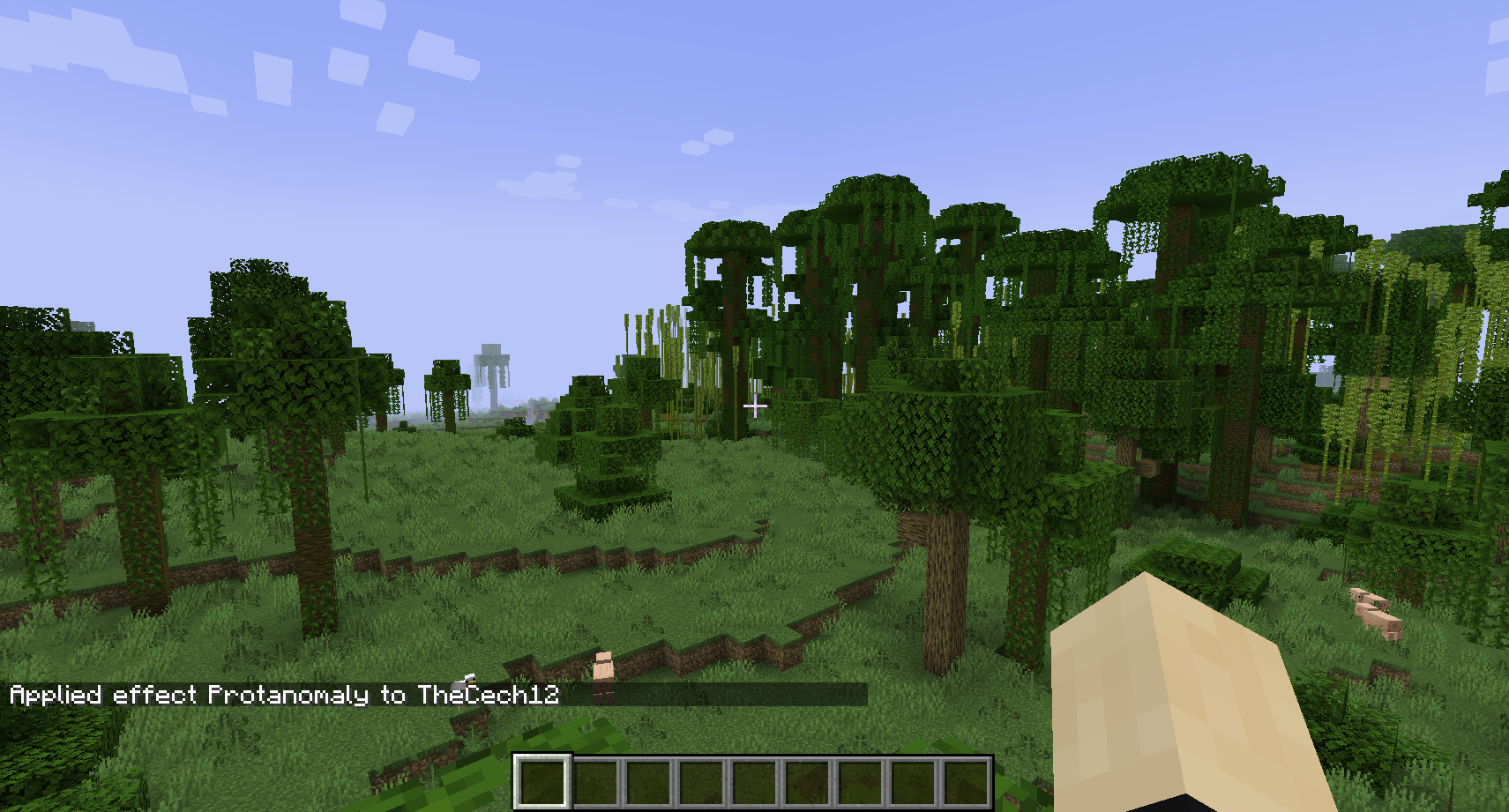
Effects
- Achromatomaly: Color weakness
- Achromatopsia: Color blindness
- Deuteranomaly: Green weakness
- Deuteranopia: Green blindness
- Protanomaly: Red weakness
- Protanopia: Red blindness
- Tritanomaly: Blue weakness
- Tritanopia: Blue blindness
In-game usage
Type the following line to give you the Achromatopsia effect for 10 seconds.
/effect give YourName colorblindness:achromatopsia 10
Sponsors
You need a server? Save 25% on Bisect Hosting with the promo code "cech12"!
Can I use this mod in my mod pack? Yes, you are allowed to use this mod in your mod packs
Port to another Minecraft version? Which versions are supported? Sorry, but I do not backport any mod to an older version. Here is a list of all supported and planned versions: Minecraft mod versions of cech12
Is there a Fabric version? Since 1.20.4 the mod is available for Fabric & Quilt. There is no plan to backport Fabric support to earlier Minecraft versions.
I found a bug or I have a good idea to enhance this mod! Very good! Open an issue at Github. You have no Github-Account? You can also contact me here in the comments or via private message.
Cách cài đặt ColorBlindness
With Millida Launcher
Install Millida Launcher
The launcher is free: download it at millida.net/launcher and sign in with any nickname.
Click “Install” on this page
The launcher opens and installs the mod for Minecraft 1.18.2–26.3 on Fabric, Forge, NeoForge or Quilt automatically.
Launch the game
A profile with it appears in the launcher: click “Play”.
Manually
Install Fabric, Forge, NeoForge or Quilt
The loader must match the game version of the mod file, for example Minecraft 26.3. After installing it, a separate profile appears in your launcher.
Download the file for your version
In the version list above, pick the file colorblindness-forge-26.3-5.2.0.0.jar (24 KB) for your game version and loader.
Put it in the mods folder
The folder is inside .minecraft (Windows: %appdata%\.minecraft\mods). If it does not exist, create it.
Launch the loader profile
Open “Mods” in the main menu: ColorBlindness should be in the list.
Phiên bản
Kèm phụ thuộc
| Minecraft | Loader | Tệp | Ngày | Hành động |
|---|---|---|---|---|
| 26.3 | Forge | forge-26.3-5.2.0.024 KB | ||
| 26.3 | NeoForge | neoforge-26.3-5.2.0.024 KB | ||
| 26.3 | Fabric, Quilt | fabric-26.3-5.2.0.025.4 KB 1 | ||
| 1.18.2 | Forge | colorblindness-1.18.2-0.1.0.2.jar17 KB |
Câu hỏi thường gặp
Which Minecraft versions does ColorBlindness work on?
There are files for 26.3, 1.18.2. The newest is 26.3.
Is ColorBlindness for Forge or Fabric?
There are files for Fabric: 26.3, for Forge: 1.18.2–26.3, for NeoForge: 26.3 and for Quilt: 26.3.
Does ColorBlindness need other mods?
The author lists no required dependencies: the Fabric, Forge, NeoForge or Quilt loader is enough.
Where can I download ColorBlindness safely?
On this page: the file colorblindness-forge-26.3-5.2.0.0.jar (24 KB) is stored on Millida’s server, with no link shorteners. SHA-1 checksum: 4a7edfb0dc99a18cfb3782aba5974acebbae2f16.
Đánh giá
Hãy là người đầu tiên đánh giá ColorBlindness


