
Chisel Chipped Integration Mod cho Minecraft 1.20.1, 1.21.1
Thêm các khối từ mod chisel.
 NeoForge
 Forge
ForgeGiới thiệu mod Chisel Chipped Integration
Texture gốc từ Chisel Mod!
Nếu bạn tìm thấy bất kỳ lỗi nào, hãy báo cáo chúng cho trình theo dõi lỗi!
Để biết thêm thông tin/tổng quan, hãy tham khảo Chisel Wiki.
Đối với các yêu cầu về khối khác nhau, vui lòng xem phần Coming Soon trên wiki.
Phát triển đang hoạt động: 1.21.1
Phát triển kỹ thuật: Forge 1.20.1, NeoForge 1.21.1
Mod này yêu cầu:
Connected Textures Mod
Athena (1.20 trở lên)
Chipped (tùy chọn)
Miễn phí sử dụng trong bất kỳ modpack nào.
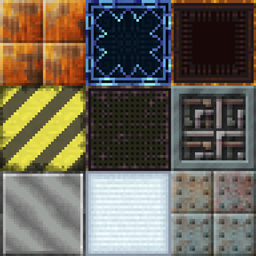
Mod này thêm một số khối vào chipped mod đã tồn tại trong chisel mod cũ.
Những khối này bao gồm:
- Factory Blocks
- Laboratory Blocks
- Technical Blocks
- Tyrian
- Futura Blocks
- Metal Blocks (Aluminum-, Bronze-, Cobalt-, Copper-, Electrum-, Gold-, Invar-, Iron-, Lead-, Nickel-, Platinum-, Silver-, Steel-, Tin- và Uranium Blocks)
- Wool and Carpets
- Gem Blocks (Diamond-, Emerald-, Lapis- và Redstone Blocks)
Cách cài đặt Chisel Chipped Integration
With Millida Launcher
Install Millida Launcher
The launcher is free: download it at millida.net/launcher and sign in with any nickname.
Click “Install” on this page
The launcher opens and installs the mod for Minecraft 1.19.2–1.21.1 on Forge or NeoForge automatically.
Launch the game
A profile with it appears in the launcher: click “Play”.
Manually
Install Forge or NeoForge
The loader must match the game version of the mod file, for example Minecraft 1.21.1. After installing it, a separate profile appears in your launcher.
Download the file for your version
In the version list above, pick the file chisel_chipped_integration-v1.3.9-1.21.1.jar (2.7 MB) for your game version and loader.
Put it in the mods folder
The folder is inside .minecraft (Windows: %appdata%\.minecraft\mods). If it does not exist, create it.
Launch the loader profile
Open “Mods” in the main menu: Chisel Chipped Integration should be in the list.
Minecraft 1.21.1 runs on Java 21: with a different Java version the game may close right after launch.
Phiên bản
Kèm phụ thuộc
| Minecraft | Loader | Tệp | Ngày | Hành động |
|---|---|---|---|---|
| 1.21.1 | NeoForge | Chisel 1.3.9-1.21.12.7 MB 1 | ||
| 1.20.1 | NeoForge, Forge | Chisel 1.1.6-1.20.12.7 MB 3 | ||
| 1.21 | NeoForge | Chisel v1.3.3-1.21 Beta1.9 MB | ||
| 1.19.2 | Forge | Chisel Chipped Integration 1.0.0 1.19.2 Beta658 KB |
Câu hỏi thường gặp
Which Minecraft versions does Chisel Chipped Integration work on?
There are files for 1.21.1, 1.21, 1.20.1, 1.19.2. The newest is 1.21.1.
Is Chisel Chipped Integration for Forge or Fabric?
There are files for Forge: 1.19.2–1.20.1 and for NeoForge: 1.20.1–1.21.1. There are no files for Fabric: a mod for another loader will not start.
Does Chisel Chipped Integration need other mods?
The author lists no required dependencies: the Forge or NeoForge loader is enough.
Which Java does Chisel Chipped Integration need?
Minecraft 1.21.1 runs on Java 21. If the game closes right after launch, the usual cause is the wrong Java version in the profile settings.
Where can I download Chisel Chipped Integration safely?
On this page: the file chisel_chipped_integration-v1.3.9-1.21.1.jar (2.7 MB) is stored on Millida’s server, with no link shorteners. SHA-1 checksum: 8a7b23797cf5ecd9db0cc1cced108d5fbdb876b9.
Đánh giá
Hãy là người đầu tiên đánh giá Chisel Chipped Integration


