
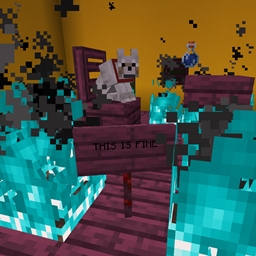
Blue Flame Burning Mod cho Minecraft 1.20.1, 1.21.1
Khiến lửa linh hồn đốt cháy thực thể bằng ngọn lửa xanh thay vì ngọn lửa thông thường
 NeoForge
 Forge
ForgeGiới thiệu mod Blue Flame Burning
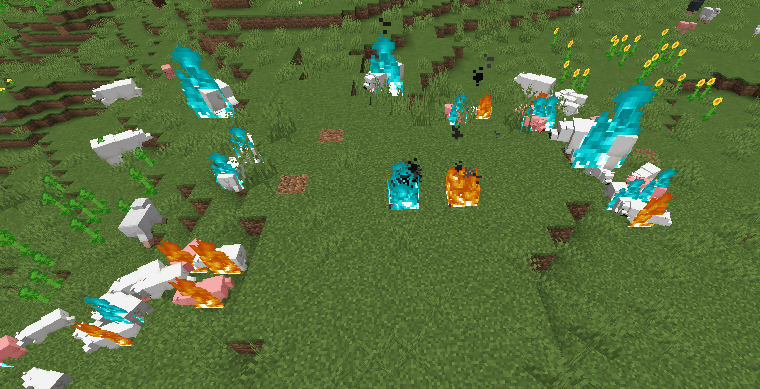
Khiến lửa linh hồn thiêu đốt thực thể bằng ngọn lửa xanh lam thay vì ngọn lửa vàng nhàm chán thông thường khi bị bắt lửa từ nguồn lửa linh hồn.
- Lửa Linh Hồn, khi đốt cháy người chơi hoặc một thực thể sẽ khiến thực thể đó cháy với ngọn lửa xanh lam
- Zombie cháy với ngọn lửa xanh lam khi đốt cháy các thực thể khác, sẽ khiến những thực thể đó cũng cháy xanh lam
- Hỗ trợ các chất lỏng từ mod có thể đốt cháy người chơi
Thay đổi được thêm bởi mod này hoàn toàn chỉ là hình ảnh.
Mod này cần được cài đặt ở cả hai phía.
Hãy đến Discord nếu bạn cần trợ giúp hoặc có thắc mắc: https://discord.gg/69YVMbvhTC
Nhiều gấu Bắc Cực đã bị tổn hại trong quá trình tạo ra mod này
Cách cài đặt Blue Flame Burning
With Millida Launcher
Install Millida Launcher
The launcher is free: download it at millida.net/launcher and sign in with any nickname.
Click “Install” on this page
The launcher opens and installs the mod for Minecraft 1.18.2–1.21.1 on Forge or NeoForge automatically.
Launch the game
A profile with it appears in the launcher: click “Play”.
Manually
Install Forge or NeoForge
The loader must match the game version of the mod file, for example Minecraft 1.21.1. After installing it, a separate profile appears in your launcher.
Download the file for your version
In the version list above, pick the file blueflame-1.21.1-1.1.1.jar (18 KB) for your game version and loader.
Put it in the mods folder
The folder is inside .minecraft (Windows: %appdata%\.minecraft\mods). If it does not exist, create it.
Launch the loader profile
Open “Mods” in the main menu: Blue Flame Burning should be in the list.
Minecraft 1.21.1 runs on Java 21: with a different Java version the game may close right after launch.
Phiên bản
Kèm phụ thuộc
| Minecraft | Loader | Tệp | Ngày | Hành động |
|---|---|---|---|---|
| 1.21.1 | NeoForge | blueflame-1.21.1-1.1.1.jar17.5 KB 1 | ||
| 1.20.1 | NeoForge, Forge | blueflame-1.20.0-1.0.3.jar26 KB | ||
| 1.18.2 | Forge | blueflame-1.18.2-0.1.0.0.jar26.2 KB |
Câu hỏi thường gặp
Which Minecraft versions does Blue Flame Burning work on?
There are files for 1.21.1, 1.20.1, 1.20, 1.18.2. The newest is 1.21.1.
Is Blue Flame Burning for Forge or Fabric?
There are files for Forge: 1.18.2–1.20.1 and for NeoForge: 1.20–1.21.1. There are no files for Fabric: a mod for another loader will not start.
Does Blue Flame Burning need other mods?
The author lists no required dependencies: the Forge or NeoForge loader is enough.
Which Java does Blue Flame Burning need?
Minecraft 1.21.1 runs on Java 21. If the game closes right after launch, the usual cause is the wrong Java version in the profile settings.
Where can I download Blue Flame Burning safely?
On this page: the file blueflame-1.21.1-1.1.1.jar (18 KB) is stored on Millida’s server, with no link shorteners. SHA-1 checksum: 0e78defafd6cf08759c656a54f8a33315e3ab924.
Đánh giá
Hãy là người đầu tiên đánh giá Blue Flame Burning


