

- lượt tải
- 12 lượt tải
- lượt xem
- 37 lượt xem
- Đã cập nhật
- Đã cập nhật 24.10.2026
- 1.16.4 — 26.3
 Fabric
Giới thiệu mod Blockus
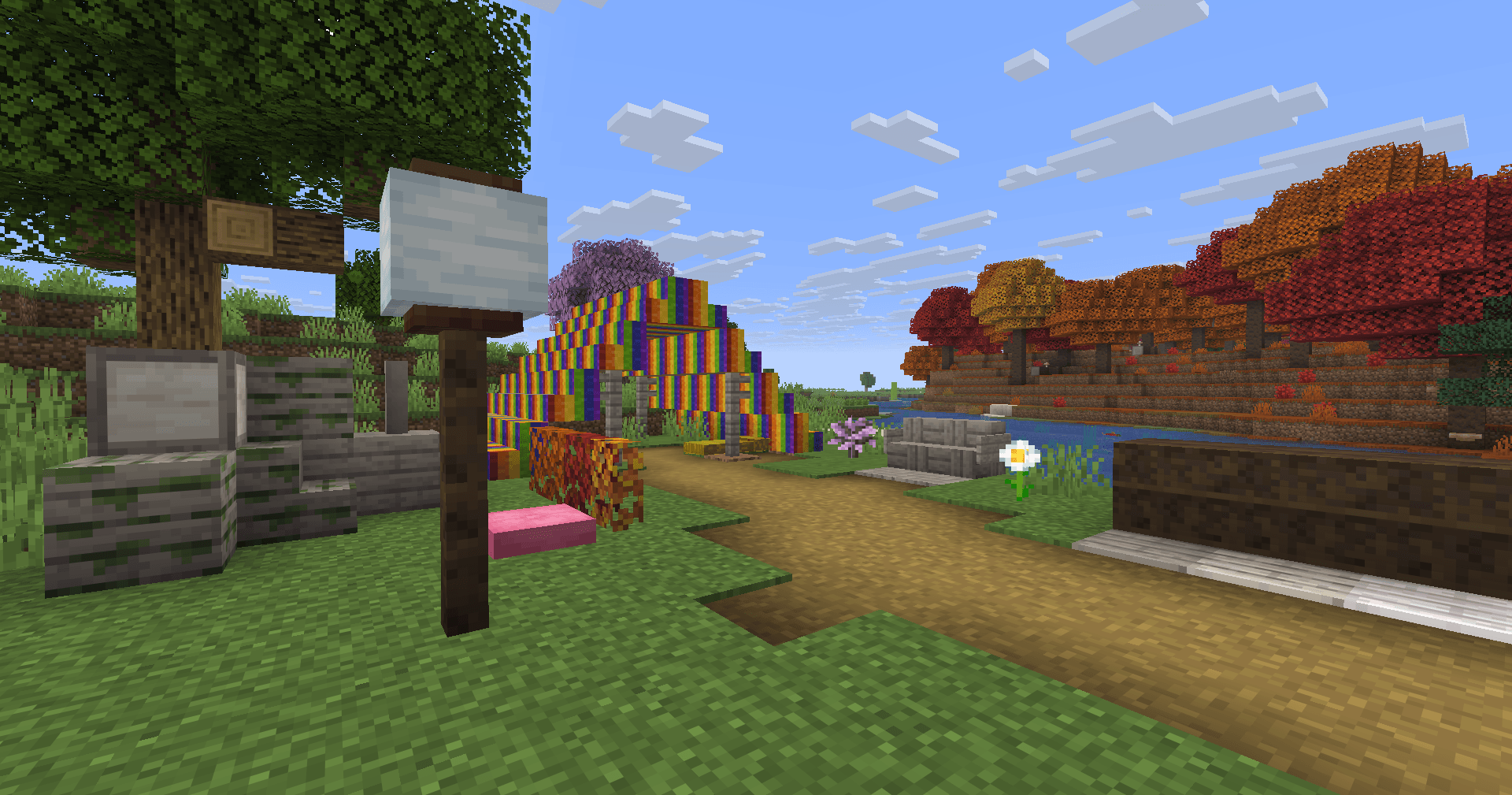
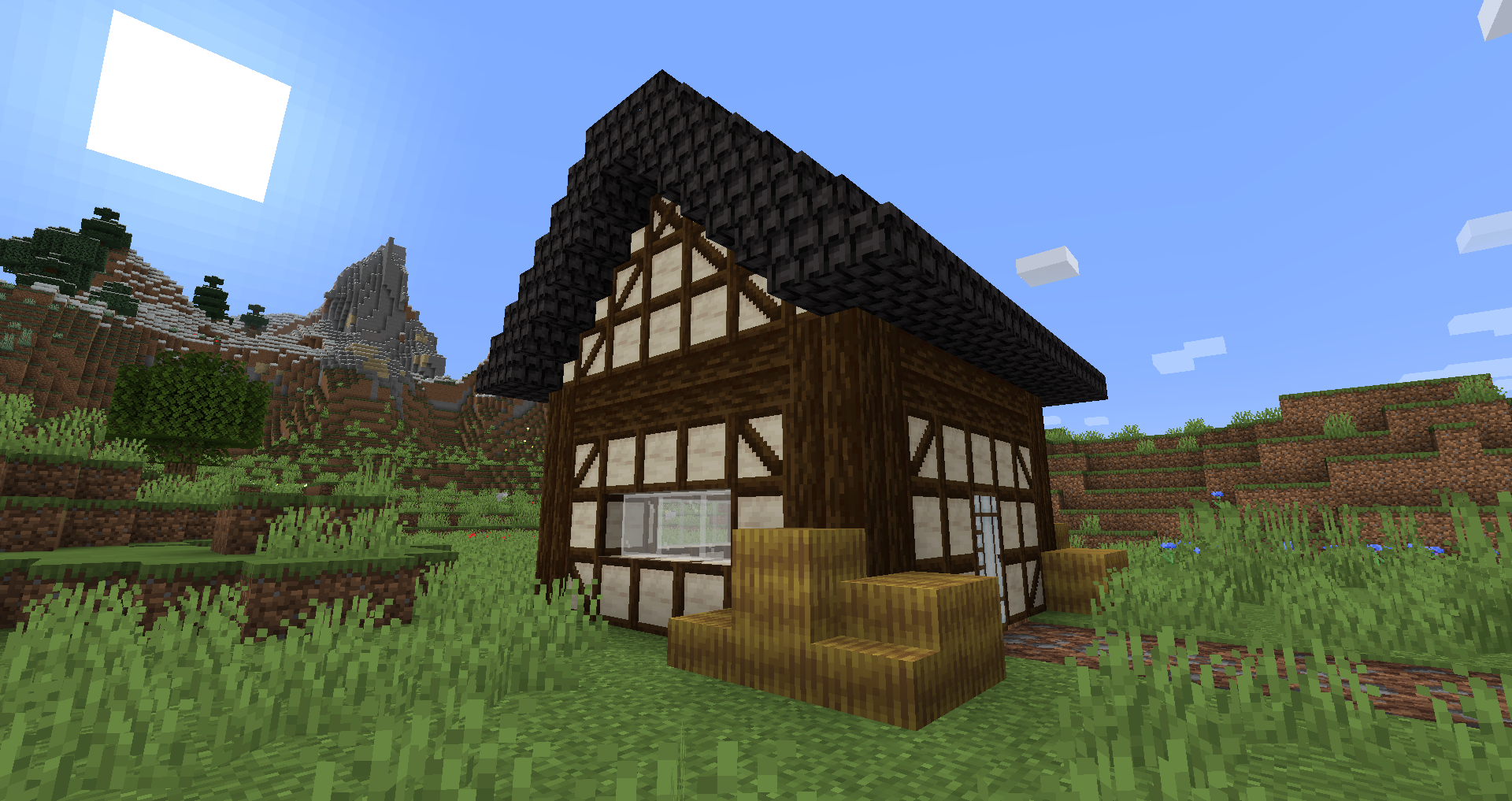
Blockus là một mod được tạo bằng Fabric API. Nó thêm nhiều loại khối khác nhau.
Hầu hết các khối đều cần máy cắt đá để chế tạo. Tôi khuyên dùng một mod như Roughly Enough Items (REI) để xem tất cả công thức.
Hiện tại chưa có kế hoạch hỗ trợ NeoForge. Bạn có thể dùng Sinytra Connector để hỗ trợ NeoForge.
Một số khối được thêm vào:
- Marble, Limestone, Bluestone & Viridite
- White Oak, Raw Bamboo & Charred Planks
- Large Flower Pots
- Lava, Magma, Water, Blaze, Soaked Bricks & more
- Soul Sandstone
- Teal & Charred Nether Bricks
- Colored Tiles
- Stained Stone Bricks
- Colored Redstone Lamps
- Beveled Glass
- Patterned Wools
- Futurneo Blocks
- Asphalt that makes you go fast
- Redstone Sand
- Paper Block, Wall and Lamp
- Hedges
- Rainbow Blocks
- Food Crates
- Legacy Blocks
- Columns integration (< 1.19)
Những thứ sinh ra tự nhiên
- Limestone sinh ra giữa y = 0 & y = 128 nhưng ít hơn nhiều giữa y = 64 & y = 128
- Marble sinh ra giữa y = 0 & y = 64
- Bluestone sinh ra dưới y = 0
- Viridite sinh ra dưới y = -16 & thường xuyên hơn ở Deep Dark.
- White Oak sinh ra ở Forest, Dark Forest, Flower Forest, Cherry Groves & Plains.
- Fallen White Oak sinh ra ở Forest, Flower Forest & Plains.
- Rainbow Roses xuất hiện ở Flower Forests & Meadows
Cảm ơn:
- Futurenp: Textures
- SynthRose: Teal Nether Bricks and Lantern Blocks (with old texture)
- shedaniel/TelepathicGrunt: new 1.16.2+ worldgen
- YanisBft: Wooden Barrels fix
Cảm hứng từ các mod:
- "Quark" by Vazkii
- "Chisel" by tterrag1098, Drullkus & Minecreatr
- "Ceramics" by KnightMiner (Rainbow Bricks)
French description/Description française : https://www.minecraft-france.fr/mod-blockus/
Cách cài đặt Blockus
With Millida Launcher
Install Millida Launcher
The launcher is free: download it at millida.net/launcher and sign in with any nickname.
Click “Install” on this page
The launcher opens and installs the mod for Minecraft 1.16.4–26.3 on Fabric automatically.
Launch the game
A profile with it appears in the launcher: click “Play”.
Manually
Install Fabric
The loader must match the game version of the mod file, for example Minecraft 26.3. After installing it, a separate profile appears in your launcher.
Download the file for your version
In the version list above, pick the file blockus-2.18.1+26.3.jar (7.0 MB) for your game version.
Put it in the mods folder
The folder is inside .minecraft (Windows: %appdata%\.minecraft\mods). If it does not exist, create it.
Launch the loader profile
Open “Mods” in the main menu: Blockus should be in the list.
Phiên bản
Kèm phụ thuộc
| Minecraft | Loader | Tệp | Ngày | Hành động |
|---|---|---|---|---|
| 26.3 | Fabric | (26.3) Blockus 2.18.1+26.37 MB 11 | ||
| — | Fabric | (1.18-pre5) blockus-2.3.1+1.18-pre53.9 MB 1 | ||
| 1.16.4 | — | (1.16.4) blockus - 2.0.1+1.16.42.6 MB | ||
| — | — | (1.14-pre4) blockus - 1.1.61 MB |
Câu hỏi thường gặp
Which Minecraft versions does Blockus work on?
There are files for 26.3, 1.16.4. The newest is 26.3.
Is Blockus for Forge or Fabric?
Only for Fabric: 26.3. There are no files for Forge or NeoForge: a mod for another loader will not start.
Does Blockus need other mods?
The author lists no required dependencies: the Fabric loader is enough.
Where can I download Blockus safely?
On this page: the file blockus-2.18.1+26.3.jar (7.0 MB) is stored on Millida’s server, with no link shorteners. SHA-1 checksum: c1224f3cf99055107d695f6690b0871cc9f6dd47.
Đánh giá
Hãy là người đầu tiên đánh giá Blockus


