
Bigger Trees Mod cho Minecraft 1.20.4
Thay đổi cây cối trong Minecraft mà vẫn giữ nguyên thẩm mỹ vanilla
 Forge
Forge Fabric
Giới thiệu mod Bigger Trees
- Giờ đây bạn đã có thể đi xuyên qua rừng mà không bị đụng đầu vào cành cây!
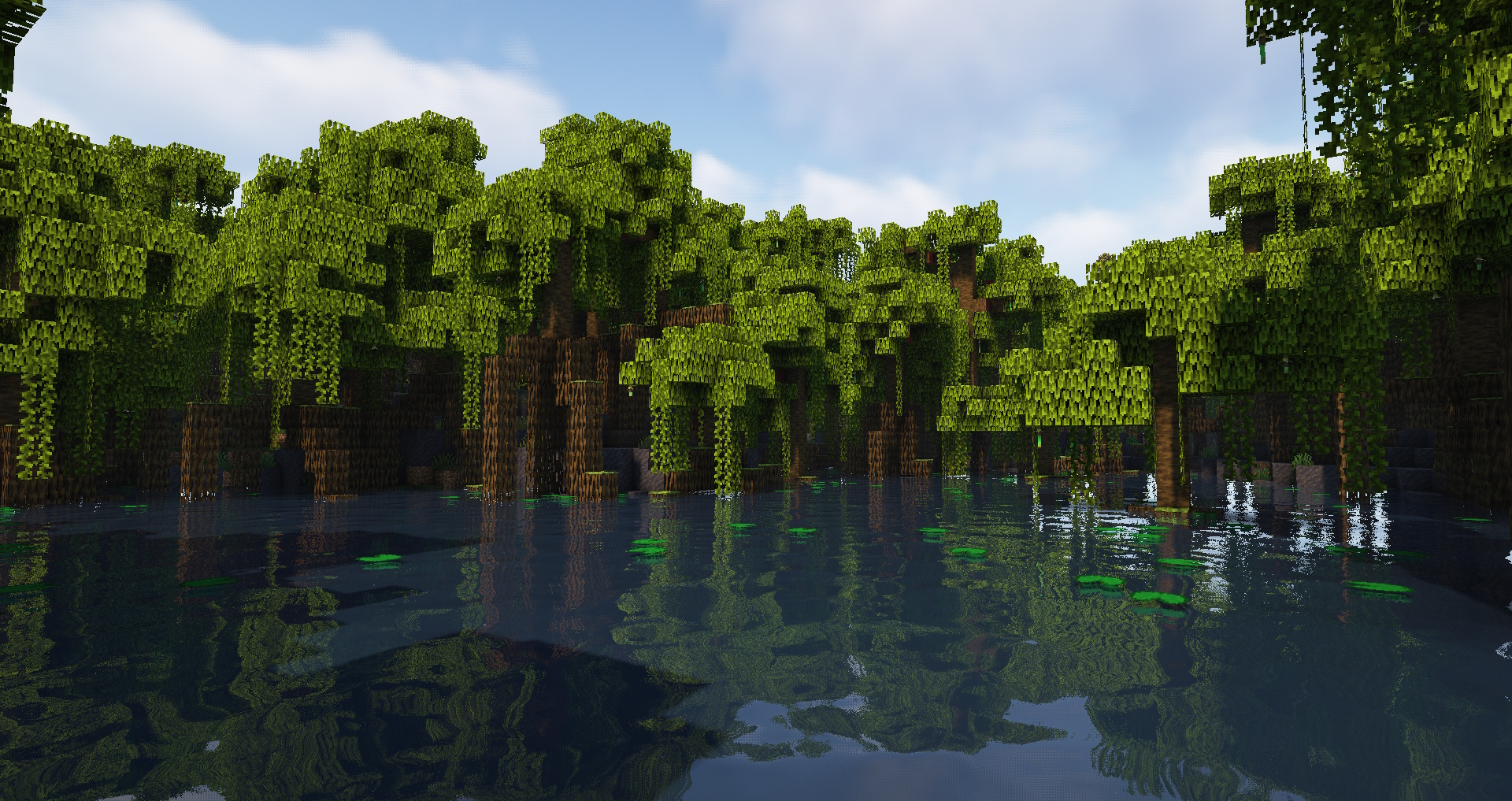
Mod đơn giản giúp tăng chiều cao thân cây nguyên bản và thay đổi một số cách trang trí tán lá cây.
🌳 Tính năng:
- thân cây cao hơn cho các loại cây Acacia, Birch, Cherry, Dark Oak, Jungle, Mangrove, Mega Jungle/Pine/Spruce, Oak, Pine, Spruce, Swamp;
- tăng độ biến thiên kích thước thân cây;
- cây bạch dương giờ đã có cành, cây anh đào luôn có tối thiểu 2 cành;
- cải thiện tán lá trên một số loại cây;
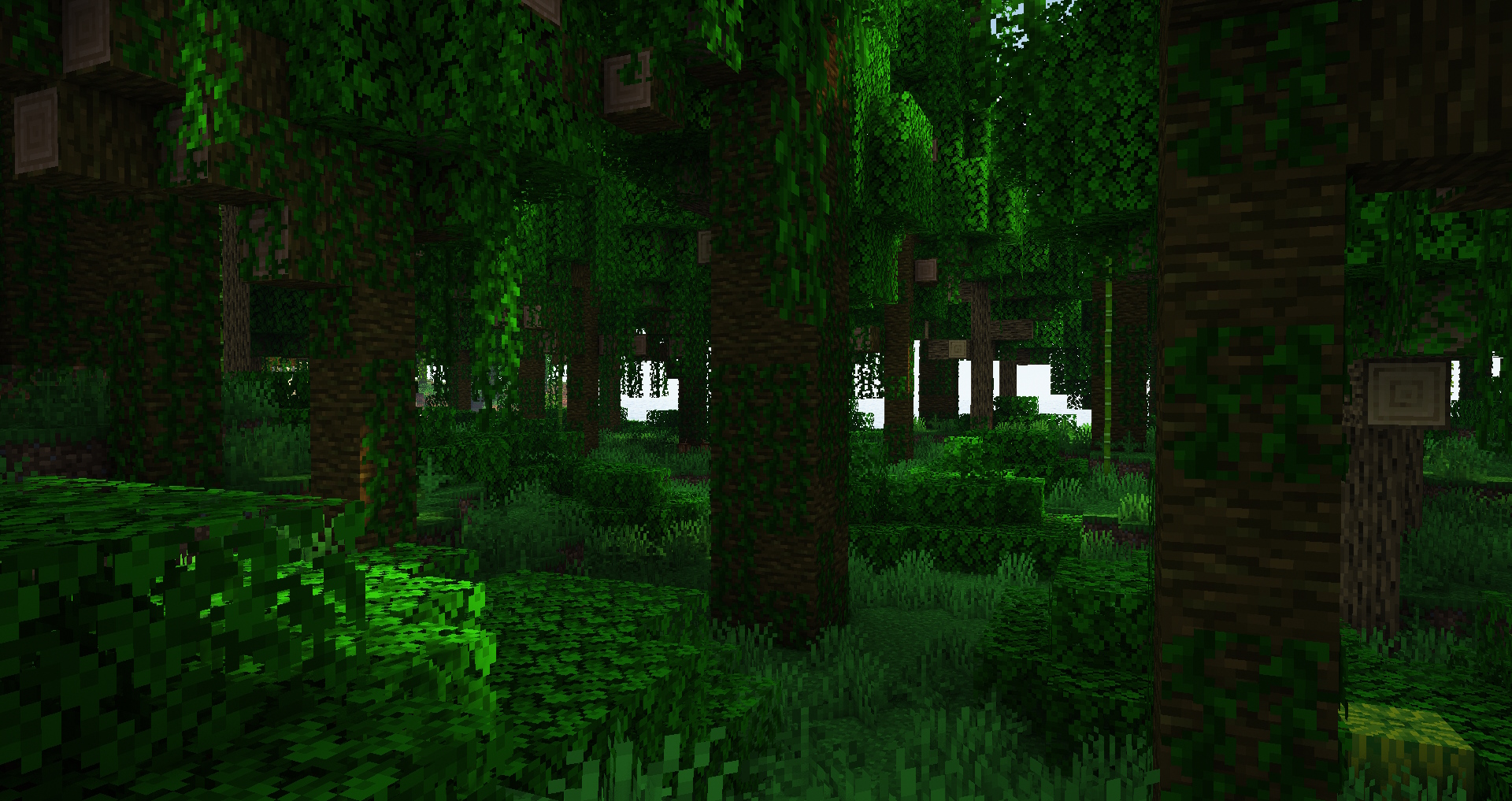
- rừng giờ rộng rãi hơn và có nhiều không gian để đi lại hơn, đặc biệt là rừng rậm;
- giữ nguyên thẩm mỹ của Minecraft nguyên bản;
- có thể tùy chỉnh các tùy chọn thông qua datapack;
♻️ Tương thích:
Mod này thay đổi cây nguyên bản mà không thêm cây mới nên sẽ tương thích với các mod khác không làm điều tương tự. Bạn cũng có thể an toàn gỡ mod này khỏi (hoặc thêm vào) các thế giới đã có.
✅ Hãy thoải mái thêm nó vào modpack của bạn như tôi đã làm với modpack của mình.
- Industrial Village
- Life in the Village 4
💚 Xin gửi lời cảm ơn lớn đến trang web Misode's Data Pack Generator vì đã giúp mod này ra đời https://misode.github.io
Bạn mơ ước tự mở máy chủ của riêng mình nhưng lo lắng về sự phức tạp? BisectHosting giúp bạn bắt đầu cực kỳ đơn giản với nền tảng trực quan và các hướng dẫn hữu ích. Tôi đã tin dùng họ vì hiệu năng ổn định và dễ sử dụng.
Sẵn sàng khởi chạy máy chủ của bạn? Hãy dùng mã xdreamz của tôi để được giảm 25% cho tháng đầu tiên và ủng hộ nội dung của tôi!
Cách cài đặt Bigger Trees
With Millida Launcher
Install Millida Launcher
The launcher is free: download it at millida.net/launcher and sign in with any nickname.
Click “Install” on this page
The launcher opens and installs the mod for Minecraft 1.20.4 on Fabric or Forge automatically.
Launch the game
A profile with it appears in the launcher: click “Play”.
Manually
Install Fabric or Forge
The loader must match the game version of the mod file, for example Minecraft 1.20.4. After installing it, a separate profile appears in your launcher.
Download the file for your version
In the version list above, pick the file bigger_vanilla_trees-forge-1.20.4-1.0.jar (85 KB) for your game version and loader.
Put it in the mods folder
The folder is inside .minecraft (Windows: %appdata%\.minecraft\mods). If it does not exist, create it.
Launch the loader profile
Open “Mods” in the main menu: Bigger Trees should be in the list.
Minecraft 1.20.4 runs on Java 17: with a different Java version the game may close right after launch.
Phiên bản
Kèm phụ thuộc
| Minecraft | Loader | Tệp | Ngày | Hành động |
|---|---|---|---|---|
| 1.20.4 | Forge | Bigger Trees Forge 1.20.4-1.084.5 KB | ||
| 1.20.4 | Fabric | Bigger Trees Fabric 1.20.4-1.083.8 KB 1 |
Câu hỏi thường gặp
Which Minecraft versions does Bigger Trees work on?
Only Minecraft 1.20.4: there are no files for other versions.
Is Bigger Trees for Forge or Fabric?
There are files for Fabric: 1.20.4 and for Forge: 1.20.4. There are no files for NeoForge: a mod for another loader will not start.
Does Bigger Trees need other mods?
The author lists no required dependencies: the Fabric or Forge loader is enough.
Which Java does Bigger Trees need?
Minecraft 1.20.4 runs on Java 17. If the game closes right after launch, the usual cause is the wrong Java version in the profile settings.
Where can I download Bigger Trees safely?
On this page: the file bigger_vanilla_trees-forge-1.20.4-1.0.jar (85 KB) is stored on Millida’s server, with no link shorteners. SHA-1 checksum: 3f9d291ae62c88f11cb687decc31a2e009942a57.
Đánh giá
Hãy là người đầu tiên đánh giá Bigger Trees


