

Better Mods Button cho Minecraft 1.21.1, 1.19.2
Nút mod của bạn, theo cách của bạn. Ở nơi bạn muốn, và theo cách bạn muốn!
 NeoForge
 Forge
ForgeGiới thiệu mod Better Mods Button
 
📖 Giới thiệu:
Better Mods Button thêm nút mods trở lại màn hình tạm dừng như trong các phiên bản Forge trước Minecraft 1.13, để có thể dễ dàng truy cập cấu hình mod trong game (khi có sẵn).
Thêm vào đó, có rất nhiều tùy chọn về vị trí và cách hiển thị chính xác nút mods của bạn trên màn hình (lấy cảm hứng rất nhiều từ Mod Menu). Hỗ trợ hiển thị tổng số mod cũng như bật/tắt biểu tượng thông báo cập nhật.
📷 Hình ảnh:
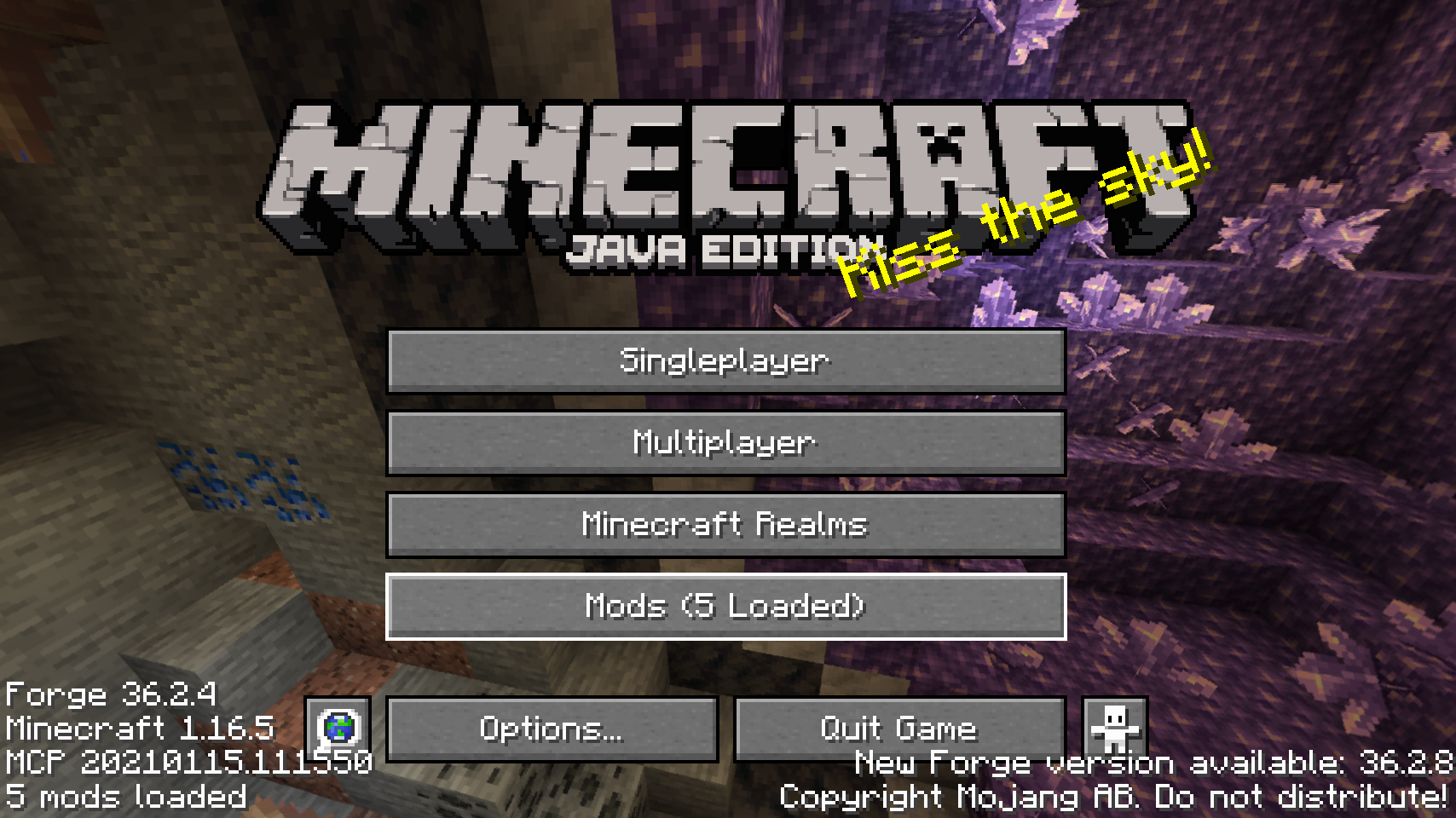
  
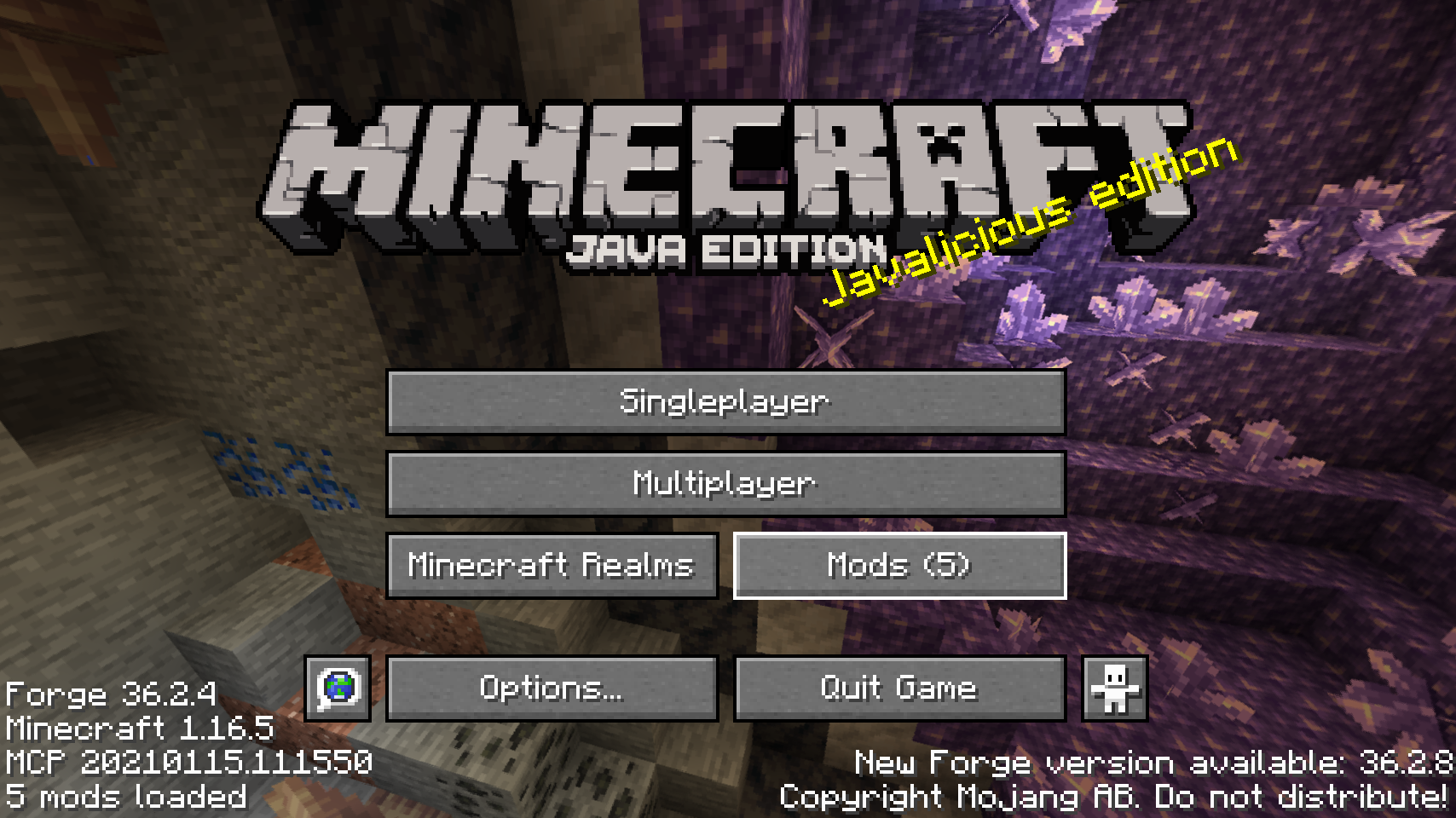
Nút mods mặc định trên màn hình tiêu đề    Một trong những vị trí đặt nút mods thay thế
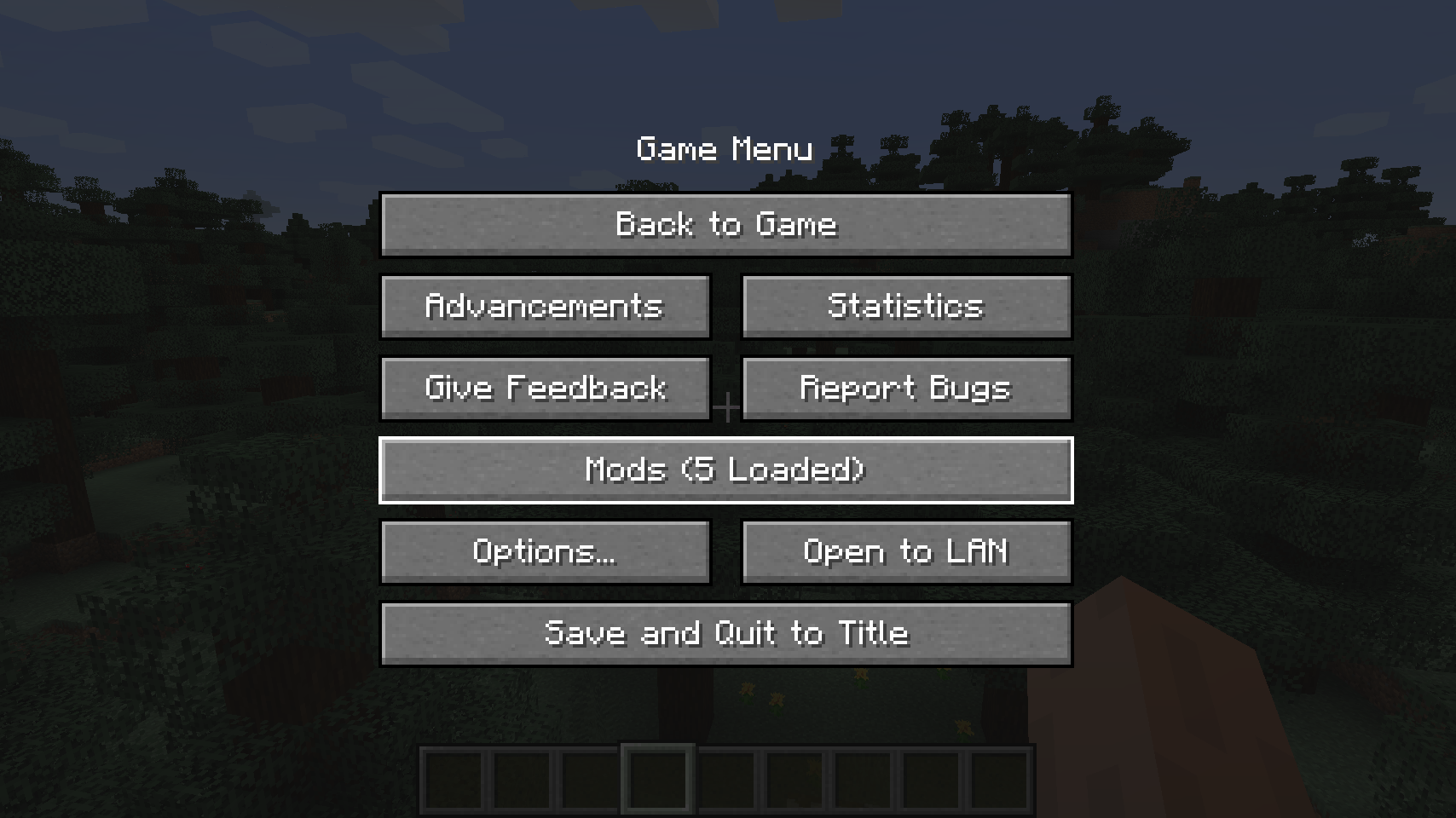
  
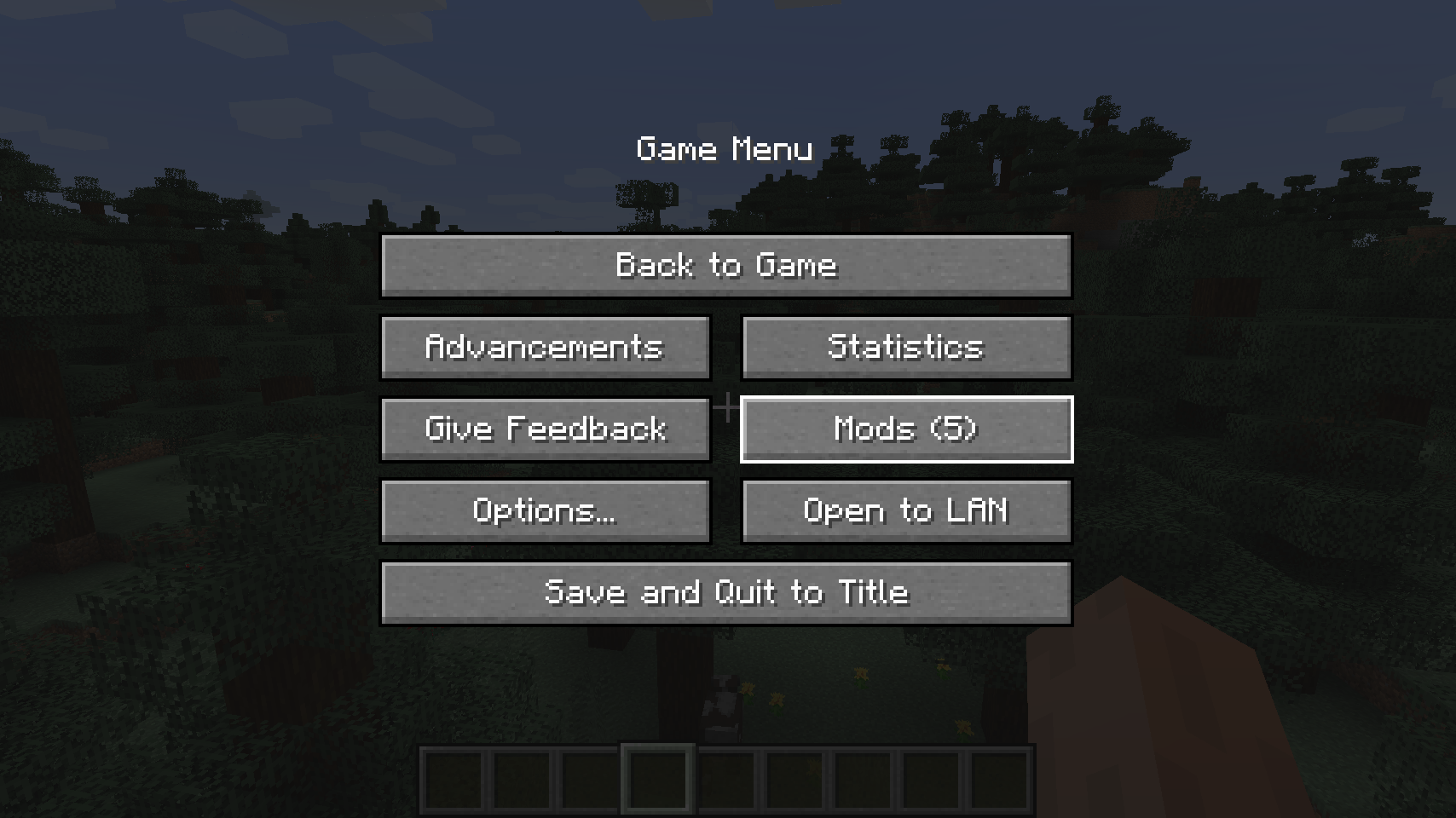
Nút mods mặc định trên menu tạm dừng    Một vị trí thay thế cho màn hình tạm dừng

  
Một vị trí đặt nút khác trên màn hình tạm dừng   
💡 Câu hỏi thường gặp:
H: Làm thế nào để cấu hình mod này? Đ: Cài đặt mod Config Menus for Forge của tôi và thực hiện trực tiếp trong game!
H: Còn bản port cho Fabric thì sao? Đ: Hãy dùng Mod Menu của ProspectorDev thay thế.
🏆 Ghi công:
Việc phát triển Better Mods Button được hỗ trợ và truyền cảm hứng bởi:
- ProspectorDev vì đã truyền cảm hứng cho hầu hết các tùy chọn cấu hình của mod này từ mod Mod Menu của họ


Cách cài đặt Better Mods Button
With Millida Launcher
Install Millida Launcher
The launcher is free: download it at millida.net/launcher and sign in with any nickname.
Click “Install” on this page
The launcher opens and installs the mod for Minecraft 1.18.2–26.1.2 on Forge or NeoForge automatically.
Launch the game
A profile with it appears in the launcher: click “Play”.
Manually
Install Forge or NeoForge
The loader must match the game version of the mod file, for example Minecraft 26.1.2. After installing it, a separate profile appears in your launcher.
Download the file for your version
In the version list above, pick the file bettermodsbutton-v26.1.2-mc26.1.x+neoforge.jar (55 KB) for your game version and loader.
Put it in the mods folder
The folder is inside .minecraft (Windows: %appdata%\.minecraft\mods). If it does not exist, create it.
Launch the loader profile
Open “Mods” in the main menu: Better Mods Button should be in the list.
Better Mods Button works on the player’s side only: there is no need to install it on a server.
Phiên bản
Kèm phụ thuộc
| Minecraft | Loader | Tệp | Ngày | Hành động |
|---|---|---|---|---|
| 1.21.1 | NeoForge | 1.21.165.1 KB | ||
| 1.21.1 | Forge | 1.21.161.8 KB | ||
| 26.1.2 | NeoForge | 26.1.255.1 KB | ||
| 26.1 | NeoForge | 26.155 KB | — | |
| 1.21.11 | NeoForge | 1.21.1147.3 KB | — | |
| 1.21 | NeoForge | 1.2159.6 KB | — | |
| 1.19.2 | Forge | 1.19.256.1 KB | — | |
| 1.18.2 | Forge | 1.18.254.8 KB | — |
Câu hỏi thường gặp
Which Minecraft versions does Better Mods Button work on?
There are files for 1.18.2–26.1.2, 8 versions in total. The newest is 26.1.2.
Is Better Mods Button for Forge or Fabric?
There are files for Forge: 1.18.2–1.21.1 and for NeoForge: 1.21–26.1.2. There are no files for Fabric: a mod for another loader will not start.
Does Better Mods Button need other mods?
The author lists no required dependencies: the Forge or NeoForge loader is enough.
Do I need to install Better Mods Button on a server?
No. Better Mods Button works on the player’s side only: there is no need to install it on a server.
Where can I download Better Mods Button safely?
On this page: the file bettermodsbutton-v26.1.2-mc26.1.x+neoforge.jar (55 KB) is stored on Millida’s server, with no link shorteners. SHA-1 checksum: 2a9bcf56e9964467e42d2af97db2c5c9be895bee.
Đánh giá
Hãy là người đầu tiên đánh giá Better Mods Button


