
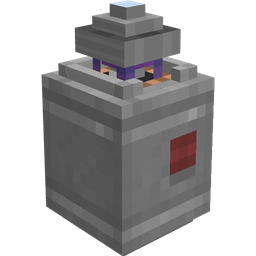
Applied Mekanistics Mod cho Minecraft 1.20.1, 1.21.1
Tiện ích mở rộng hỗ trợ Mekanism chính thức cho AE2
 NeoForge
 Forge
ForgeApplied Mekanistics
Addon hỗ trợ Mekanism chính thức cho AE2. Vui lòng báo cáo vấn đề trên trình theo dõi vấn đề. Tham gia máy chủ Discord của AE2 để thảo luận.
Đây là mod Forge cho 1.18.2+ yêu cầu cả AE2 và Mekanism. 1.21.1+ chỉ dành cho NeoForge.
Hỗ trợ hóa chất
Applied Mekanistics bổ sung hỗ trợ hóa chất cho các thiết bị AE2 hiện có. Ví dụ, điều này có nghĩa là bạn có thể đặt import bus lên bồn chứa hóa chất, export bus lên bồn chứa hóa chất, storage bus lên thùng chứa chất thải phóng xạ, gắn ống áp suất vào interface hoặc sử dụng hóa chất trong công thức chế tạo.
Cell hóa chất
Applied Mekanistics cũng bổ sung các cell lưu trữ hóa chất 1k, 4k, 16k và 64k. Giờ đây bạn có thể lưu trữ khí trong ME Drives của mình! Tuy nhiên hãy lưu ý rằng chúng không hỗ trợ khí phóng xạ!
Đường hầm P2P hóa chất
Applied Mekanistics bổ sung Đường hầm P2P hóa chất để truyền hóa chất thông lượng cao. Chỉ cần nhấp chuột phải vào bất kỳ bồn chứa hóa chất Mekanism nào trên đường hầm P2P để chuyển đổi nó.
Hỗ trợ QIO cho Storage Bus
Applied Mekanistics cũng cho phép Storage Bus tương tác với nội dung của một tần số QIO. Chỉ cần đặt storage bus lên mặt bên của QIO Dashboard.
Công thức
Để tạo một vỏ hóa chất, bạn cần sử dụng thỏi Osmium thay vì thỏi Sắt hoặc Đồng
Vỏ này có thể được kết hợp với một linh kiện cell để chế tạo một cell lưu trữ
Cách cài đặt Applied Mekanistics
With Millida Launcher
Install Millida Launcher
The launcher is free: download it at millida.net/launcher and sign in with any nickname.
Click “Install” on this page
The launcher opens and installs the mod for Minecraft 1.18.2–1.21.1 on Forge or NeoForge automatically.
Launch the game
A profile with it appears in the launcher: click “Play”.
Manually
Install Forge or NeoForge
The loader must match the game version of the mod file, for example Minecraft 1.21.1. After installing it, a separate profile appears in your launcher.
Download the file for your version
In the version list above, pick the file Applied-Mekanistics-1.6.3.jar (146 KB) for your game version and loader.
Put it in the mods folder
The folder is inside .minecraft (Windows: %appdata%\.minecraft\mods). If it does not exist, create it.
Launch the loader profile
Open “Mods” in the main menu: Applied Mekanistics should be in the list.
Minecraft 1.21.1 runs on Java 21: with a different Java version the game may close right after launch.
Phiên bản
Kèm phụ thuộc
| Minecraft | Loader | Tệp | Ngày | Hành động |
|---|---|---|---|---|
| 1.20.1 | Forge | 1.4.3181 KB 10 | ||
| 1.21.1 | NeoForge | 1.6.3146 KB 10 | ||
| 1.21 | NeoForge | 1.6.0-alpha.2152 KB | ||
| 1.20.4 | NeoForge | 1.5.3-beta169 KB | ||
| 1.19 | Forge | 1.3.0-alpha173 KB | ||
| 1.18.2 | Forge | 1.1.5-beta165 KB 1 |
Đánh giá
Hãy là người đầu tiên đánh giá Applied Mekanistics


