

AE2 Import Export Card Mod cho Minecraft 1.18.2, 26.1.2
Thêm Thẻ Nhập & Xuất & Chọn Khối cho Applied Energistics 2
 NeoForge
 Forge
ForgeMOD NÀY YÊU CẦU APPLIED ENERGISTICS 2
Nếu bạn muốn đưa mod này vào modpack của mình, cứ thoải mái sử dụng nhé :) Mod này thêm Thẻ Nhập & Xuất và Thẻ Chọn Khối cho Applied Energistics 2.
Thẻ Nhập lấy các vật phẩm trong những ô cụ thể của túi đồ và đưa chúng vào hệ thống ME của bạn. Mở thiết bị đầu cuối không dây và thêm thẻ nhập hoặc xuất vào ô bên phải.
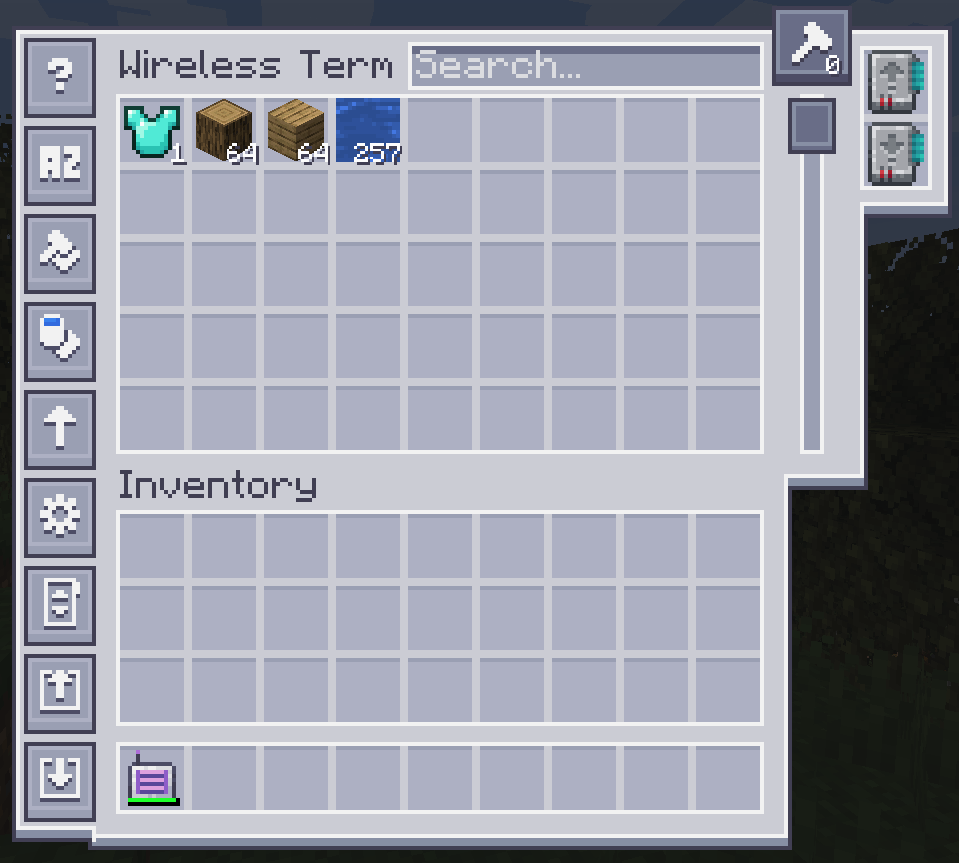
Để cấu hình, hãy nhấp vào một trong các nút bên trái.
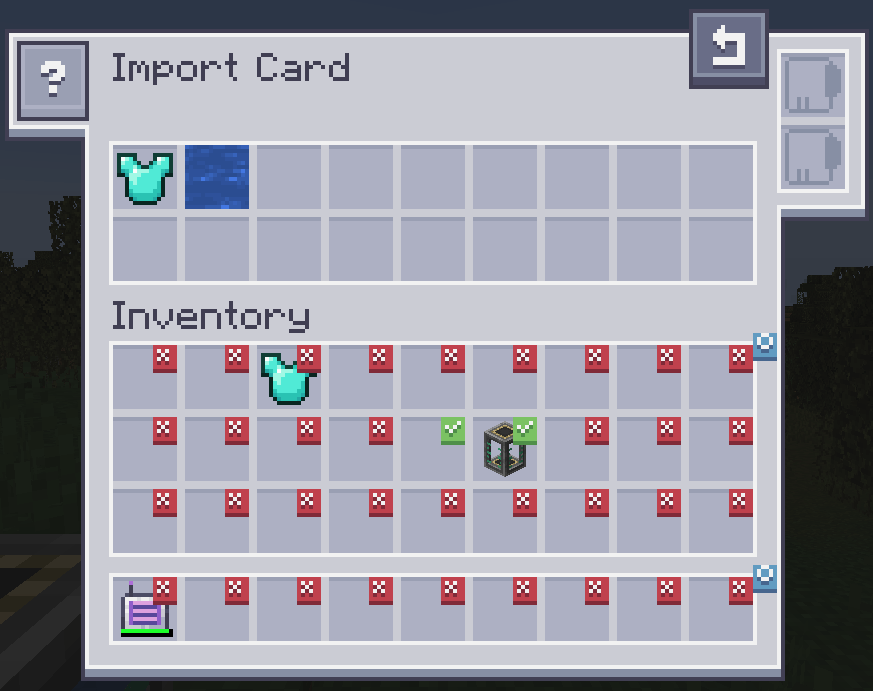
Nhấp vào các ô sẽ tạo dấu kiểm. Bất kỳ vật phẩm nào trong ô có dấu kiểm sẽ được nhập vào hệ thống ME của bạn. Kéo vật phẩm từ túi đồ lên trên để thay đổi bộ lọc. Thẻ Fuzzy được hỗ trợ. Đổi bộ lọc thành danh sách đen cần có thẻ đảo.
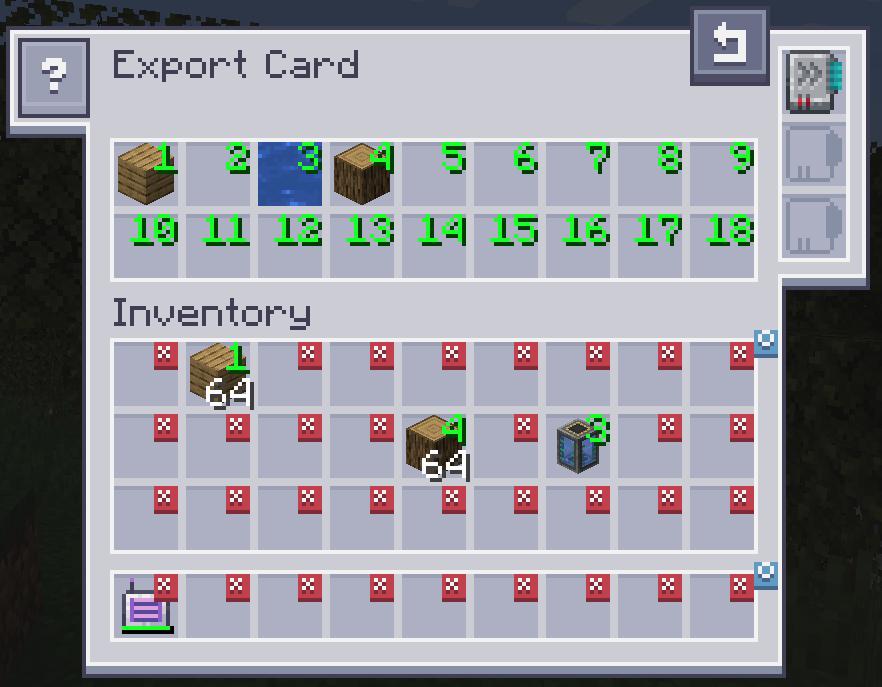
Thẻ Xuất hoạt động hoàn toàn giống nhưng sẽ lấy vật phẩm từ hệ thống ME của bạn vào túi đồ. Để chỉ định vật phẩm nào, hãy kéo vật phẩm từ túi đồ vào một trong các ô ở trên cùng và nhấp vào một ô trong túi đồ để đổi thành số lượng mong muốn. Nhấp chuột phải sẽ xóa về X. Thẻ Fuzzy được hỗ trợ. Thẻ Tăng tốc cải thiện tốc độ truyền từ 1 lên cả một stack vật phẩm. Thẻ Chế tạo được dùng để tự động yêu cầu và chế tạo những vật phẩm hiện không có sẵn.
Thẻ Chọn Khối cho phép bạn trích xuất khối mà bạn đang nhìn trực tiếp từ Mạng của mình. Chỉ cần nhắm vào một khối và nhấn phím tắt "Pick Block". Nếu khối tương ứng có sẵn trong mạng của bạn, nó sẽ được trích xuất vào túi đồ.
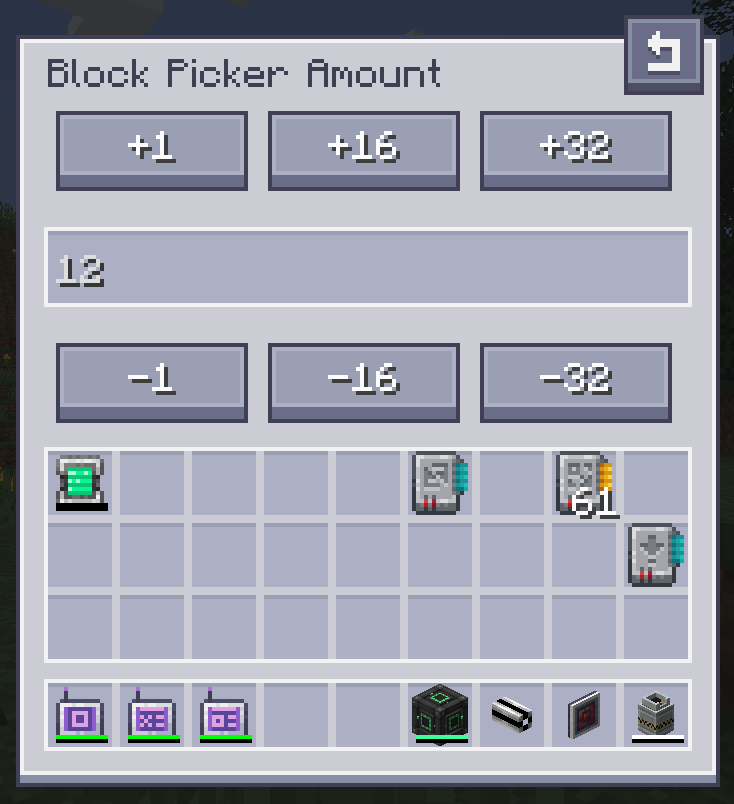
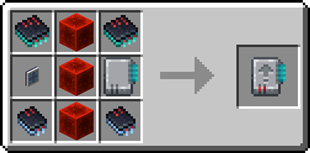
Công thức Thẻ Nhập:
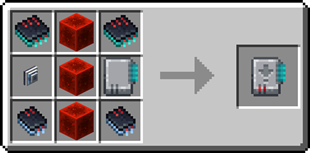
Công thức Thẻ Xuất:
Cần một máy chủ? Giảm 20% cho tháng đầu tiên bằng cách dùng mã khuyến mãi "ultra"
Cách cài đặt AE2 Import Export Card
With Millida Launcher
Install Millida Launcher
The launcher is free: download it at millida.net/launcher and sign in with any nickname.
Click “Install” on this page
The launcher opens and installs the mod for Minecraft 1.18.2–26.1.2 on Forge or NeoForge automatically.
Launch the game
A profile with it appears in the launcher: click “Play”.
Manually
Install Forge or NeoForge
The loader must match the game version of the mod file, for example Minecraft 26.1.2. After installing it, a separate profile appears in your launcher.
Download the file for your version
In the version list above, pick the file ae2importexportcard-26.1.2-2.3.1.jar (469 KB) for your game version and loader.
Put it in the mods folder
The folder is inside .minecraft (Windows: %appdata%\.minecraft\mods). If it does not exist, create it.
Launch the loader profile
Open “Mods” in the main menu: AE2 Import Export Card should be in the list.
Phiên bản
Kèm phụ thuộc
| Minecraft | Loader | Tệp | Ngày | Hành động |
|---|---|---|---|---|
| 26.1.2 | NeoForge | ae2importexportcard-26.1.2-2.3.1.jar469 KB | ||
| 1.18.2 | Forge | ae2insertexportcard-1.18.2-1.0.0.jar215 KB |
Câu hỏi thường gặp
Which Minecraft versions does AE2 Import Export Card work on?
There are files for 26.1.2, 1.18.2. The newest is 26.1.2.
Is AE2 Import Export Card for Forge or Fabric?
There are files for Forge: 1.18.2 and for NeoForge: 26.1.2. There are no files for Fabric: a mod for another loader will not start.
Does AE2 Import Export Card need other mods?
The author lists no required dependencies: the Forge or NeoForge loader is enough.
Where can I download AE2 Import Export Card safely?
On this page: the file ae2importexportcard-26.1.2-2.3.1.jar (469 KB) is stored on Millida’s server, with no link shorteners. SHA-1 checksum: bff68fd4ac4d6bff7a0e39cbe7857a73e7b9dd36.
Đánh giá
Hãy là người đầu tiên đánh giá AE2 Import Export Card


