
Advanced Mining Dimension Mod cho Minecraft 1.20.1, 1.16.5
Thêm một chiều không gian chỉ gồm các hang động
 NeoForge
 Forge
ForgeFAQ | Ghi công
Mod này thêm một chiều không gian có thể tùy chỉnh cao, chỉ bao gồm các hang động.
Việc tạo máy dịch chuyển chỉ cần những tài nguyên rất cơ bản để có thể sử dụng được rất sớm trong trò chơi.
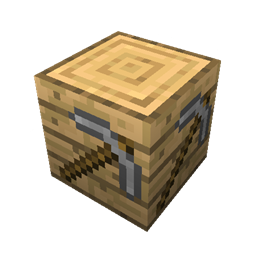
Máy dịch chuyển
Máy dịch chuyển là cánh cửa dẫn bạn đến chiều không gian khai thác.
Chỉ cần đặt nó xuống và nhấp chuột phải vào nó.
Cấu hình (1.16.2 trở lên)
Do những thay đổi trong Minecraft 1.16, bạn phải tạo một datapack để sửa đổi chính chiều không gian đó. Các datapack mẫu có thể được tìm thấy ở đây.
Chiều không gian Overworld Chiều không gian mà từ đó bạn có thể dịch chuyển đến chiều không gian khai thác và quay lại
Hiển thị cảnh báo thế giới tùy chỉnh Nếu trò chơi nên hiển thị cảnh báo thế giới tùy chỉnh khi tải một thế giới
Cấu hình (1.15.2 trở xuống)
Tỷ lệ hang động Số lượng hang động được tạo ra
Tỷ lệ hẻm núi Số lượng hẻm núi được tạo ra
Hồ dung nham Nếu các hồ dung nham nên được tạo ra
Lồng triệu hồi Nếu các hầm ngục có lồng triệu hồi nên được tạo ra
Các biến thể đá Nếu các biến thể đá khác nhau nên được tạo ra
Quặng Nếu quặng nên được tạo ra
Dung nham Nếu dung nham nên được tạo ra trong các hang động dưới mức 11
Cách cài đặt Advanced Mining Dimension
With Millida Launcher
Install Millida Launcher
The launcher is free: download it at millida.net/launcher and sign in with any nickname.
Click “Install” on this page
The launcher opens and installs the mod for Minecraft 1.14.4–1.20.4 on Forge or NeoForge automatically.
Launch the game
A profile with it appears in the launcher: click “Play”.
Manually
Install Forge or NeoForge
The loader must match the game version of the mod file, for example Minecraft 1.20.4. After installing it, a separate profile appears in your launcher.
Download the file for your version
In the version list above, pick the file mining-dimension-neoforge-1.20.4-1.1.1.jar (178 KB) for your game version and loader.
Put it in the mods folder
The folder is inside .minecraft (Windows: %appdata%\.minecraft\mods). If it does not exist, create it.
Launch the loader profile
Open “Mods” in the main menu: Advanced Mining Dimension should be in the list.
Minecraft 1.20.4 runs on Java 17: with a different Java version the game may close right after launch.
Phiên bản
Kèm phụ thuộc
| Minecraft | Loader | Tệp | Ngày | Hành động |
|---|---|---|---|---|
| 1.20.4 | NeoForge | [NEOFORGE][1.20.4] Advanced Mining Dimension 1.20.4-1.1.1178 KB | ||
| 1.20.1 | Forge | [FORGE][1.20.1] Advanced Mining Dimension 1.20.1-1.1.0182 KB 3 | ||
| 1.20.4 | NeoForge | [NEOFORGE][1.20.4] Mining World 1.20.4-1.0.5144 KB | ||
| 1.20.2 | Forge | [1.20.2] Mining World 1.20.2-1.0.4148 KB | ||
| 1.16.5 | Forge | [1.16.5] Mining World 1.16.5-1.0.6135 KB | ||
| 1.14.4 | — | [1.14.4] Mining World 1.14.4-1.0.129.1 KB |
Câu hỏi thường gặp
Which Minecraft versions does Advanced Mining Dimension work on?
There are files for 1.20.4, 1.20.2, 1.20.1, 1.16.5, 1.14.4. The newest is 1.20.4.
Is Advanced Mining Dimension for Forge or Fabric?
There are files for Forge: 1.16.5–1.20.2 and for NeoForge: 1.20.4. There are no files for Fabric: a mod for another loader will not start.
Does Advanced Mining Dimension need other mods?
The author lists no required dependencies: the Forge or NeoForge loader is enough.
Which Java does Advanced Mining Dimension need?
Minecraft 1.20.4 runs on Java 17. If the game closes right after launch, the usual cause is the wrong Java version in the profile settings.
Where can I download Advanced Mining Dimension safely?
On this page: the file mining-dimension-neoforge-1.20.4-1.1.1.jar (178 KB) is stored on Millida’s server, with no link shorteners. SHA-1 checksum: e66f4c4b3be0cb3712cd9d4dd551dcb58f52b225.
Đánh giá
Hãy là người đầu tiên đánh giá Advanced Mining Dimension


