
Additional Lights Mod cho Minecraft 1.12.2, 26.3
Cả 8 loại, 2 loại lửa, Hơn 200 biến thể.
 Fabric
 NeoForge
 Forge
ForgeGiới thiệu mod Additional Lights
Mô tả:
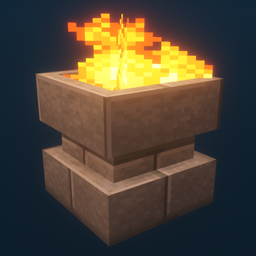
Mod này thêm hơn 200 biến thể ánh sáng thuộc 6 loại, với phiên bản lửa, lửa linh hồn và ánh sáng cho một số loại đèn nhất định.
Cập nhật:
v3.1
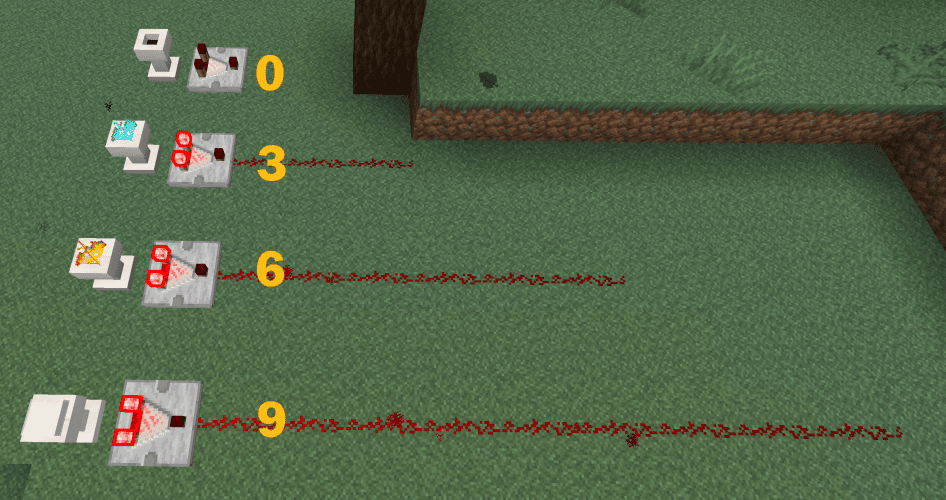
- Bệ đỡ giờ hỗ trợ đầu ra comparator.
v3.0
v2.2
- Thêm mở khóa sách công thức (tiến trình) cho tất cả công thức của Additional Lights
- Thêm tùy chọn cấu hình để bật/tắt công thức chế tạo Lửa/Lửa Linh Hồn (mặc định: TẮT)
(Fabric: Cần Mod Menu + Cloth Config để thay đổi cấu hình, nhưng mod vẫn hoạt động nếu không có chúng)
v2.1
v2.0
Lưu ý:
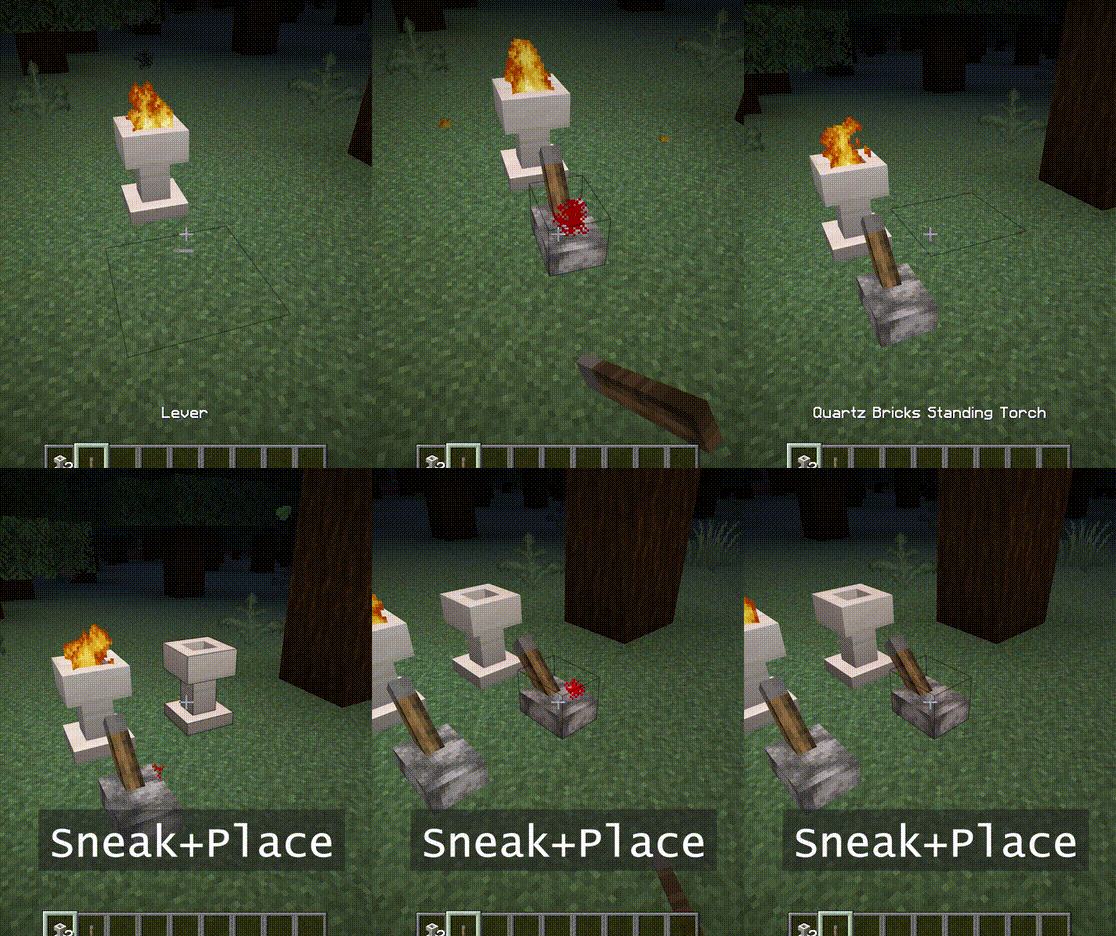
Hố Lửa và Đuốc Đứng có thể được đốt cháy bằng cách nhấp chuột phải.
Chúng cũng cần 2 khối không gian.
Bạn có thể dùng đũa linh hồn để biến nó thành lửa linh hồn.
Tính năng:
- - Lửa không gây sát thương, Không có nguy hiểm cháy.
- - Độ sáng của lửa linh hồn là 10.
- - Khi đặt ở chế độ ngồi, nó sẽ không bén lửa. Đồng thời từ chối tín hiệu cho đến khi bị phá.
- - [1.16] Piglins sợ lửa linh hồn. (đuốc không hoạt động)
Ảnh chụp màn hình:
(Chụp trong môi trường sau: Gói Texture: Faithful x32, Gói Shader: BSL v7.1.05p2, Bản đồ: Falcon's Rock v2.0.0)
Gói tài nguyên cho faithful x32 của mod này có thể được tải xuống tại đây. https://www.curseforge.com/minecraft/mc-mods/additional-lights/download/3001273
Bạn có thể tự do đưa nó vào modpack.
Cách cài đặt Additional Lights
With Millida Launcher
Install Millida Launcher
The launcher is free: download it at millida.net/launcher and sign in with any nickname.
Click “Install” on this page
The launcher opens and installs the mod for Minecraft 1.12.2–26.3 on Fabric, Forge or NeoForge automatically.
Launch the game
A profile with it appears in the launcher: click “Play”.
Manually
Install Fabric, Forge or NeoForge
The loader must match the game version of the mod file, for example Minecraft 26.3. After installing it, a separate profile appears in your launcher.
Download the file for your version
In the version list above, pick the file additional_lights-fabric-26.3-3.1.3.jar (830 KB) for your game version and loader.
Put it in the mods folder
The folder is inside .minecraft (Windows: %appdata%\.minecraft\mods). If it does not exist, create it.
Launch the loader profile
Open “Mods” in the main menu: Additional Lights should be in the list.
Phiên bản
Kèm phụ thuộc
| Minecraft | Loader | Tệp | Ngày | Hành động |
|---|---|---|---|---|
| 26.3 | Fabric | Additional Lights 26.3-3.1.3-Fabric830 KB 28 | ||
| 26.3 | NeoForge | Additional Lights 26.3-3.1.3-NeoForge731 KB | ||
| 1.21.4 | Forge | Additional Lights 1.21.4-2.1.11626 KB 1 | ||
| 1.16.1 | Forge | Additional Lights 1.16.1-2.0.0489 KB | ||
| 1.12.2 | Forge | Additional Lights 1.12.2-1.2.1.2-optional326 KB 4 |
Câu hỏi thường gặp
Which Minecraft versions does Additional Lights work on?
There are files for 26.3, 1.21.4, 1.16.1, 1.12.2. The newest is 26.3.
Is Additional Lights for Forge or Fabric?
There are files for Fabric: 26.3, for Forge: 1.12.2–1.21.4 and for NeoForge: 26.3.
Does Additional Lights need other mods?
The author lists no required dependencies: the Fabric, Forge or NeoForge loader is enough.
Where can I download Additional Lights safely?
On this page: the file additional_lights-fabric-26.3-3.1.3.jar (830 KB) is stored on Millida’s server, with no link shorteners. SHA-1 checksum: 197a06d2da92880c5ed0e613db13ba8354c56055.
Đánh giá
Hãy là người đầu tiên đánh giá Additional Lights


