
Accents Mod cho Minecraft 1.20.1, 1.21.1
Thêm các điểm nhấn phong cách có thể nhuộm màu với những lợi ích trò chơi tinh tế!
 NeoForge
 Fabric
 Quilt
Quilt Forge
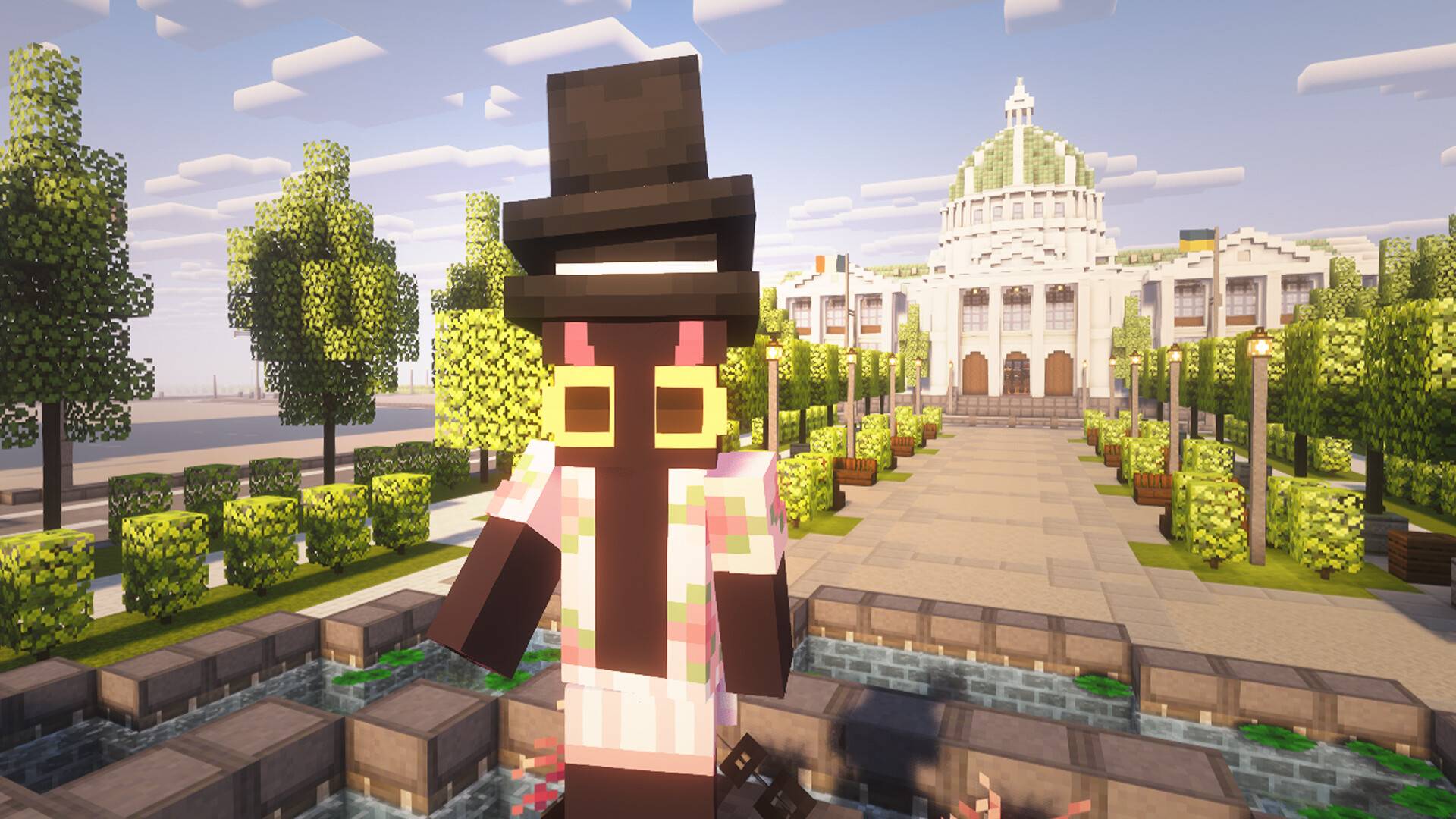
ForgeAccents adds stylish cosmetic accessories that subtly enhance gameplay. A variety of visual accents let you personalize your character without turning cosmetics into mandatory gear.
Styleful Accents
Accents focuses on visual expression. From hats and accessories to back-mounted items, every piece is designed to complement your character rather than replace armor or equipment.
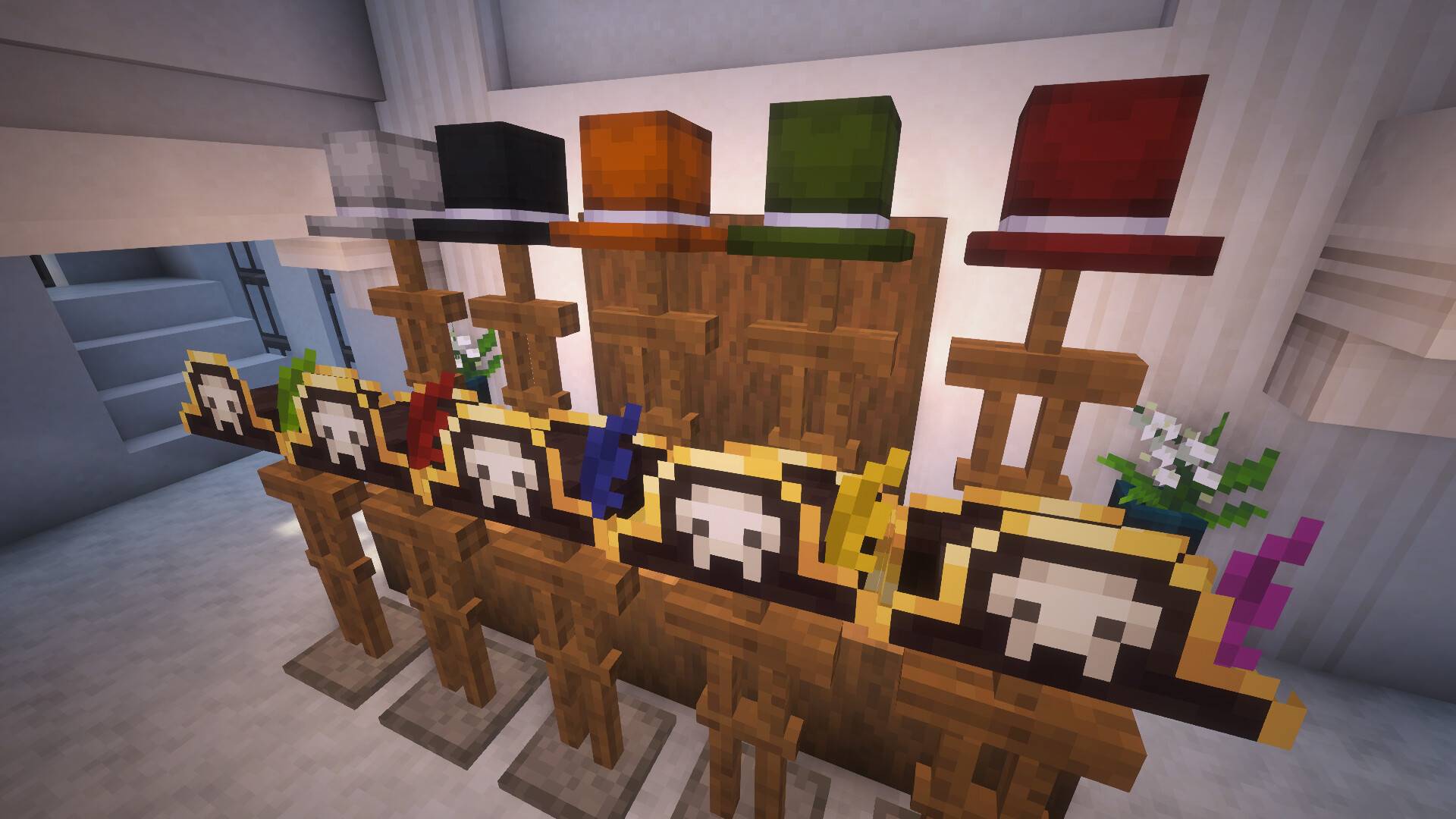
Partial Coloring
Every accent can be dyed, but not always entirely. Each item defines its own colorable areas: a Top Hat can be recolored fully, while a Pirate Hat only allows changing the feather. This keeps designs readable while still offering customization.
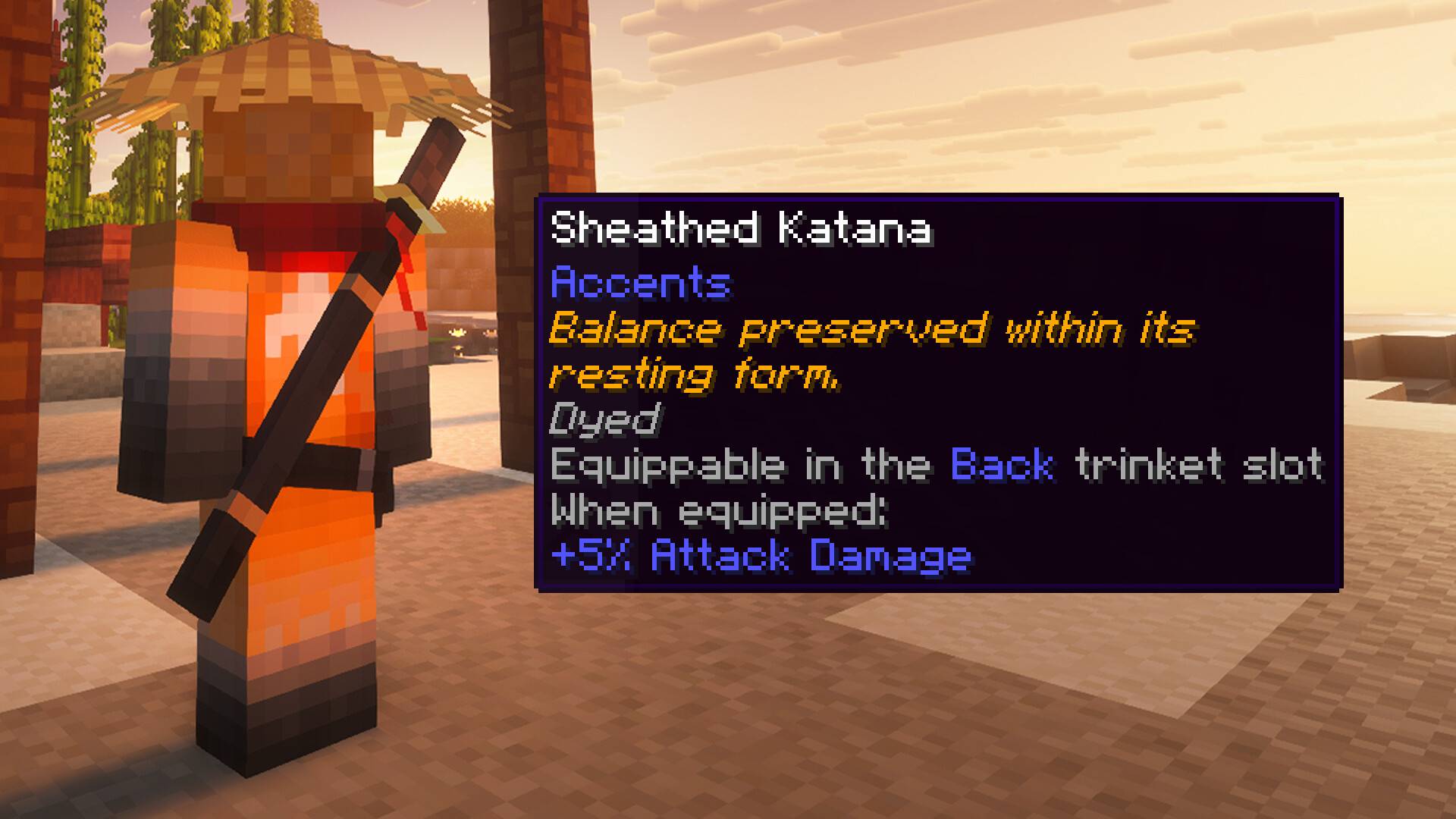
Vanity With Benefits
Accents are not purely decorative. Each item provides a small, situational bonus that feels rewarding without overshadowing core progression. For example, a Sheathed Katana grants +5% damage while worn on the back.
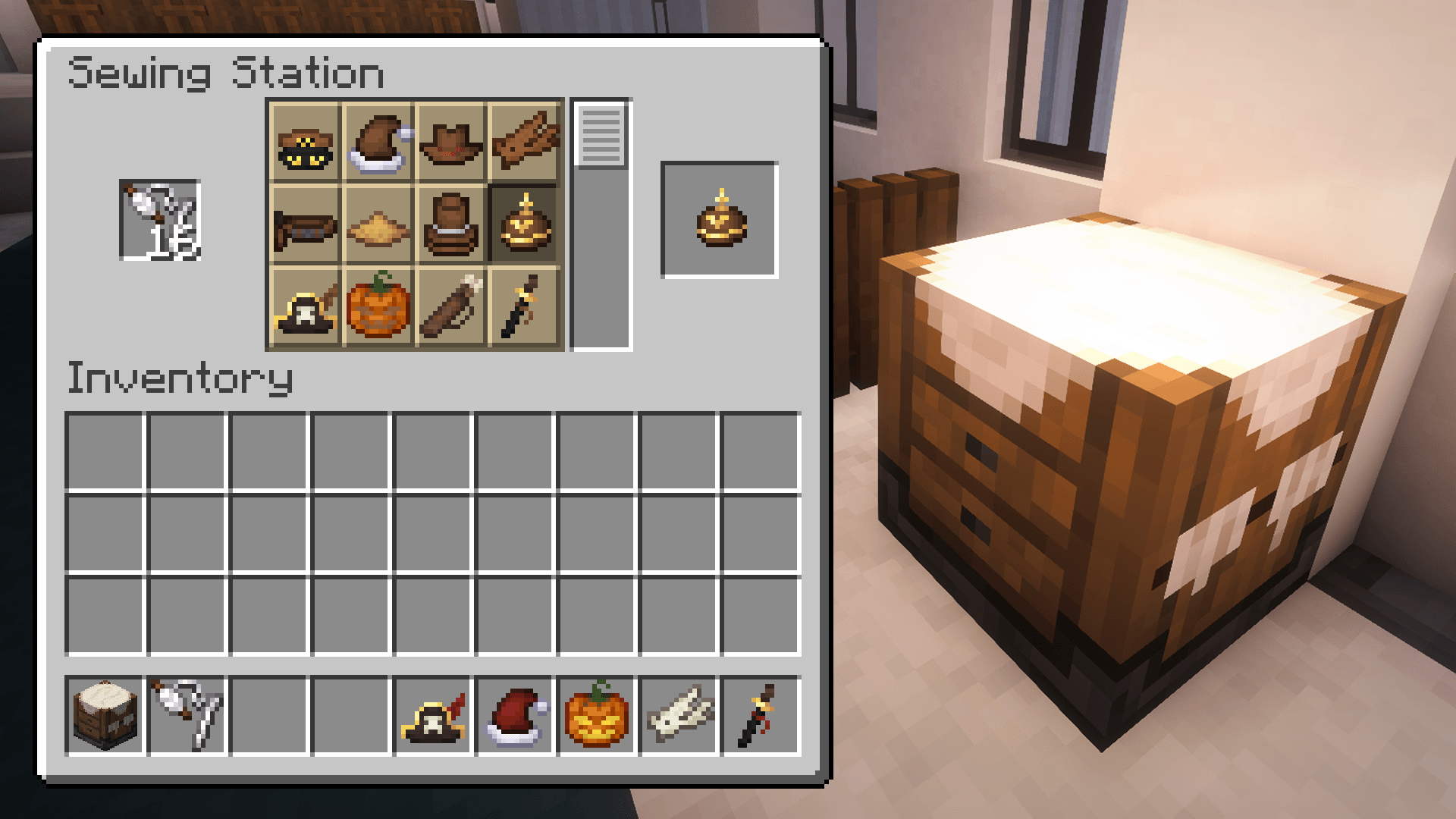
Optional Trinket Support
Built-in compatibility with Curios API and Trinkets API. When either mod is installed, certain accents automatically become trinkets and can be equipped in dedicated slots. Without them, all items still function normally.
Configurable Stats
All bonuses provided by accents can be adjusted through a config file. You can fine-tune values, rebalance items for modpacks, or disable specific effects entirely while keeping the cosmetics intact
In-Game Config
On Minecraft 1.20.1, in-game configuration menus are available when using Forge Config Screens or Configured. Without these mods, all settings can still be adjusted through config files (config/obscuria/accents-common.toml). Starting with Minecraft 1.21.1, in-game config screens are available out of the box, with no additional dependencies required.
Cosmetic Armor & Appearance Mods
Accents plays nicely with appearance-only armor mods such as Cosmetic Armor Reworked. You can keep your armor hidden or styled separately while still wearing accents for their visuals.
Suggestions Welcome
Many accents were added because someone suggested them. If you have an idea – a style, theme, or small bonus – it's very likely to be considered.
Aquamirae
Aquamirae expands your world with a frozen ocean biome – the Ice Maze above and a haunting Ship Graveyard beneath. Discover its unique ecosystem, progression, ambience, and lore as you uncover the fate of Captain Cornelia and survive the horrors lurking below the ice.
Loot Journal
Loot Journal is a client-side mod that enhances item pickups with smooth, animated notifications, smart stacking, and full visual customization. Track your own and nearby players' pickups in real time, tweak every detail in-game, and enjoy a clean, immersive UI.
Obscure Tooltips
Obscure Tooltips is a client-side visual enhancement mod that transforms ordinary item tooltips into expressive, animated showcases. It adds immersive visual flair to your inventory by introducing smooth animations, dynamic particle effects, and ornamental accent frames that adapt to item rarity and context.
Pillager Caravans
Pillager Caravans adds roaming, cargo-filled convoys guarded by pillagers, vindicators, and even ravagers. Instead of static treasure chests, caravans travel across biomes – sometimes near your base – with cargo that changes depending on the environment.
Ancient Remnants
Scattered across the world are the monuments of a civilization nobody remembers – ancient ruins whose cores still hum with a power no one has ever figured out.
Cách cài đặt Accents
With Millida Launcher
Install Millida Launcher
The launcher is free: download it at millida.net/launcher and sign in with any nickname.
Click “Install” on this page
The launcher opens and installs the mod for Minecraft 1.20.1–1.21.1 on Fabric, Forge, NeoForge or Quilt automatically.
Launch the game
A profile with it appears in the launcher: click “Play”.
Manually
Install Fabric, Forge, NeoForge or Quilt
The loader must match the game version of the mod file, for example Minecraft 1.21.1. After installing it, a separate profile appears in your launcher.
Download the file for your version
In the version list above, pick the file accents-neoforge-1.21.1-2.0.3.jar (655 KB) for your game version and loader.
Put it in the mods folder
The folder is inside .minecraft (Windows: %appdata%\.minecraft\mods). If it does not exist, create it.
Launch the loader profile
Open “Mods” in the main menu: Accents should be in the list.
Minecraft 1.21.1 runs on Java 21: with a different Java version the game may close right after launch.
Phiên bản
Kèm phụ thuộc
| Minecraft | Loader | Tệp | Ngày | Hành động |
|---|---|---|---|---|
| 1.21.1 | NeoForge | Accents 2.0.3655 KB | ||
| 1.21.1 | Fabric, Quilt | Accents 2.0.3658 KB | ||
| 1.20.1 | Forge | Accents 1.1.11.3 MB 1 | ||
| 1.20.1 | Forge | Accents 0.5.01.3 MB | ||
| 1.20.1 | Fabric, Quilt | Accents 0.5.0681 KB |
Câu hỏi thường gặp
Which Minecraft versions does Accents work on?
There are files for 1.21.1, 1.20.1. The newest is 1.21.1.
Is Accents for Forge or Fabric?
There are files for Fabric: 1.20.1–1.21.1, for Forge: 1.20.1, for NeoForge: 1.21.1 and for Quilt: 1.20.1–1.21.1.
Does Accents need other mods?
The author lists no required dependencies: the Fabric, Forge, NeoForge or Quilt loader is enough.
Which Java does Accents need?
Minecraft 1.21.1 runs on Java 21. If the game closes right after launch, the usual cause is the wrong Java version in the profile settings.
Where can I download Accents safely?
On this page: the file accents-neoforge-1.21.1-2.0.3.jar (655 KB) is stored on Millida’s server, with no link shorteners. SHA-1 checksum: 88e4a101f35d7c3c4e0e6859aaf5473327eb8f39.
Đánh giá
Hãy là người đầu tiên đánh giá Accents


