

Про ресурспак Rounded UI | Dark
Newly Added

📜 Terms of Use 📜
✅ You are fillowed to:
- Use this pack and its thumbnail in your Videos, Reviews, or Showcases, as long as you include the Original download link (this page) in your description.
- Use Content from this paok in your own (personal or public) packs if:
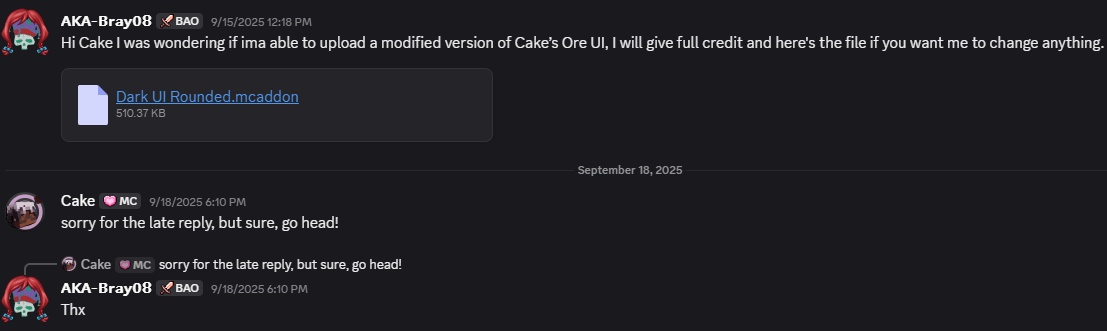
- You have permission from both me and Cakeofcraft, the original creator.
- You give proper credit to both creators.
- Your pack includes modifications or additions.

❌ You are NOT Allowed to:
- Share direct download link always link to this page instead.
- Redistribute any Rounded UI variation as your own pack.
- As Well as claim you Made / Helped make the Pack.
Credits & Permissions
References / Mentions Arxance - Referenced in hud_screen.json
🐞 Bugs & Support 🐞
If you find any bugs, please comment or send a screenshot on Discord: akabray08

Як встановити Rounded UI | Dark
With Millida Launcher
Install Millida Launcher
The launcher is free: download it at millida.net/launcher and sign in with any nickname.
Click “Install” on this page
The launcher opens and installs the resource pack for Minecraft 26.10 automatically.
Launch the game
A profile with it appears in the launcher: click “Play”.
Manually
Download the archive
Pick the file Rounded UI V2-HF DARK.mcpack (949 KB) for your game version. No need to unpack it.
Put it in the resourcepacks folder
The easiest way: “Options”, then “Resource Packs”, then “Open Pack Folder”, and drag the archive there.
Enable the pack
In the same window, move the pack to the right-hand “Selected” column and click “Done”.
Версії
Із залежностями
| Minecraft | Завантажувач | Файл | Дата | Дії |
|---|---|---|---|---|
| 26.10 | — | RUI V2-HF DARK949 КБ |
Часті питання
Which Minecraft versions does Rounded UI | Dark work on?
Only Minecraft 26.10: there are no files for other versions.
Where can I download Rounded UI | Dark safely?
On this page: the file Rounded UI V2-HF DARK.mcpack (949 KB) is stored on Millida’s server, with no link shorteners. SHA-1 checksum: aad17863dcc0e9d8e14651261f84c8f3987a795c.
Відгуки
Станьте першим, хто оцінить Rounded UI | Dark


