

LithiumReverse Ресурспак для Minecraft 26.50
Усуває зайвий рендеринг, обчислення та навантаження звуку, щоб підвищити FPS, зменшити лаги та стабілізувати гру.
Про ресурспак LithiumReverse
🚀 LithiumReverse Facts✅
[ This only tightens existing culling rules ]
📌New Update: ULTIMATE v6.0.0 Heavily Optimized.
The Culling Version of VulkanCore Pure Culling Speed Optimization survival mode capabilities
(Low-End) - Most aggressive culling, shortest distances, best for weak/older phones
(Mid-End) - Slightly less aggressive, better visuals while still optimized
If you care about pretty graphics, this pack will look stripped down. If you care about smooth FPS on a weak device, this pack is exactly what you want.
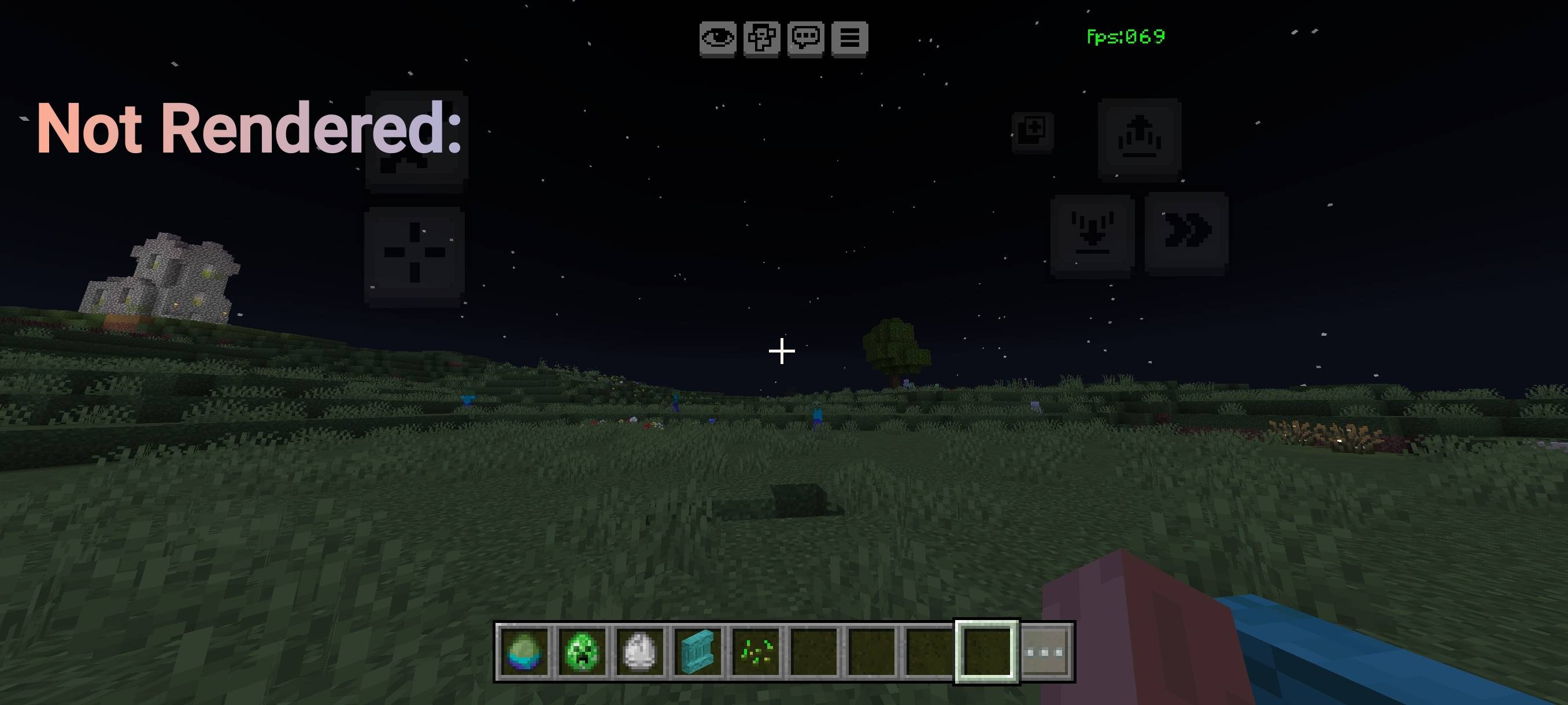
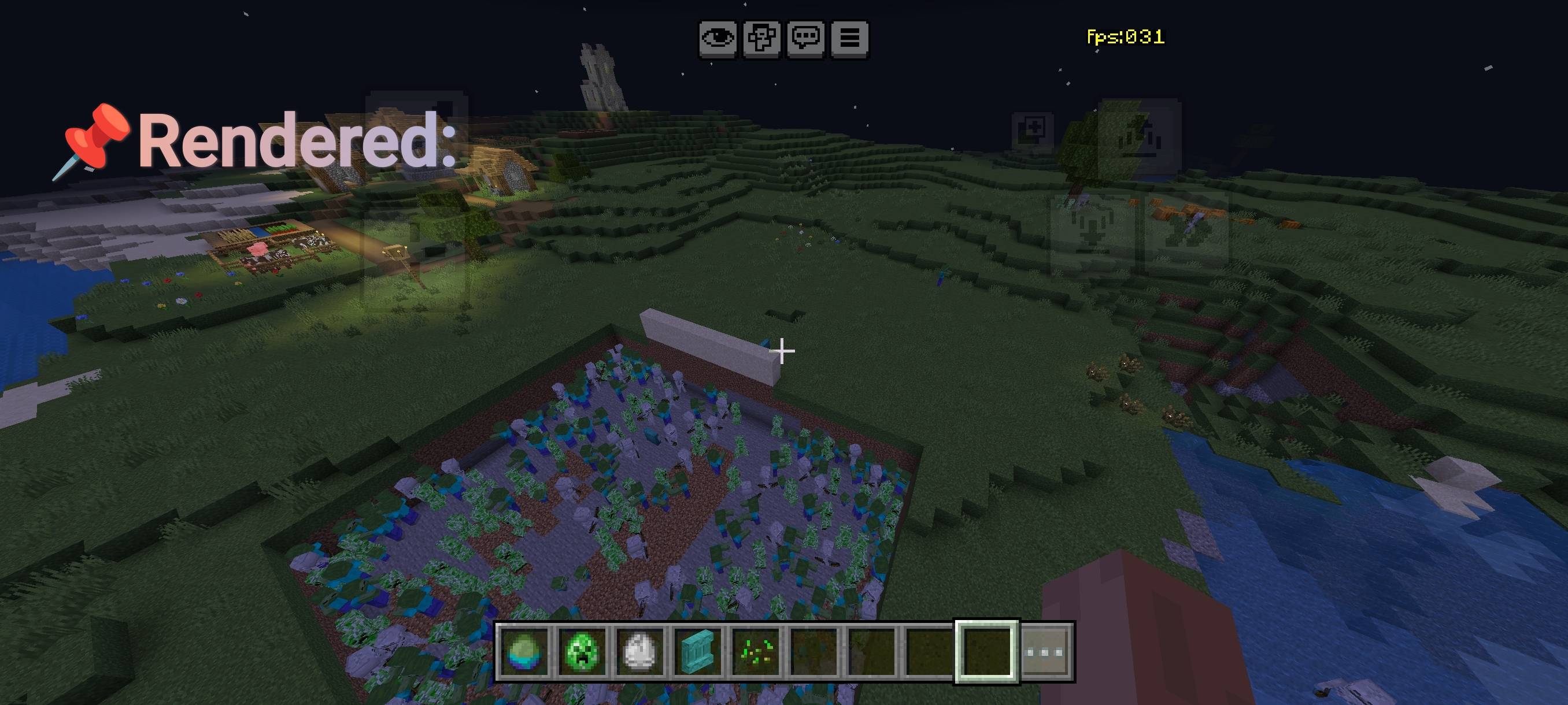
- 🔍 Entity Occlusion Culling: Entities fully hidden behind walls, floors, or solid blocks are not rendered or processed at all. Reappear instantly when visible no bugs, no missing mobs.
- 📦 Block & Chest Culling (NEW): (ALPHA)
- Chests, trapped chests, ender chests, barrels, hoppers, furnaces, blast furnaces, and smokers now fully optimized
- Max render distance: 7 blocks (Low‑End) / 10 blocks (Mid‑End) blocks beyond this range are not drawn
- Backface culling enabled, double‑sided rendering disabled, animations turned off
- Blocks completely hidden behind others are skipped entirely eliminates lag from 100+ lined chests or large storage rooms
- 🔇 Sound Culling: Mob noise through solid obstacles is reduced; only sounds from visible entities remain clear.
- ⚡ Smart Render Optimizations: Disables heavy shadows, limits draw distance, enables face culling & dynamic batching cuts GPU/CPU usage drastically.
- 👾 Full Entity Culling: All mobs including Slimes, Magma Cubes, Camels, Sniffers, Frogs, Allays, and utility entities now have optimized render distances and occlusion checks.
- 📊 Tick Stabilization: Smoothes world updates, reduces background work, removes random stutters for consistent FPS.
- ✅ 100% Safe & Compatible: Works on Minecraft Bedrock 1.20.0+. Only visuals are hidden inventories, redstone, hopper transfer, spawning, AI, and drops all work exactly as before.
📈 Performance Results
- Before: ~25-35 FPS in large storage rooms / mob farms
- With Lithium Reverse: 55-85 +FPS in the same areas
- Low‑End Mode: 7‑block limit → highest FPS, best for 2GB-3GB RAM devices
- Mid‑End Mode: 10‑block limit → balanced FPS + better visibility, ideal for 4GB+ devices
Як встановити LithiumReverse
With Millida Launcher
Install Millida Launcher
The launcher is free: download it at millida.net/launcher and sign in with any nickname.
Click “Install” on this page
The launcher opens and installs the resource pack for Minecraft 26.50 automatically.
Launch the game
A profile with it appears in the launcher: click “Play”.
Manually
Download the archive
Pick the file LithiumReversed_X_Ultimatev7.2.mcpack (188 KB) for your game version. No need to unpack it.
Put it in the resourcepacks folder
The easiest way: “Options”, then “Resource Packs”, then “Open Pack Folder”, and drag the archive there.
Enable the pack
In the same window, move the pack to the right-hand “Selected” column and click “Done”.
Версії
Із залежностями
| Minecraft | Завантажувач | Файл | Дата | Дії |
|---|---|---|---|---|
| 26.50 | — | LithiumReversed_X_Ultimatev7.2.mcpack188 КБ 6 |
Часті питання
Which Minecraft versions does LithiumReverse work on?
Only Minecraft 26.50: there are no files for other versions.
Where can I download LithiumReverse safely?
On this page: the file LithiumReversed_X_Ultimatev7.2.mcpack (188 KB) is stored on Millida’s server, with no link shorteners. SHA-1 checksum: 45975e19e79b0886518e61752b14ea73947a85d2.
Відгуки
Станьте першим, хто оцінить LithiumReverse


