

Item Tooltip Display Ресурспак для Minecraft 26.0.02
Показує підказки для предметів, які мають описи, як-от шалкер, на екрані скрині.
Про ресурспак Item Tooltip Display
Do you feel annoyed when looking for the shulker you need in a chest full of other shulkers and you have to hover one by one to find it? looks like this is the pack you need!
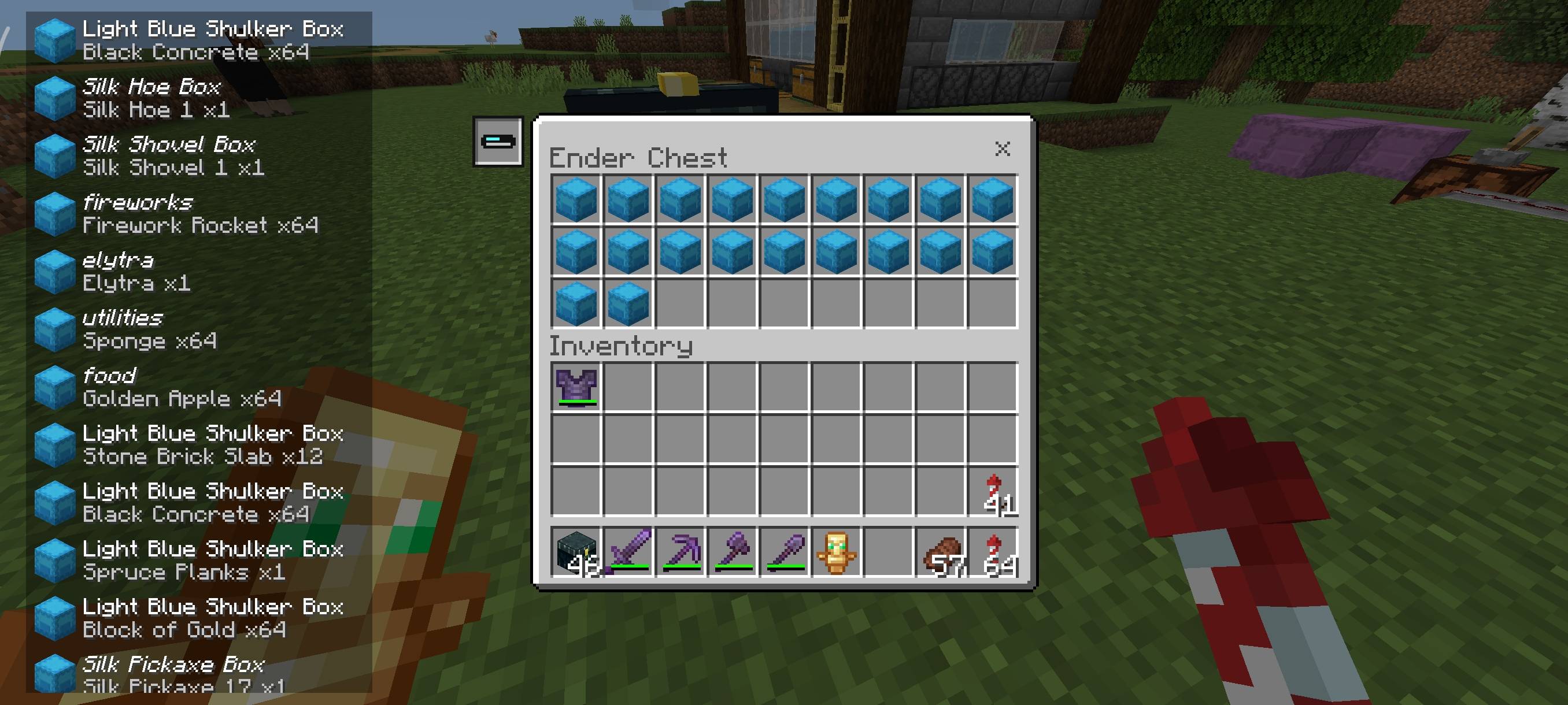
Now you don't need to hover over shulker items one by one to display their names because with this pack, items that have descriptions such as shulker, enchanted tools, enchanted books, etc. will be displayed.
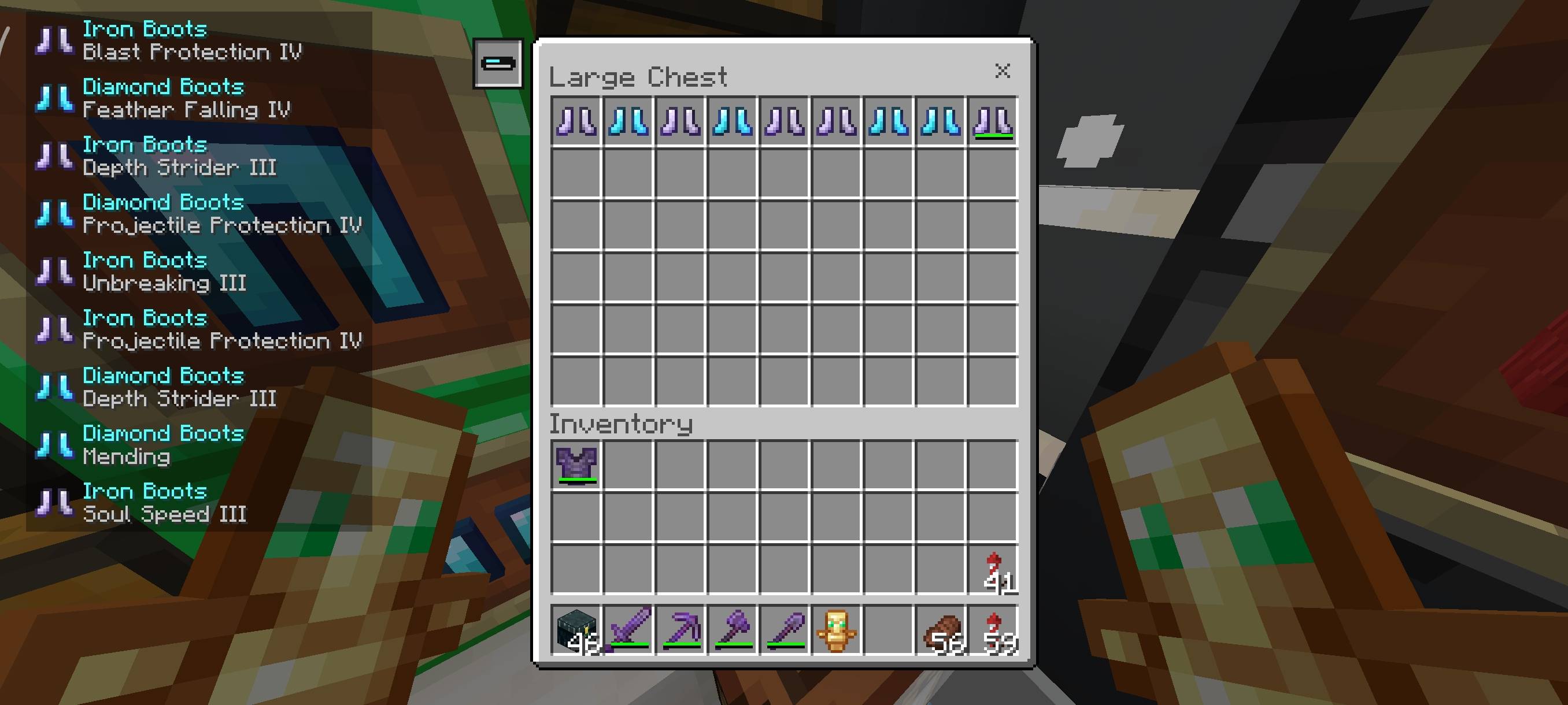
Showcase:
How To Use:
- Press the 'Item Tooltip Display' button located at the top left of the chest panel and items with descriptions will be displayed on the left.
- For keyboard & mouse control, you can also press TAB key to activate the Item Tooltip Display without having to press 'Item Tooltip Display' button.
Terms Of Use:
You are ALLOWED to:
- Modify this pack only for personal uses.
- Make a review about this pack, as long as you put original download link in description (Curseforge or Mcpedl).
You are NOT ALLOWED to:
- Use or claim my codes from this pack without my permission.
- Distribute the modified pack to public.
- Redistribute this pack to other sites (9minecraft, modbay and etc.)
- Share links that are not from original sources (Curseforge or Mcpedl).
Як встановити Item Tooltip Display
With Millida Launcher
Install Millida Launcher
The launcher is free: download it at millida.net/launcher and sign in with any nickname.
Click “Install” on this page
The launcher opens and installs the resource pack for Minecraft 1.21.100–26.0.02 automatically.
Launch the game
A profile with it appears in the launcher: click “Play”.
Manually
Download the archive
Pick the file Item Tooltip Display v1.1.0.mcpack (71 KB) for your game version. No need to unpack it.
Put it in the resourcepacks folder
The easiest way: “Options”, then “Resource Packs”, then “Open Pack Folder”, and drag the archive there.
Enable the pack
In the same window, move the pack to the right-hand “Selected” column and click “Done”.
Версії
Із залежностями
| Minecraft | Завантажувач | Файл | Дата | Дії |
|---|---|---|---|---|
| 1.21.101 | — | Item Tooltip Display v1.1.0.mcpack (latest)71.3 КБ |
Часті питання
Which Minecraft versions does Item Tooltip Display work on?
There are files for 1.21.100–26.0.02, 9 versions in total. The newest is 26.0.02.
Where can I download Item Tooltip Display safely?
On this page: the file Item Tooltip Display v1.1.0.mcpack (71 KB) is stored on Millida’s server, with no link shorteners. SHA-1 checksum: eea9414ac6556543ed8eb645a74fce2b408203f2.
Відгуки
Станьте першим, хто оцінить Item Tooltip Display



