

Inventory Management Ресурспак для Minecraft 1.21, 1.21.130
Керування предметами стає простішим і швидшим із цим паком. Легкий і дружній до серверів!
Про ресурспак Inventory Management
Are you frustrated when managing or looting items is difficult and slow? Well, this resource pack is for you!
This resource pack adds new buttons to the inventory screen and chest screen to make it easier for you to manage items. This resource pack is also server-friendly! You don't have to worry about getting banned when playing Bedwars or PvP, which requires speed when looting items.
Features
1. Quick Items
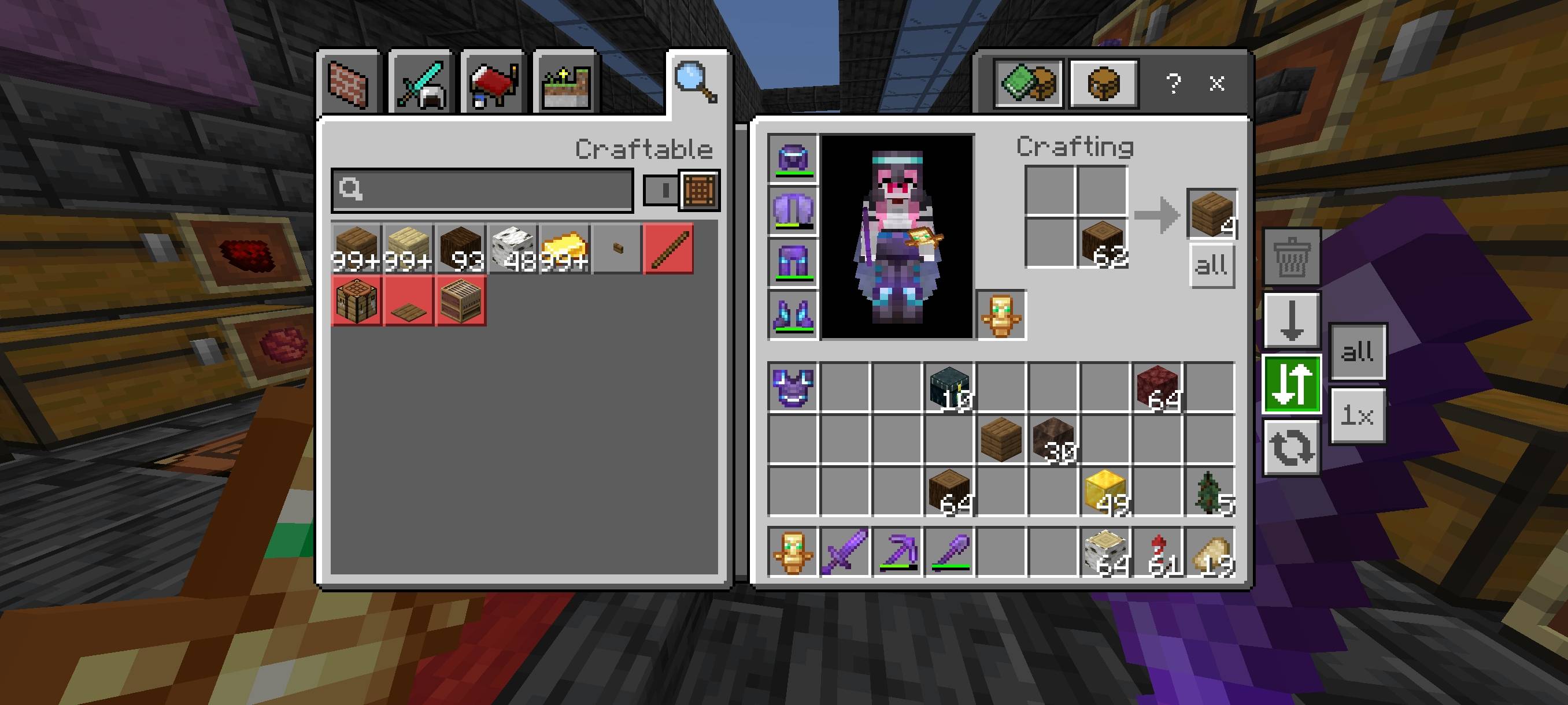
Added 4 new buttons: Auto Place, to move items from inventory to chest or vice versa with one click, either all items (64x) or just one item (1x). Drop, to drop items, either all items (64x) or just one item (1x). Destroy, to remove items from existence (only available for inventory screen), and Default.
2. Quick Craft
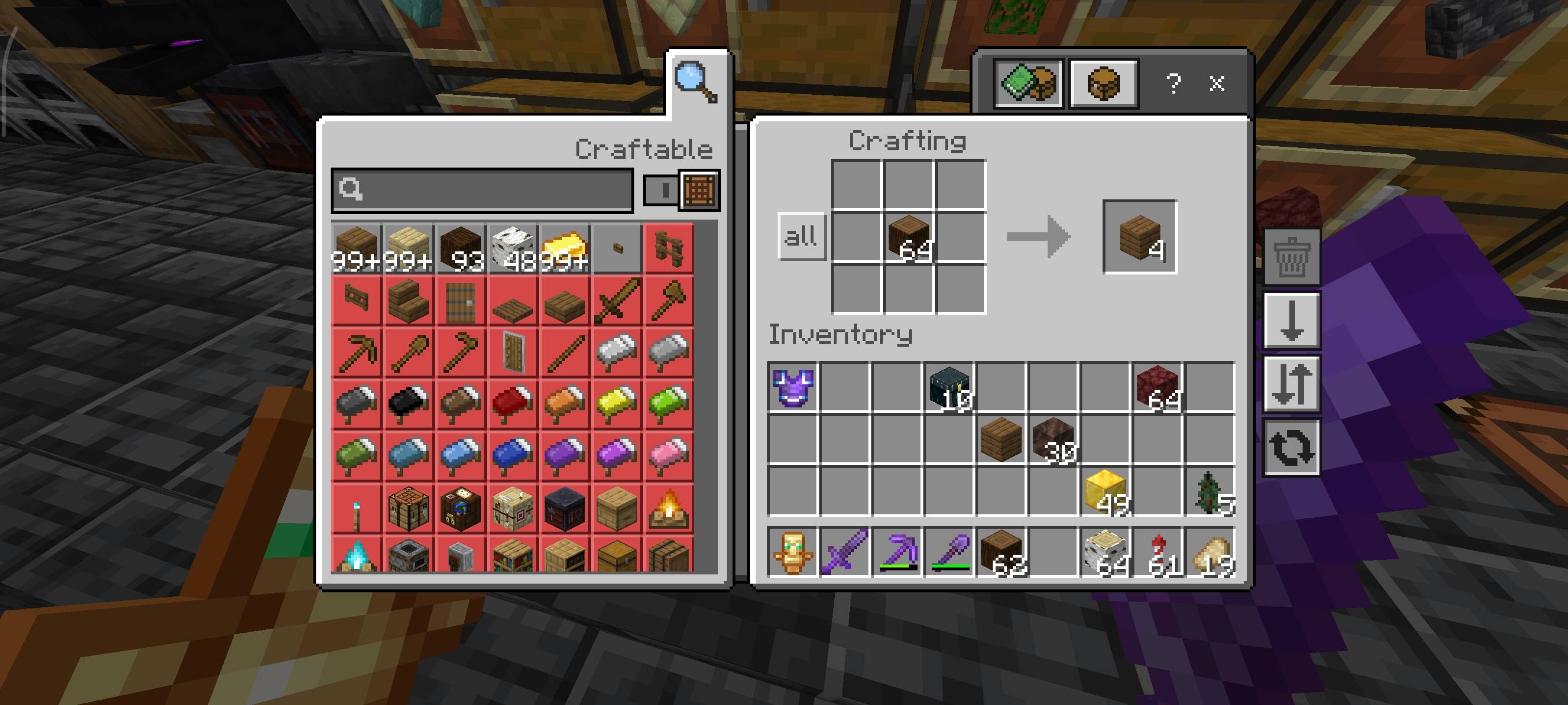
Added new button to crafting screen to craft all items with one click. Quick Craft button on crafting player will only appear if there is item in crafting input slot!
3. Spam Craft
Now you can spam click to CRAFT ITEMS! which you couldn't do before for some reasons, like there is delay after craft an item.
More features are coming soon...
Notes
- The features in this resource pack are taken from Quick Container (another project of mine). I did this because people only wanted specific features.
Terms Of Use:
You are ALLOWED to:
- Modify this pack only for personal uses.
- Make a review about this pack, as long as you put original download link in description (Curseforge or Mcpedl).
You are NOT ALLOWED to:
- Use or claim my codes from this pack without my permission.
- Distribute the modified pack to public.
- Redistribute this pack to other sites (9minecraft, modbay and etc.)
- Share links that are not from original sources (Curseforge or Mcpedl).
Як встановити Inventory Management
With Millida Launcher
Install Millida Launcher
The launcher is free: download it at millida.net/launcher and sign in with any nickname.
Click “Install” on this page
The launcher opens and installs the resource pack for Minecraft 1.18–1.21.130 automatically.
Launch the game
A profile with it appears in the launcher: click “Play”.
Manually
Download the archive
Pick the file Inventory Management v1.0.5.mcpack (28 KB) for your game version. No need to unpack it.
Put it in the resourcepacks folder
The easiest way: “Options”, then “Resource Packs”, then “Open Pack Folder”, and drag the archive there.
Enable the pack
In the same window, move the pack to the right-hand “Selected” column and click “Done”.
Версії
Із залежностями
| Minecraft | Завантажувач | Файл | Дата | Дії |
|---|---|---|---|---|
| 1.21.30 | — | Inventory Management v1.0.5.mcpack27.5 КБ |
Часті питання
Which Minecraft versions does Inventory Management work on?
There are files for 1.18–1.21.130, 36 versions in total. The newest is 1.21.130.
Where can I download Inventory Management safely?
On this page: the file Inventory Management v1.0.5.mcpack (28 KB) is stored on Millida’s server, with no link shorteners. SHA-1 checksum: 296b273a168ee1381a7cfef8f311ca32daf342e3.
Відгуки
Станьте першим, хто оцінить Inventory Management


