

Fog rtx Ресурспак для Minecraft 1.21, 26.20
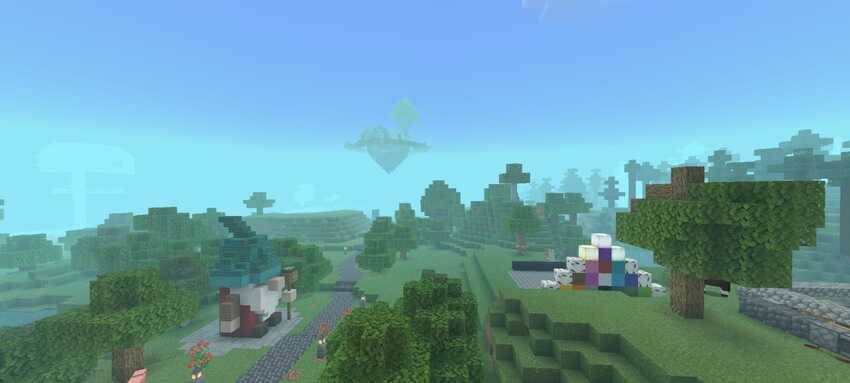
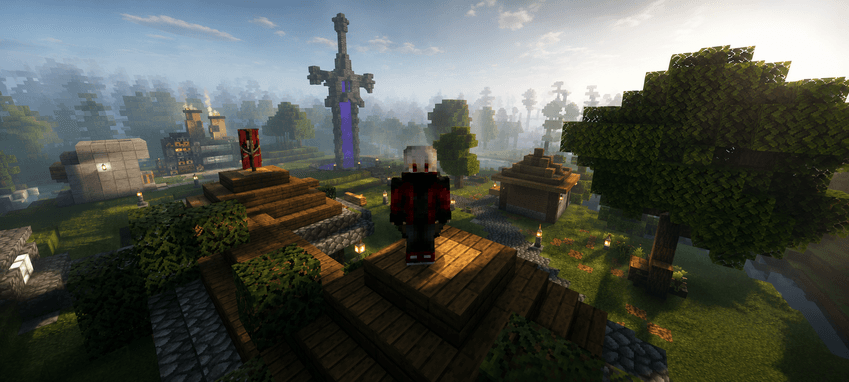
Текстура, що імітує туман RTX, створює реалістичний ефект серпанку, додаючи глибину та занурення в сцену. Сумісна з оригінальним Minecraft та патчем
Про ресурспак Fog rtx
Detailed Description of an RTX Fog Texture
An RTX fog texture replicates the volumetric lighting and atmospheric scattering effects found in advanced ray-traced environments, producing a smooth, layered fog that reacts naturally. When applied to a Minecraft world, this texture creates the illusion of depth, slightly obscuring distant objects and giving the environment a cinematic look.
Compatible with Minecraft original and patch
Як встановити Fog rtx
With Millida Launcher
Install Millida Launcher
The launcher is free: download it at millida.net/launcher and sign in with any nickname.
Click “Install” on this page
The launcher opens and installs the resource pack for Minecraft 1.21–26.20 automatically.
Launch the game
A profile with it appears in the launcher: click “Play”.
Manually
Download the archive
Pick the file Fogrtx.mcpack (2.2 MB) for your game version. No need to unpack it.
Put it in the resourcepacks folder
The easiest way: “Options”, then “Resource Packs”, then “Open Pack Folder”, and drag the archive there.
Enable the pack
In the same window, move the pack to the right-hand “Selected” column and click “Done”.
Версії
Із залежностями
| Minecraft | Завантажувач | Файл | Дата | Дії |
|---|---|---|---|---|
| 1.21 | — | Fogrtx.mcpack2.2 МБ |
Часті питання
Which Minecraft versions does Fog rtx work on?
There are files for 26.20, 26.0, 1.21. The newest is 26.20.
Where can I download Fog rtx safely?
On this page: the file Fogrtx.mcpack (2.2 MB) is stored on Millida’s server, with no link shorteners. SHA-1 checksum: fd011416e7ec2e1012855afc80ce2a7088805310.
Відгуки
Станьте першим, хто оцінить Fog rtx



